BlueLine Vibes
Insiders
-
Joined
-
Last visited
Everything posted by BlueLine Vibes
-
My channel was started October 2015 and I have been very active uploading from 3-5 days a week. I have been featured in two of the most popular and downloaded mods "Arrest Manager" and "Traffice Policer" Albo was nice enough to feature me in his PDF download of the mods themselves after my reviews. I have also done several Callout reviews as well as Vehicle Reviews. I have 2 very en-depth tutorials on how to install LSPDFR as well as Plugin install that are over 2 hours each in detail. Please feel free to stop by the Channel and ask questions or just enjoy a bit exciting police work. The main channel can be found here BENZO EFFECT https://www.youtube.com/channel/UCCAfshFkLmgQwke6ga202Xw feel free to subscribe and hang out a bit. I answer all questions. This link here goes to my VERY Large LSPDFR Video Play List LSPDFR VIDEO PLAYLIST - BENZO
-
 I am fairly certain that it may be your callout package that has a lot of mispellings. I could be wrong but fairly sure I have seen misspellings throughout several callouts. Is it this callout package that mentions "a stolen donus" ? Or where you question a murder scene? Just was curious, maybe English is not your first language.
- 130 comments
- 28 reviews
-
-

- 1
-
-
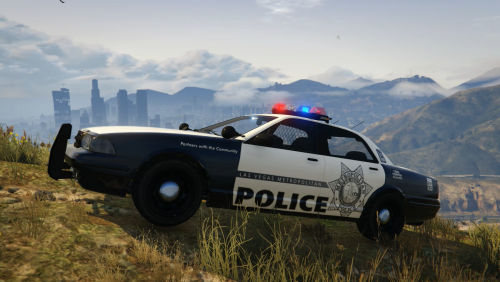 Another Episode with LAS VEGAS LIVE POLICE RADIO - Featuring this Vehicle ~Benzo
- 8 comments
- 2 reviews
-
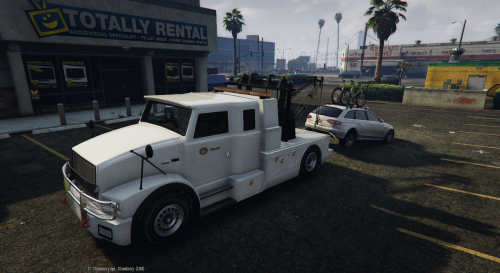 Awesome Police Tow Truck. FOR THOSE THAT WANT TO CHANGE COLOR - If you have Arrest Manager by Albo1125 in the ini about mid way down you will see TowTruckColourOverride= YOU NEED TO PUT THE COLOR YOU WANT IN ALL CAPS. So for example mine is TowTruckColourOverride=BLACK Cheers ~ Benzo
- 17 comments
- 5 reviews
-
-
- 1
-
-
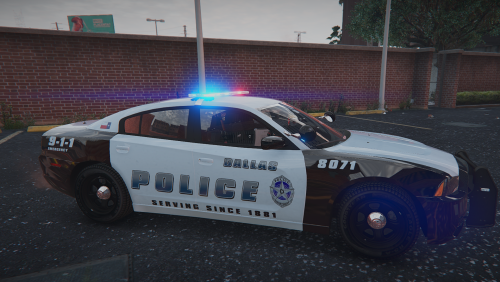 Thank you for this. I live in Dallas Texas and did a Tribute episode in my channel 5 / 5 stars
- 7 comments
- 10 reviews
-
-
- 2
-
-
-
 Fantastic Job man. Really like how light weight of a plugin script this is. Gives some good variety when you patrol and its simple to use. 5/5 bro
- 153 comments
- 32 reviews
-
 I can't imagine the work you have put into this Albo. How do you have time to do all of this? This is fantastic! 5/5
- 1,178 comments
- 137 reviews
-
-
- 1
-
-
-
 Ya just saw the dependency comments sorry. Ya its pretty much as soon as I load up LSPDFR the fps is a noticable drop
- 783 comments
- 86 reviews
-
Love this plugin. However, I am getting a dependency version check with Rage Hook. More than likely its benign as I have been able to run it. But I am getting a FPS loss only with this plugin. I take it out the fps area bout 10-15 higher. Still love the mod though. Will wait for future updates.
- 783 comments
- 86 reviews
-
 Definately a 5 star. I would say in the top 5 must have plugins if you want a smooth patrol. Allows you more in control of traffic thus the name ;) Use it a lot in my lspdfr vids EDIT: I am going to edit my review even more so. Today is April 30th, 2018. I still stand by the top 5 must haves in LSPDFR. Most people think this is just a mod that blocks traffic. I see people that play LSPDFR that never use it. They constantly are getting cursed at, yelled at and ran over. Do you not realize how easy it is to flip this mod on and off? When you turn it on, all traffic becomes docile, there is no more yelling, cursing, and obviously no more people running you over. Unless you allow the police through and that AI is a whole different animal. Remember 3 key binds, block all traffic, slow traffic, allow traffic. Simple as that. So what are you waiting for. Get the damn thing!
- 338 comments
- 46 reviews
-
-
-
-
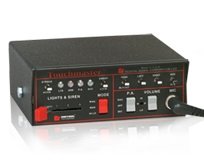 First take the vehicle.awc and put it into a folder labeled something like ORIGINAL AUDIO vehicles. That way if things go wrong you can just replace with the original. Now in the white area of the pathway just Right click, "Import OpenFormats" find the new siren labled with the vehicles.oac and import it. WARNING IT WILL OVEWRITE the original. This is why you want to save the original. If you do not do this, you will have a non working game.
- 23 comments
- 12 reviews
-
 Truly a must have, especially for people with the higher end graphics cards. The lights become even more vivid. I have had this installed for the last several episodes of LSPDFR on my channel.
- 336 comments
- 70 reviews
-
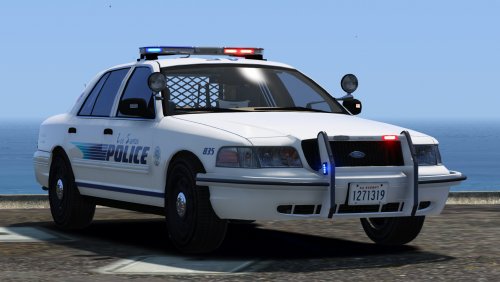 This is a great piece of work. Love the Liveries and the light bar fits this model nicely. Well done 5/5
- 64 comments
- 29 reviews
-
 Hey F5544, Help me out here bro. I am placing this in my Police2 slot. I renamed the files, I renamed in Carvariations as well. However, I am unsure if this file comes with a handeling or not. I am flipping the car around corners. Thanks for any input, I am sure I am doing something wrong here.
- 202 comments
- 51 reviews
-
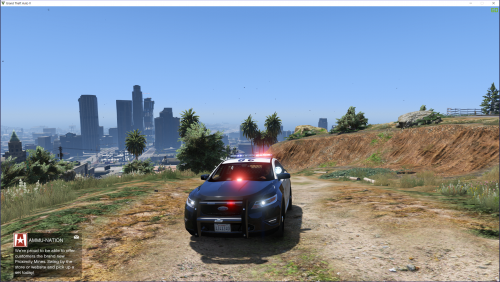 Quick question on this vehicle. Is it possible to perhaps rename this to police? Would I have to mess with the carvariations as well to mimic the police3? Rename that too perhaps?
- 49 comments
- 10 reviews
-
 @Casey Washington - Did you post a RageHook Log txt? Can't help much unless we see that. its found below your RagePluginHook.exe Post it as a Spoiler (the eye icon) in this thread Hey Albo, forgive me if you posted this somewhere or answered it aleady. I love this thing for sure. Is there anyway to add some of these features into Traffic Policer, for example getting all IDs of the occupants of the car etc.
- 203 comments
- 29 reviews
-
-
- 1
-
-
-
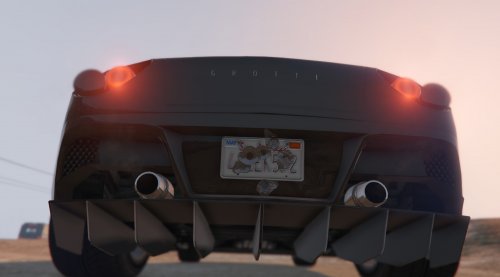 Very useful Plugin for people like myself that do LSPDFR YouTube episodes. Got tired of saying the same plates over and over again in the past several episodes. Thanks for this.
- 20 comments
- 10 reviews
-
-
- 1
-
-
-
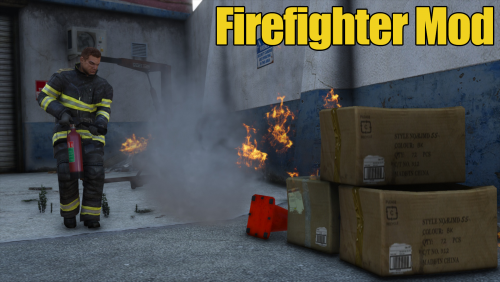 I should get this. I have been a Fire Fighter and a Paramedic for 22 years now. Currently I am just doing LSPDFR episodes on my channel here https://www.youtube.com/channel/UCCAfshFkLmgQwke6ga202Xw However, I keep seeing this type of mod and it looks great


.thumb.png.84adb823f7f653b8d654f1ab13098851.png)