dralis83
Members
-
Joined
-
Last visited
Everything posted by dralis83
-
I ran everything fine on my ASUS G71 Gaming laptop, i bought from best buy, just use it now to mess around with games but never game me any problem, but I would def recommend a custom built PC off ibuypower, but the asus laptop I have is awesome!
-
Try turning off your shadows in your graphic's menu in your gta iv, and also on the closeness, hit V on your keyboard and will cycle through different views
-
-
Thanks for sharing!
-
-
-
Did you replace that with the speedo? Or did you try putting it in as like police, or polpatriot if so thats your problem
-
Put the .dll file and the Config file in the script folder of your GTA and go in game and hit X! DO NOT extract the "folder" itself open fold copy and past the two script files the dll. and the config file and paste them into your gta script folder and your ready to go bud
-
0.95 is the newest released version no worries, you have the latest LCPDFR
-
I love ELS, but that is very nice! Great setup :)
-
Very well said Bollocks, I love watching shows about this stuff, who knows, anything is possible, like you said, 14%!
-
My suggestion, is to turn off your night shadows, try that and give me a shout and see how that does for you :)
-
Its called Simple Native Trainer, google it and you should find the link bud :)
-
Hey all, just curious if anyone else has had this problem, I installed an ENB and I didn't like it so I took out the files, and put back in Sgt Kanyo's timecycle v4 but it seems the ENB overwrites my visualsettings, street lights are way to bright ect.... Any advice howto fix this problem? I don't mind that on the start up screen it shows "ENB SERIES" which I have no clue to get rid of that but it doesn't bother me. Any help would be greatly appreciated thanks!
-
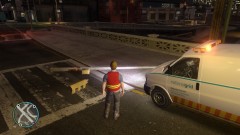
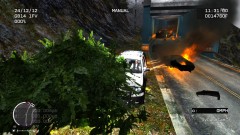 Yeah its CJ24's car pack
 -
I created and posted this awhile back, hope this helps!
-
rofl, well, how do you radio dispatch after that incident! LOL
-
Sorry, double post some reason couldn't get it to work the first time! Now it worked apologizes!
-
very nice vid!
-
Not too bad, I think you would be a great commentator, turn your mic up a bit chief, also graphics are alittle hazy? Or do you have to keep them low? But nice video bud!
-
-
Good video bud, great ending, happy holidays and a great new year!
-
Let's seem, ummm nothing, spent about 400$ on my 5 year old daughter!!
-
= To create traffic on the roads of Clockwork Mount Replace the paths.img to Grand Theft Auto IVpcdatacdimages * Make a backup of your Paths.img or use the .bak if you forgot to restore. *
-
From the album: Misc Pics