


dralis83
Members
-
Joined
-
Last visited
Everything posted by dralis83
-
I have it notepad++ but it just opens as a bunch of code####'s
-
Could someone help me out, I've been wanting to view my stat's on like how many pull over's i've had ect..... I found the stat's file but it's XML not sure what I need to open it, but in Albo's youtube video it showed up like an .exe or something? can anyone help please! :)
-
Oh well my apologies!
-
Same the new ScripthookV does NOT work I repeat does NOT work, stuck on loading, I also can confirm, in the meantime remove dinput8.dll and scripthookv.dll out of your GTAV directory and should go back to working just can't use ELS or ASI functions, it looks to me Alexander Blade did not put the right dinput8.dll update in with the new scripthookv.dll still showing as my old dinput8.dll something like 5-2-2017 was the last time it was modified, he says to replace dinput8.dll with new one but its still the old one when you download the new scripthookV hope this helps!!!! Open OpenIV and go into edit mode. OpenIV will let you know that there was an update and that the update.rpf needs to be updated in the mods folder. Allow it to update the update.rpf There is no problem with the new Script Hook V. Confirmed working afterwards. Edited just now by SHERIFF/EMS/FIRE Thanks Sheriff/ems/fire
-
Your welcome
-
Same the new ScripthookV does NOT work I repeat does NOT work, stuck on loading, I also can confirm, in the meantime remove dinput8.dll and scripthookv.dll out of your GTAV directory and should go back to working just can't use ELS or ASI functions, it looks to me Alexander Blade did not put the right dinput8.dll update in with the new scripthookv.dll still showing as my old dinput8.dll something like 5-2-2017 was the last time it was modified, he says to replace dinput8.dll with new one but its still the old one when you download the new scripthookV hope this helps!!!!
-
-
lol @Mags
-
Let me tell you, im highly disappointed with GTA V! I feel it as I wasted my money so i'll stick with GTA IV and wait for LCPDFR 1.0!!!!
-
-
Your computer might not be able to handle that, it is intensive!
-
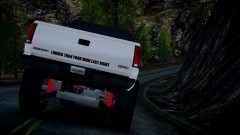 very nice
 -
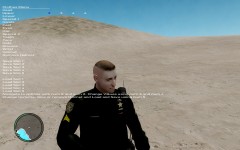 Nice
Nice -
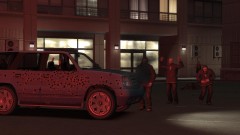 damn lol
 -
Awesome vid, keep up the great work!
-
Enjoyed the video, you should make more of these :)
-
Nice vid! Looks neat
-
Your best bet is to go with ELS V5, because V6 imho isn't very stable and caused me lots of problems, since I switched too V5 I can play until I get bored and never crash!
-
 Nice bronco, we had one about that same color when I was growing up, anywhere I could find it or is it not released?
 -
I bought it, think its alot of fun, but I find the TONS of different functions for controls are very nerve racking when you get into a hella fire fight. Only if they could make it more simpler and user friendly for ones not used to the ARMA2 controls cause you can in the settings revert using arma2's default controls, but I know you can remap functions, but there's just way too much!!! IMHO
-
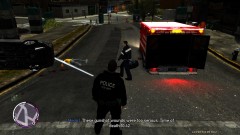 The car flipped after a chase lol, back of the bus is dark lol
 -
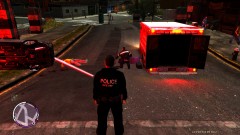 Abraxas new policehelper, just show casing a picture from a car chase/shootout, note in the picture medic carrying the bag, parking perfectly and not hitting ped's on the street, if trauma isn't too serious, they will load patient and take them to the hospital!
 -
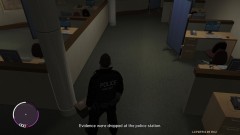 Just for information, the box at the bottom of the officer's feet is the evidence boxed up and ready for lab techs to prep for prints!
 -
From the album: Misc Pics
-
-
Wounds Too serious
-
Evidence from incident
-
AbraxScript working The scene
-
 EFLC 2012 12 24 11 31 27 874
-
 EFLC 2012 08 24 00 46 18 307
-
 EFLC 2012 08 24 00 45 55 702
-
 EFLC 2012 08 24 00 45 19 230
-
 EFLC 2012 08 24 00 44 32 285
-
 EFLC 2012 08 24 00 43 44 345
-
 EFLC 2012 08 24 00 43 33 630
-
 EFLC 2012 08 12 23 50 29 286
-
 EFLC 2012 08 12 23 50 11 154
-
 EFLC 2012 04 26 23 41 26 157
-
 EFLC 2012 04 27 01 51 14 523
-
 EFLC 2012 04 27 00 01 36 165
-
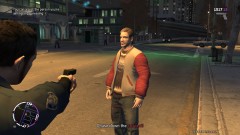 EFLC 2012 04 26 23 02 00 626
-
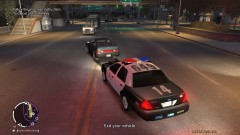 EFLC 2012 04 26 22 44 33 301
-
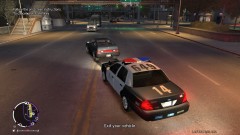 EFLC 2012 04 26 22 44 32 201
-

