


dralis83
Members
-
Joined
-
Last visited
Everything posted by dralis83
-
-
In the ELS config file set the AI SP to 0 so the AI doesn't use ELS this causes alot of crashes hope this helps!
-
You will have to install steam on your desktop enter your username/password and re-download onto your desktop is as far as im aware you can do it.
-
Hey just wanted to update everyone, it absolutely works without any performance issues, I changed the config file and .net added a 2 behind them and added a set of a new 20 car pool which makes the traffic way more realistic! I set the variable for the emergency dispatch to 100 so more less they won't happen i'll let the first trafficflow do the dispatches and I have the 2nd traffic flow set for 30 seconds memory load and the first traffic load is set to 15 seconds/ms works great no problems thanks for everyones help!
-
Hmmmm, on the ticks and time interval i'll have to see if I can figure that out! Thanks guys! Dhruv would you possible have an idea of what I should set the ticks and time interval on the second trafficflow the regular trafficflow is all stock with default cars if you have the numbers you think would be best that would help out tremendously!
-
So a 2 on the end of the trafficflow net/ and the traffic config file?
-
I've heard it is possible to have two traffic flow going at the same time, I want more diverse traffic instead of the same 20 cars that load, was wondering would someone have a txt file of other cars I could download and replace that works best for the realistic LCPDFR, Would like to keep the default trafficflow vehicles in the pool, but have another txt file with another 20 different cars would anyone be able to help out? Would be greatly appreciated thanks for the help in advance!
-
Alot of people have that but just dis-regard that because there is no update as of yet hopefully soon! Love LCPDFR!
-
Its a great game I think lots of fun for free but not as good as LCPDFR!
-
I have a high end pc and I still use this program for the simple fact that it disables stuff like "windows update" which could cause you to crash to the desktop and sometimes won't let you back into your game and helps alot with windows 7, I think its worth it, give it a shot if not uninstall it
-
Got any ideas, because it didn't work just made the game not load crashed back to windows. I used spark IV for the veh. img file, and put the carcols ect like the readme said to in the common folder any ideas bud? Yeah read the readme and did everything like I was suppose to hmmmm well crap!
-
Thanks Dhruv, will this work good with EFLC? I'm downloading now and will try was just curious
-
I have a really high end PC, I downloaded a car pack and I believe the veh.img file was approx 400megs all of the realistic cars were awesome made the game much more enjoyable instead of pulling over the same org veh's. Was wondering does someone have a great pack that won't cause texture problems, or a vehicle.img file that works perfect with EFLC? Thanks in advance!
-
Make sure in your firstresponse config file set the load all models to "true" default is set to false
-
I would like to change the police stinger to a different vehicle, but am having issues finding the police stinger in the veh.img file can someone tell me whats its called? Thanks in advance
-
running in windowed view sucks but great mod, but won't be using cluttered 32inch HD Monitor can't stand seeing the task bar!
- 82 comments
- 26 reviews
-
Looks awesome!
-
Was wondering, i've seen videos with people having way more cars then I do, some with semi's box trucks ect...... How do I enable those to get a more diverse traffic scene? I've heard of people having two traffic flows installed was wondering does this work? And if so does someone have a txt file they could give me with a list of 20 different vehicles that aren't the same as the default when I installed traffic flow v2? Please help if possible thank you for your time!
-
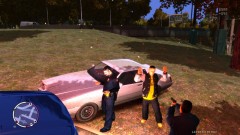
From the album: Misc arrest
-
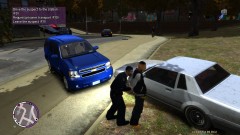
From the album: Misc arrest
-
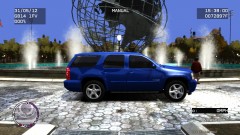
From the album: Misc arrest
-
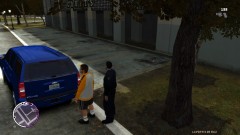
From the album: Misc arrest
-
From the album: Misc arrest
-
From the album: Misc arrest
-
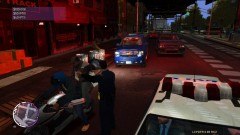
From the album: Misc arrest

