


A Stranger
Members
-
Joined
-
Last visited
Everything posted by A Stranger
-
Did you remove it from the dlclist.xml, too?
-
trainerv.txt Rename this to the .ini and then retry.
-
Do you have NVR / NVE? If so, please remove / disable the emissive folder in /mods/update/x64/dlcpacks.
-
Can you send that .ini of yours, pelase?
-
You edited one of UltimateBackup's .xml's recently. Revert that change, there is an error in it.
-
Rename your mods folder to _mods.
-
I recommend starting over with your mods folder, then.
-
You need to extract what's in that folder to your GTA V folder.
-
Which is true. But since there is no crash in your log, it's highly likely (especially with the way you're describing it) that those are causing your issue.
-
You need all the files I sent, not just the gameconfig. Cars rarely get out of date or cause crashes. (Unless you incorrectly installed / messed with their .meta files but then your log would be ddifferent.) At this point, it could be any of those, but I doubt it's the weapons. Try reverting the gun sounds & check. Then move on to the cars, etc.
-
There is nothing out of the ordinary in it. Disable preload (if you haven't yet) in the lspdfr.ini. Then, rename mods to _mods.
-
Rename your mods folder to _mods.
-
Did you add / enable them in the TrainerV.ini?
-
Remove AmbientAICallouts; What exactly do you have installed in your mods folder?
-
Do you have lml? If you, please make sure that you have these installed: Gameconfig; choose 1x Traffic 1x Peds or 1.5x: https://www.gta5-mods.com/misc/gta-5-gameconfig-300-cars Heap Limit Adjuster: https://www.gta5-mods.com/tools/heap-limit-adjuster-600-mb-of-heap Packfile Limit Adjuster: https://www.gta5-mods.com/tools/packfile-limit-adjuster If not; please keep mods renamed to _mods and verify your game files.
-
Try renaming the ELS folder to _ELS and scripts to _scripts if you have it.
-
Send a new log, please.
-
Can you send a screenshot of that error? Thank you.
-
No crash in your log. I do recommend removing the following plugins in /PLugins/LSPDFR tho: - AttemptedCrimeCallouts; - RegularCallouts.
-
It's definitely your mods folder. Did you replace any .meta files? (Especially the vehicles.meta)? If not; was the car an add-on? If yes, install those: Gameconfig; choose 1x Traffic 1x Peds or 1.5x: https://www.gta5-mods.com/misc/gta-5-gameconfig-300-cars Heap Limit Adjuster: https://www.gta5-mods.com/tools/heap-limit-adjuster-600-mb-of-heap Packfile Limit Adjuster: https://www.gta5-mods.com/tools/packfile-limit-adjuster
-
If you installed custom vehicles; rename mods to _mods. Also, if you haven't already, disable AmbientGameEvents in the LSPDFR.ini, located at GTAV/LSPDFR.
-
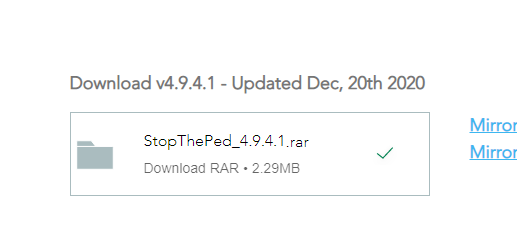
Just click on this: Instead of the mirror.
-
Change the plugin timeout threshold from 10000 to 60000 in the RagePluginHook.ini file and change Main.PreloadAllModels in GTAV/LSPDFR -> LSPDFR.ini to false. Also, remove in /Plugins/LSPDFR: - PeterUCallouts; - Regular Callouts; - RichsPoliceEnhancements; - XScanner
-
Remove in /Plugins/LSPDFR: - ALPRPlus; - AssortedCallouts; -
-
You need to send your RagePluginHook.log.


