


Quakex64
Members
-
Joined
-
Last visited
Everything posted by Quakex64
-
let me ask you, what are the names of the electronics.. like the monitors, the pc/laptops, the mice, servers, and anything related... I have been trying to find them in map editor but I just cant seem to use the right keyword to get them.... can you help with that?? Is there a list somewhere with all the names of the objects (like there was for MTA from San Andreas)...
-
 this is just freaking awesome... I need to test this...... edit wrong person
- 127 comments
- 33 reviews
-
sorry, the anticipation preceded me
-
use some kind of coast guard thing for sinking or stranded boats/sailors, also could do, maybe not a callout, but an option somehow to search the cause of why a boat sank (there are two submersabiles in game) and have to find the clues then arrest the assailant, or something like a suicide callout, have to prevent them from blowing it up and 60/40 chance it will)...hope this gets done soon, glad I could post opinions.. I can wait.. have yet to have a successful day with lspdfr running
-
I get it it. so, Illegal importing, drug trafficking, illegal car exporting, (human trafficking, (I dont know about that)) oil boat tampering, Gas tanker hijacking..
-
same
-
I hope this is still in the works?? (crosses fingers)
-
coastal callouts sounds like a different name for lifeguard callouts... Baywatch comes to mind here... could have drownings, shark bite (?), alcohol poisoning (?) EMS related but lifeguards should always know CPR :) ), lost child (dont know if there are child peds), dog bites (?), jellyfish sting (?), suicide attempt of a cliff somewhere maybe (?), I dont know how you would implement this, but its a start
-
which version of the mod? which version of GTA? and which version of scripthook.net? (thats what it ran on before) if any version you have that is old like a or b, its probably bugging out because it hasnt been updated for new versions on scripthook.net and GTA V I hope this is still in production
 what did you do?? how'd you fix it? tell us so that if someone else has this issue, it could help them..
- 3,646 comments
- 306 reviews
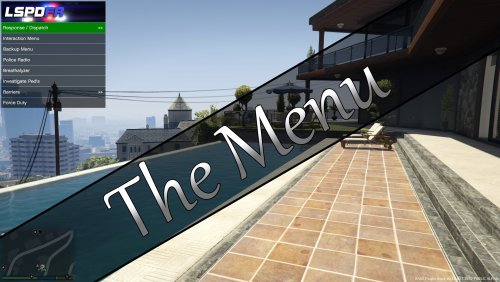 I meant, in his menu.xml he has " MenuItem Commands: KeyPress[string]: Goto https://msdn.microsoft.com/en-us/library/system.windows.forms.sendkeys.send.aspx For Available Options - ^ = ctrl, ! = alt (IMPORTANT as the site says different), + = shift EXAMPLE (to do ctrl+l as a key combination) ^l" so if I want to use shift and numpad five, the line in the menu would be ^num5 right or are the ^ ! + limited to only certain lspdfr mods? as I know they use LShiftKey, F5, various combinations of ctrl, shift NumPad keys along with alphabetical keys plus others but they do not use the ! ^ + ? the link he gave, doesnt show the ! ^ +, thats why I am lost and confused. this one is often used: https://msdn.microsoft.com/en-us/library/system.windows.forms.keys(v=vs.110).aspx but again doesnt show shift or alt as ! or ^
where can I find a list of the keys... such as the ! for alt and ^ for control... no matter what I search on google i cant get anything... and trust me I am going to try to make my own with the provided information you gave us in the xml (updated version)... im trying here
@joe25 if F5 is your panic button and the INI always changes something back to that in traffic policer or something, why not change the key in panic button to something else then leaving policer alone and see if its easier.....and to delete a mod completely you just had to remove all instances of it, in plugins, plugins/lspdfr (if valid) and lspdfr/police scanner/ traffic policer audio, then put the new stuff in... when I have to updates I just compare old and new INI so that I have same keys as I did before... hope this helps..
I meant, in his menu.xml he has " MenuItem Commands: KeyPress[string]: Goto https://msdn.microsoft.com/en-us/library/system.windows.forms.sendkeys.send.aspx For Available Options - ^ = ctrl, ! = alt (IMPORTANT as the site says different), + = shift EXAMPLE (to do ctrl+l as a key combination) ^l" so if I want to use shift and numpad five, the line in the menu would be ^num5 right or are the ^ ! + limited to only certain lspdfr mods? as I know they use LShiftKey, F5, various combinations of ctrl, shift NumPad keys along with alphabetical keys plus others but they do not use the ! ^ + ? the link he gave, doesnt show the ! ^ +, thats why I am lost and confused. this one is often used: https://msdn.microsoft.com/en-us/library/system.windows.forms.keys(v=vs.110).aspx but again doesnt show shift or alt as ! or ^
where can I find a list of the keys... such as the ! for alt and ^ for control... no matter what I search on google i cant get anything... and trust me I am going to try to make my own with the provided information you gave us in the xml (updated version)... im trying here
@joe25 if F5 is your panic button and the INI always changes something back to that in traffic policer or something, why not change the key in panic button to something else then leaving policer alone and see if its easier.....and to delete a mod completely you just had to remove all instances of it, in plugins, plugins/lspdfr (if valid) and lspdfr/police scanner/ traffic policer audio, then put the new stuff in... when I have to updates I just compare old and new INI so that I have same keys as I did before... hope this helps..- 3,646 comments
- 306 reviews
Do you have the latest version of the mod itself? as of Wednesday 8:16PM its Traffic Policer 6.6.0.2 by Albo1125 _ RPH 0.37 make sure you have latest version of traffic policer, RPH_37, Albo1125.Common v5.4.0.1, and RAGEnativeUI v1.3.0.0.. if it still donest work redownload and put in a fresh INI for you to see..- 3,646 comments
- 306 reviews
1. dont be a lazyass 2. the latest version is too confusing, I agree, to put mods in and how to put the controls and what not.. since he has not responded for almost a month, both here and here: https://www.gta5-mods.com/scripts/the-menu , I would only guess that either he is extremely busy with life or has abandoned this. I too would like to use this but since we cant get any feedback, I shall try other things... there are other files that do this same thing, that I have found but I like the way this is layed out better... have you tried using a semi-vanilla game?? meaning take out all mods and see if it works?? if so, then try the mods one by one to eliminate the culprit... you just use lspdfr or you have other stuff too?
- 371 comments
- 38 reviews
.thumb.jpg.bf36ccd4efb7c1d75475280f95f3e8fc.jpg) if this was somewhere else close by and not in the parking lot of the police station it'd be awesome
if this was somewhere else close by and not in the parking lot of the police station it'd be awesome- 2 comments
- 2 reviews
same here.. and I hope you update the website for this version so we arent downloading the GTA IV version for GTA V.... I cant wait for this!!!!



.thumb.jpg.bf36ccd4efb7c1d75475280f95f3e8fc.jpg)