


GreenAid
Members
-
Joined
-
Last visited
Everything posted by GreenAid
-
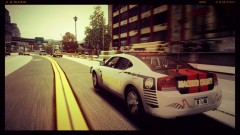 Wait a min 5 AM is sunrise not set ;)
 -
Never heard about LCPD:FR version 1? ;)
-
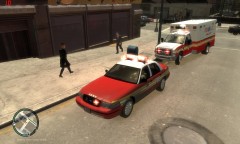 A Go Rhino! Will be good. I've been looking from long time for a CVPI with hubcaps & ELS-H :D :D
 -
That's the distance at where the ELS lights should work. Calling backup & the backup unit is out of that range, will cause the game to crash. So if you do it like I said it will never crash :)
-
Ohhh plz could you add a rambar to that & release it plzplzplz :D
-
ELS V7 is the most stable thing you can find, better than anti-seismic buildings; the thing making you crash is AI distance. To fix it find the correspondent line into the ELS.ini & replace it with this: Els_Range_Pl = 400 Els_Range_Ai = 850 This solution is not really recommended as it will look very unrealistic.
-
Maybe you should check the side colours as they look very different from the real colours?
- 12 comments
- 4 reviews
-
There are already the complete models of Explorer & CVPI, you just remade them??
- 6 comments
- 5 reviews
-
-
Plus to what Break said it has more police slots (3) that work correctly with LCPDFR.
-
As I said in your download, download Game4Video's ENB & then copy the enbbloom.fx only from it into your game. Then to have cool lights put visual setting value to 260 (if it's the latest ENB by buzz & stargate, that's what I'm working on).
-
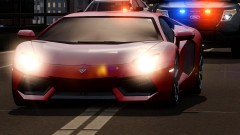 770?? Damn son.
 -
I'm working on an ENB for EFLC, soon will be released, I only need to update it to latest version
-
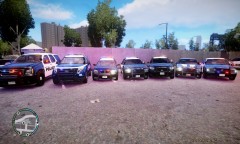 Poor Vic :'( I hope they will make a badass updated model in the future to kick back in!! This can't just go away...
 -
Hey mate, try installing game4video's enbbloom.fx, it will fix that bad looking bloom you got there ;)
- 11 comments
- 9 reviews
-
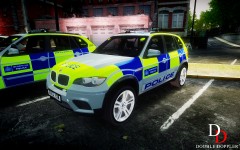 Once you should try making an American skin :) Would turn out great :D
 -
Because the glass in front of the lights is darker if I'm not wrong.
-
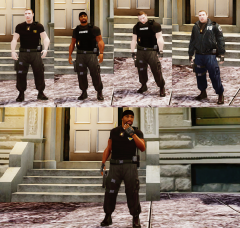 Dayum! Nice things you do bro!
 -
Wait, do you have lag? If not, did you know you need to press J 3 times before getting to primary lights? (Otherwise RAlt+J).
-
![[W.I.P] 2011 CVPI - LCPD](//s3-gallery.int-cdn.lcpdfrusercontent.com/gallery/album_1567/sml_gallery_49005_1567_59552.png) Plz when you finished will you consider doing a version with Hubcaps too plz? :p
Plz when you finished will you consider doing a version with Hubcaps too plz? :p -
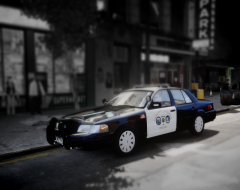 Is that from D:SF?
 -
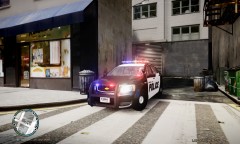 Plz can you pass the textures you used for the lights on rambar? :p
 -
Well, if you don't feel like doing it, just don't matter, cause I think I found another one good too :)
- 15 comments
- 10 reviews
-
Anyway, many people can't just read the manual because they are too lazy... :(
-
The Caprice should also be the same since they are the same model...


![[W.I.P] 2011 CVPI - LCPD](http://s3-gallery.int-cdn.lcpdfrusercontent.com/gallery/album_1567/sml_gallery_49005_1567_59552.png)
