




Kilyin
Members
-
Joined
-
Last visited
Everything posted by Kilyin
-
-
Uhm, I thought I was replying to a GTA5 related topic, lol...
-
various locations...do a ctrl-f3 in OpenIV and search for it. You'll probably want to make the edit in a dlcpack vehicles.meta and do what gamer2010 suggested.
-
I don't know if you need to rebuild, I tend to not do that, but if it doesn't mess anything up, go for it.
-
Looked at the mod. I think all you need to do is open the .OAC file that comes with it (td_loading_music.oac - in a text editor) and you will see each .wav file listed with a "Gain XXX". Adjust the Gain to a higher number until it's loud enough for you (I would try increments of 50-100). Anytime you edit the .OAC file you'll need to reimport with OpenIV.
-
-
-
Looks like: https://www.gta5-mods.com/vehicles/la-crown-victoria-taxi
-
Pretty sure it's this part of vehicles.meta <drivers> <Item> <driverName>S_M_Y_Cop_01</driverName> <npcName /> </Item> </drivers>
-
You can use the interaction menu thing to get statements from them, etc. But yeah it's basically determining if they can drive away or you need to tow their cars.
-
You need: http://www.lcpdfr.com/files/file/7892-breathalyzer
-
Right, so torch by default is Shift-U. Roadblock by default is Shift-R CheckPed is Shift-Y. Interaction is just T.
-
they probably have modifier keys assigned, which means you need to press two keys at once, or remove the modifier key.
-
check the CalloutsV.ini, should find what you're looking for there.
-
 There is no trace of BreathalyzerRAGE.dll in your log. So it would appear the plugin is not installed, isn't installed correctly, or you just need to type loadplugin BreathalyzerRAGE.dll in the RPH console.
- 182 comments
- 25 reviews
-
-
in OpenIV, ctrl-f3, type in name of car you're replacing. Example... police2.yft You will probably see more than one location. Obviously, backup the files before you replace them, but try replacing in the other locations. For example, if a car is in x64e.rpf, and patchday3ng, patchday3ng wins.
-
 In carvariations.meta you could change all instances of <Item> <indices content="char_array"> 134 134 0 0 to <Item> <indices content="char_array"> 0 0 0 0 that'll spawn it black every time. Obviously only do this for <modelName>cross</modelName> and <modelName>cross2</modelName> entries
- 53 comments
- 8 reviews
-
-

- 1
-
-
 Ohh, if you have multiple liveries on Sheriff2, I don't think so. That is a limitation of the game. The only thing I know you could do is just use a 1 livery Sheriff2 or copy the same livery to all the slots in the .ytd.
- 1,915 comments
- 242 reviews
-
-
- 1
-
-
Arrest Manager.ini //Model for when you're in the countryside. //Default: CountrysideTransportVehicleModel=SHERIFF2 CountrysideTransportVehicleModel=SHERIFF2
- 1,915 comments
- 242 reviews
-
 So I got a crash when searching a cuffed suspect last night. I'll post the log, but I'm not entirely sure if your plugin caused it. It happened at the exact moment I hit shift-G to begin frisking him though.
- 107 comments
- 18 reviews
-
I dunno, Albo is pretty lazy. We might need to hit him with the drugalyzer.
- 1,915 comments
- 242 reviews
-
-
- 2
-
-
-
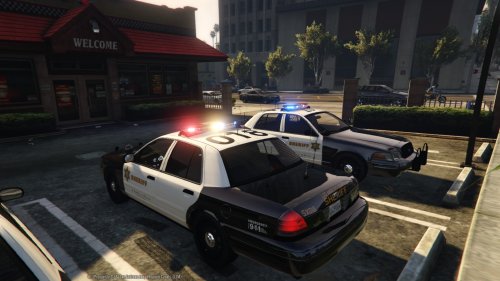 Er, I mean in the RADIANCE archive, there are two folders... each with a visualsettings.dat. Bright, and Very Bright... so which did you pick? ;p
- 110 comments
- 13 reviews
-




