Kilyin
Members
-
Joined
-
Last visited
Everything posted by Kilyin
-
 Well that sucks. I also can't download any older versions of the model through the changelog, keeps giving me 1.4 even though the download clearly lists the correct version. Oh well.
- 146 comments
- 24 reviews
-
I don't think that's a problem, it's in my log too and my game didn't crash, but if you notice the lines after it: [10/27/2015 7:43:33 PM.714] Failed to create D3D11 device for Grand Theft Auto V: 887a0001[10/27/2015 7:43:33 PM.721] Swap Chain created: 0x67FD5DD0[10/27/2015 7:43:33 PM.722] Swap Chain VTable: 0x67FD5DD0[10/27/2015 7:43:33 PM.722] Swap Chain VTable_2: 0x7FEEFF15AE0 As far as I know, that means it failed to create the swap chain the first time, but then on a subsequent attempt it was successful.
-
I use VisualV ENB. I'm not sure if it's always blue, I just recently reinstalled all my mods because I started getting these weird mem alloc errors, I think I had way too many car models.
- 146 comments
- 24 reviews
-
Tried coloring everything that looked like it might be 'bluish chrome' in CV_Interior, but the blue shit is still there.
- 146 comments
- 24 reviews
-
-
-
 7zip has never failed to unzip anything for me including this mod, and it's open source so it doesn't nag you to buy it.
- 3,646 comments
- 306 reviews
-
-

- 1
-
-
@F5544 is this blue thing across the middle of the dashboard area supposed to be there? I honestly can't remember
- 146 comments
- 24 reviews
-
What values specifically? From what I've gathered you need to change the following: <Item> <PoolName>Vehicles</PoolName> <PoolSize value="300"/> </Item> <MaxVehicleModelInfos value="310"/> <MaxExtraVehicleModelInfos value="100"/> to something like: <Item> <PoolName>Vehicles</PoolName> <PoolSize value="400"/> </Item> <MaxVehicleModelInfos value="400"/> <MaxExtraVehicleModelInfos value="150"/> Not sure if there are any others.
-
If all you have is RPH and LSPDFR, it should be fine. If you have other stuff like Scripthook, etc, I would move them out of the folder to be on the safe side. I use a batch file for that.
-
That looks like a game crash. Do you have a lot of car mods installed, particularly, addon cars? What happens if you launch the game with no mods?
-
Just don't launch the game with RagePluginHook.exe, but instead launch the game normally.
-
Right, those are just plugins. Albo's Traffic Policer and Arrest Manager are "API Plugins". All API plugins must go into \Plugins\LSPDFR and they are not loaded via RPH startup, but automatically when you go on duty in LSPDFR. This includes all callout mods, etc. Maybe this helps. Click this link: http://www.lcpdfr.com/downloads/gta5mods/scripts/?sortby=file_updated&advanced_search_submitted=1&downloads_field_15=Yes&sortby=file_updated&sortdirection=desc&page=1 All of these are "API Plugins" and must be installed into \Plugins\LSPDFR, versus just the \Plugins folder. Let me know if that isn't clear.
- 3,646 comments
- 306 reviews
-
If you put them in the correct folder, they wouldn't show up as 'unverified plugins', because when placed in \plugins\LSPDFR, they are not listed as plugins and they load when you go on duty in LSPDFR. You did not install the mod correctly if they are displaying as unverified plugins.
- 3,646 comments
- 306 reviews
-
Thanks for the fix. :)
-
What I've found is that ENB plays nice with RPH, ReShade does not, and Pinnacle of V uses both. As you can see in the log he posted, ReShade is fighting RPH for the DX Swap Chain. Until the swap chain sorts itself out, you can't open the RPH console with F4. Sometimes you can pause, and alt-tab out of the game and it will 'fix itself'. It would be nice to find a better solution though. I've been sticking with VisualV because it only uses ENB, so there's no issue with RPH.
-
Judging by the above you installed to \Plugins instead of \Plugins\LSPDFR.
- 3,646 comments
- 306 reviews
-
-
- 1
-
-
 You have an old version of Stealth.Common.dll. Download the latest version of this mod, and make sure you copy Stealth.Common.dll to your root GTA5 game folder.
- 268 comments
- 44 reviews
-
-
- 1
-
-
-
 Inside your \Plugins folder, there should be another folder named LSPDFR. Go ahead and create that folder. Then move Arrest Manager.dll, Arrest Manager.ini, Traffic Policer.dll, Traffic Policer.ini, and Albo1125.Common.dll to the \Plugins\LSPDFR folder.
- 1,915 comments
- 242 reviews
-
 Assuming you've installed the mod correctly, and have loaded LSPDFR, press F7 to bring up the menu for Baitcar.
- 211 comments
- 28 reviews
-
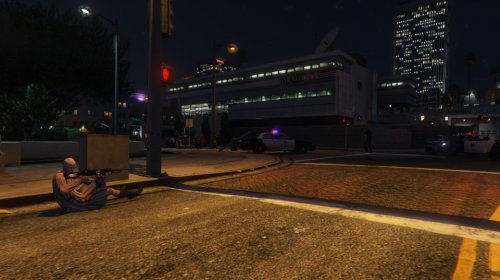 Confirming the same crash as mentioned above, same exact hash, same callout. Has happened twice now. Latest game version, with RagePluginHook 28.
- 60 comments
- 17 reviews
-
-
 Hold shift when launching RagePluginHook until the settings box opens, then just go to plugin tab and check it.
- 40 comments
- 20 reviews
-
-
- 2
-
-
Just bustin' your balls a little bit. Thanks for releasing this one, definitely needed.
- 40 comments
- 20 reviews
-
-
- 1
-