Kilyin
Members
-
Joined
-
Last visited
Everything posted by Kilyin
-
Temporarily rename your mods folder and see if the game will launch.
-
-
-
YES. I thought I was going crazy. Addon vehicles in mpluxe2 do not work anymore. You get 'invalid model' when trying to spawn them in RPH. What I did is move those vehicles to mpchristmas2 and they work fine (same .meta edits, quadruple checked). The really strange thing is mpluxe2 was not patched at all in the 573.1 update (I verified this with Comparison software) and I used the mpluxe2 dlc.rpf unedited that worked prior to the patch, so I have no idea how they managed to do this.
-
It seems like the latest ReShade/SweetFX works with Ragehook now, but I prefer it without them after getting it to work.
-
Vehicle and Ped Search both have a modifier key in the .ini unless you have a really old version.
-
What he said, I also use Shift-G.
-
-
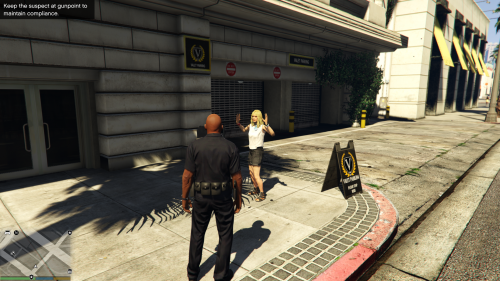 Another amazing mod by Albo. Why wait for LSPDFR 0.3 when Albo is making his own version? ;)
- 54 comments
- 22 reviews
-
-

- 2
-
-
Great stuff, and thanks for releasing it. What other goodies are you holding out on us there Albo? You got a mod that allows backup customization tucked away somewhere? Working EMS? ;)
-
 Yeah my front sirens work. Make sure you made the carvariations.meta edit.
- 159 comments
- 53 reviews
-
-
- 1
-
-
Yep, you can. You could put it in patchday6ng if you wanted to. I'm not sure about the rambar light. I'll check and see if mine is doing that.
- 159 comments
- 53 reviews
-
You can put models in patchday folders where they aren't originally located. patchday4ng supersedes patchday3ng so if police2 is in patchday4ng and patchday3ng, patchday4ng wins.
- 159 comments
- 53 reviews
-
-
- 1
-
-
Remove or reinstall your update.rpf mods, this isn't anything new.
-
 I finally figured out how to make a basic cop with a short sleeve shirt and no issues that I can see. I can post the SkinControl.ini part if anyone is interested. I like police hats, but unfortunately, it doesn't seem to fit the head of any mp model properly, which is a shame.
- 2,346 comments
- 236 reviews
-
Download and install http://www.lcpdfr.com/files/file/7798-gta-5-realistic-american-sirens-new-fbi-and-granger-sirens/ About the best you can do.
-
Pretty much this, it's too much work/time to find out what is what. Maybe even make some presets available for download.
- 2,346 comments
- 236 reviews
-
Yeah, there are multiple ways to do it. Those file paths are defined in the content.xml file in the dlc.rpf. As long as that it is kosher, it'll work either way.
-
Not familiar with that mod, but if you go download something like this https://www.gta5-mods.com/vehicles/jaguar-c-x75 and look at the addon folder / examine the dlc.rpf... That is how you properly create an addon DLC for a car or multiple cars.
-
 Are you forcing that through Nvidia CP? I'm not sure that even works with GTA5. Personally, I just use DSR and force 4k, it's less of a performance hit than 8x MSAA... but maybe that's because I'm still using two 670GTX 4GB cards in SLI.
- 42 comments
- 3 reviews
-
-
I heard it's coming out today when Rockstar drops this update to assure maximum compatibility. ;)
-
Good stuff man, what mod are those police peds from? If they're default LSPDFR peds, I'm an idiot and never used them. :)
-
It was actually a 'watch'. Got rid of that. The only thing I can't figure out now is how to remove some sort of clipping thing from the badge on his chest.
- 2,346 comments
- 236 reviews
-
@Alex_Ashfold How do I get rid of this little black square thing floating behind me? Can't figure it out.
- 2,346 comments
- 236 reviews