Kilyin
Members
-
Joined
-
Last visited
Everything posted by Kilyin
-
 Oh god another Albo1125 mod. Gonna be downloading even more updates every day now.
- 40 comments
- 20 reviews
-
-

- 1
-
-
 Yeah but the thing is, looking at your log, they are not done correctly. ;)
- 1,915 comments
- 242 reviews
-
-
- 1
-
-
You really watched the video and read the instructions? They go in \Plugins\LSPDFR and \LSPDFR\Police Scanner RageNativeUI.dll goes in your root GTA5 folder. All you have to do is drag and drop the archive contents into your root GTA5 folder, as the structure and file locations are all setup out of the box.
- 1,915 comments
- 242 reviews
-
-
- 1
-
-
-
Maybe I'm just a nerd, but it took me 30 mins (And that's because I made a stupid mistake) to redo my update.rpf, validate all my mods, and get RPH 28 working with LSPDFR again on the new game version.
-
Most police car mods don't go into update.rpf... they go into places like x64e.rpf, or \update\x64\dlcpacks\patchday3ng, \update\x64\dlcpacks\patchday4ng, etc.. and those files were not patched, so they're good. To be perfectly clear, only mods that are directly installed into update.rpf (For example Improved Spotlights and Coronas or a direct handling.meta mod) will need to be reinstalled to play on the new version of the game.
-
Okay, to put it simply, if you use a mods folder, and you have mods in \mods\update\update.rpf - they're all going to have to be reinstalled. Why? Because Rockstar patched that update.rpf... so if you try to launch the game with that old update.rpf, it'll crash... so you need to copy the newly patched update.rpf to your mods folder and then reinstall any mods that go into update.rpf. Or alternatively, you can play with a backed up version of 493.1 (the version prior to this patch) With steam version, you let it update, then you copy the old files back into the game folder (GTA5.exe, GTAVLauncher.exe, \update\update.rpf... in this case)
-
Your information is wrong. New update touches gta5.exe, gtavlauncher.exe, and update.rpf (so all mods in update.rpf will need to be reinstalled)... Also adds folders under dlcpacks - mplowrider, mphalloween, patchday7ng. I'm still using a backup and playing the old version just fine though.
-
Strange, I've had a steam account issue before and they responded / resolved it within a few hours. It's fine that money is not an issue for you, but you are basically enabling and encouraging this 'individual' to extort other people going forward - and for some people, money is an issue.
-
You paid the hacker money to give you your account back? Pretty stupid, Steam would've given it back to you for free.
-
-
 Was the speed reading removed from the Dashcam view? Edit: Nevermind, read old posts and I guess it's only in the IVStyle layout.
- 113 comments
- 27 reviews
-
He has a mod thread here: maybe you should post this there.
-
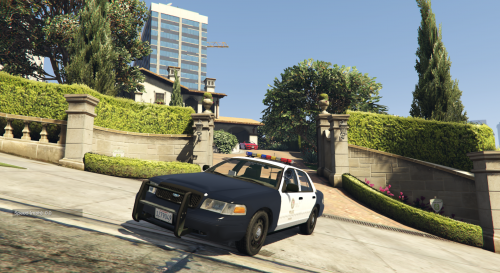 There's a couple, search here and you may find more: http://www.lcpdfr.com/downloads/gta5mods/vehiclestextures/
- 29 comments
- 7 reviews
-
Model is based on the F5544 CVPI so any skin for that should work, and there are quite a few.
- 29 comments
- 7 reviews
-
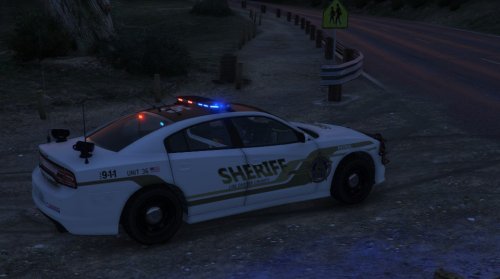 Awesome, I can finally replace police2. I refuse to use the other Charger model that shall not be named.
- 46 comments
- 14 reviews
-
I don't typically ever do that. In openIV do a ctrl-F3 and type in sheriff.yft, see where else the files are located, maybe try replacing those as well.
- 46 comments
- 14 reviews
-
-
-
-
-
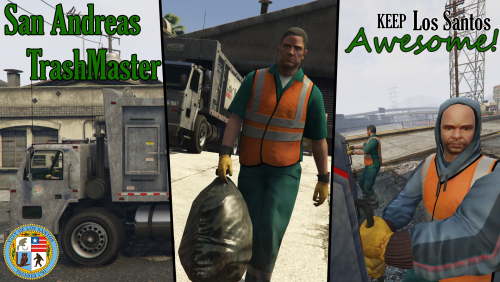 Yeah I'll play around with it, but I mean just making basic turns and stuff he'll crash into lights and walls.
- 35 comments
- 14 reviews
-
Yeah the 2nd picker basically does nothing but hang off the back of the truck. And the AI driver is pretty frickin' awful, lol.
- 35 comments
- 14 reviews
-
-
Get in the trash truck, creampie.