




Kilyin
Members
-
Joined
-
Last visited
Everything posted by Kilyin
-
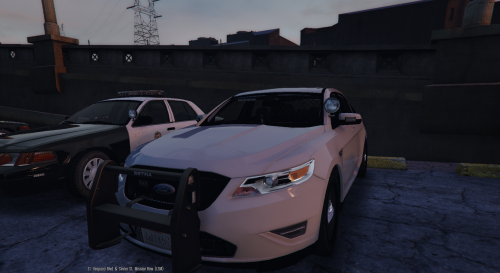 Haven't tried the mod yet, but have you guys with handling problems installed N1GHTK1D's unmarked CVPI in police4 previously? If so, he uses the FELON handling line and that might be why. Just a thought.
- 68 comments
- 14 reviews
-
-
 Either I'm severely visually dyslexic or the guy's screenshot shows them lighting up the inner edges like he said, while the real pic shows the outer edges... ?
- 202 comments
- 51 reviews
-
-
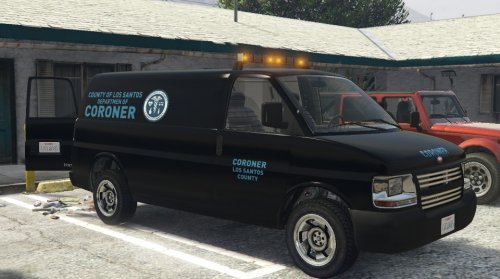 open RPH console (F4) and type 'spawn corspeedo'. if that doesn't work, it isn't installed correctly. You have to change it in the PoliceRadio.ini also.
- 62 comments
- 5 reviews
-
-
Correct, and don't forget the other .meta files. This mod does not replace anything, it's an addon vehicle.
- 62 comments
- 5 reviews
-
 You probably didn't copy the \LSPDFR\Police Scanner\Arrest Manager Audio folder over.
- 1,915 comments
- 242 reviews
-
-

- 1
-
-
And why is that? You gain absolutely nothing by doing that except more support requests from idiots running cracked game versions. I guess I'm not seeing the logic here.
-
-
-
 Just made another LSPDFR video, and I found the same thing as this guy. Pull up behind the guy, hit the MimickMe key, get him to pull over, can't perform any traffic stop interaction. Had to cancel it and redo it.
- 3,646 comments
- 306 reviews
-
the fuck is this? always download software from the vendor/creator when possible. http://www.rarlab.com/download.htm
- 3,646 comments
- 306 reviews
-
-
- 1
-
-
Did you replace police3, because you don't have the correct flags in that .meta file for police3 to prevent the bar from falling off. You have: <flags>FLAG_HAS_LIVERY FLAG_EXTRAS_ALL FLAG_LAW_ENFORCEMENT FLAG_EMERGENCY_SERVICE FLAG_NO_RESPRAY FLAG_DONT_SPAWN_IN_CARGEN FLAG_HAS_INTERIOR_EXTRAS FLAG_REPORT_CRIME_IF_STANDING_ON</flags> Should be: <flags>FLAG_HAS_LIVERY FLAG_EXTRAS_STRONG FLAG_LAW_ENFORCEMENT FLAG_EMERGENCY_SERVICE FLAG_NO_RESPRAY FLAG_DONT_SPAWN_IN_CARGEN FLAG_HAS_INTERIOR_EXTRAS FLAG_REPORT_CRIME_IF_STANDING_ON</flags> The above works for me.
- 202 comments
- 51 reviews
-
Requirements still state 'legal copy of GTA5'. So RPH supports cracked game versions now?
-
Confirmed rambar fix is editing vehicles.meta in update.rpf instead of a dlcpack. Strange, I need revisit my other vehicles.meta edits now :p
- 202 comments
- 51 reviews
-
-
I see what you're saying, but how is it a .meta issue when I have the correct flags and other rambars don't do this?
- 202 comments
- 51 reviews
-
As you can see in this video, this is a very low speed, low impact collision and the entire rambar just completely detaches. https://www.youtube.com/watch?v=itAgifbgNcg
- 202 comments
- 51 reviews
-
BTW, I meant no disrespect with my earlier comment, it occurred to me it might be taken that way. I have the model installed so obviously I liked it, but was hoping to see the interior get redone and the taillights fixed.
-
I put it in mpluxe, it's pretty much where I put all my .meta edits. This is basically the same entry I originally put in for the bxbugs123 LSPD Impala.
- 202 comments
- 51 reviews
-
-
That's a shame because this model definitely needs a lot of work to be complete.
-
-
 Oh tir6 LEDs. Derp. I haven't played with the new version but looking at the .ytd files, they don't look like tir6 LEDs to me.
- 208 comments
- 59 reviews


