




Kilyin
Members
-
Joined
-
Last visited
Everything posted by Kilyin
-
-
-
-
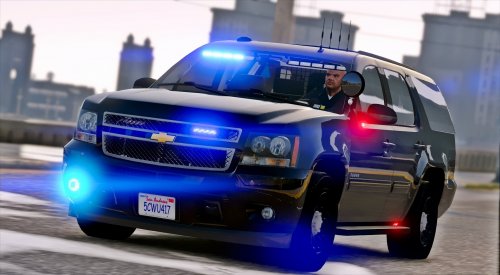 Well, if you have a mods folder, in OpenIV go to tools, ASI Manager and make sure everything is installed there... maybe even try reinstalling them if they are. If the vehicle files are in patchday11 or 13, then they should show up assuming OpenIV is loading your mods folder. Otherwise, I has no idea.
- 39 comments
- 26 reviews
-
-

- 1
-
-
-
-
-
has to be done manually with an understanding of how everything works. The DLC limit is pretty high though, so I wouldn't worry about it...
-
There is a limit to how many DLCs you can have at once, so he's recommending combining DLCs if you have too many.
-
... and some tahoes work with fbi2 handling (that's the sheriff2 handling line, do not try to use sheriff2 as a handling line, it'll crash your game). Main thing is getting the model to work, handling is easily fixed.
-
 I have no taxi2.ytd or taxi2.yft according to OpenIV ctrl-f3 search. Maybe that's an addon vehicle? Edit: There is a taxi2 handling line, but no taxi2 model exists. Perhaps another "cut" from Rockstar.
- 1,742 comments
- 172 reviews
-
Depends on what dev model the tahoe is made from... for a tahoe Baller, BALLER2, or GRESLEY usually works. If it flips on turns try one of the others.
-
okay, so first thing to do is rename all the model files for that tahoe to lguard*.yft and .ytd and stick them in the vehicles.rpf in patchday11ng or patchday13ng. Then look at the vehicles.meta in \update\update.rpf\common\data\levels\gta5 - extract the vehicles.meta from there to somewhere on your pc... open with notepad. ctrl-f and search for lguard... you'll likely find this: so since you want this to be a tahoe and an actual law enforcement vehicle... replace it with something like this, save, and reinsert into OpenIV: now on to wherever you have your carvariations, likely mpchristmas2... again if you haven't, extract it with OpenIV to your PC somewhere and open with notepad. then paste this in the carvariations.meta at the top underneath <variationData> and save it, reinsert back into OpenIV As this is not an ELS vehicle, that should be all you need to do.
-
Troll post, build a wall, ban/suspend... k bye.
-
Yeah, give me a specific example of what you're trying to replace and what slot it's going in.
-
copy the vehicles.meta entry for the car slot you're replacing (renaming in the top two lines), do the same with carvariations.meta
-
-
 that's an LSPDFR glitch, unrelated to this callout. LSPDFR 0.3.1 doesn't properly recognize its own version, and thinks it needs an update, but it doesn't... just ignore it.
- 329 comments
- 53 reviews
-
Think you have a mistake in the ComputerPlus\images\vehicles folder for taxi. No picture shows for it in-game. The file name is taxi2f.jpg, shouldn't it be taxif.jpg?
- 1,742 comments
- 172 reviews
-
if you're crashing with and without RPH... my first suspect would be RDE.
-
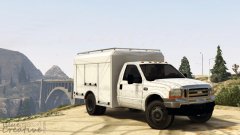 looks like a horrible screenshot of an F150 with a badly mapped ford badge. Do I win?
 -
 Added 2 new siren tones to the pack : Ever wanted to be the baddest cop on the beach, or geek out the nerds on Vinewood Boulevard ? Well, now you can. This update will introduce two new tones, the famous Ghostbuster Ecto-1 Siren, and let the Bad Boys know you're coming for them. - Ghostbuster Ecto-1 Siren - " Bad Boys " theme song * WARNING : USING THIS SIREN AND BROADCASTING IT ON YOUTUBE COULD FLAG YOUR VIDEO FOR COPYRIGHT VIOLATION. USE AT YOUR OWN RISK. * ... uh, really?
- 221 comments
- 40 reviews
-
-
 lol...
 -
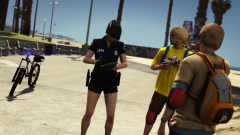 you should share the skincontrol entry/wardrobe.ini for that ped, you know, for science.




.thumb.jpg.61de846de400ca98f85d205992527de1.jpg)
