



Ethan Rubinacci
Members
-
Joined
-
Last visited
Everything posted by Ethan Rubinacci
-
 Meh, don't blame yourself from reading it I wouldn't say you started it.
 -
I was four months old.
-
Ho. Lee. Shit. What did I walk into?
-
Damn son, I just realised towards the end of last year I made a comment saying it would probably be around August of this year that ELS would probably be released, and well, shit... looks like even that estimate was off.
-
123
-
121
-
It's not ELS, they have called it ELS since it is similar in the fact that it allows you to change your lights.
-
104
-
~~~101~~~ One Hundred and One!
-
Officer Down - Go check the officers condition, or protect him until EMS arrive, has multiple outcomes including a traffic stop gone wrong, then you'd have to track down said vehicle. Homeless People - Homeless people are causing a disturbance, go and intervene. People creating a disturbance for the Los Santos/San Andreas Transportation Authority - You'd have to go to one of the stations and speak to a suspect who is refusing to follow the orders of the LSTA. Injured Civillian - Respond to reports of some one who has been injured, await EMS arrival. Supervisor Assistance Requested - Say you want to act as if you're a Lieutenant, Sergeant, etc and a lower ranked officer is requesting your assistance for someone who is being unruly. (Traffic Stop, or etc) Mugging - Respond to reports of a mugging. Perhaps add some ambient events? If so heres some: Person with a weapon walking down the street Fist fighting Mugging (You've witnessed it before it's called in) Vehicle Theft Stabbing Drug Dealing Prostitute Unleashed dog ( I don't believe this is possible considering GTA Doesn't come with leashes for dogs by default) Jaywalking (Walking at a non-crosswalk area) Person using emergency lane Random traffic stops (Might be hard to do, you could get out and just assist) I'll be thinking of more while I'm at school today, trust me. Also, remember don't take on more than you can chew! I myself will be looking into creating a plugin myself, my first focus will replicating TicketTime by Finkone.
-
Cool dude, nice to know that you're listening. Only reason I was suggesting more low level callouts is because that is what police will respond to most frequently. I do love high level callouts as well, so keep up the good work man.
-
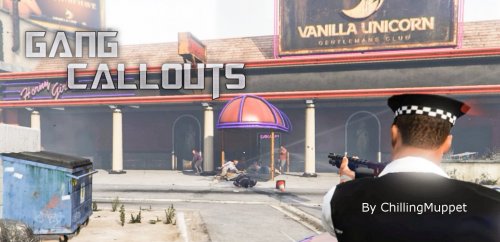 It's a nice little addition, so far I've not had any crashes related to this callout, and it causes no performance hit, it's always nice to see new callout & plugin developers on this site. Good luck, and keep updating this and @YUGEKUNAMI I believe the backup problem isn't caused by this callout; rather something may have gone wrong with your LSPDFR or it may be problem in your trainer.
 -
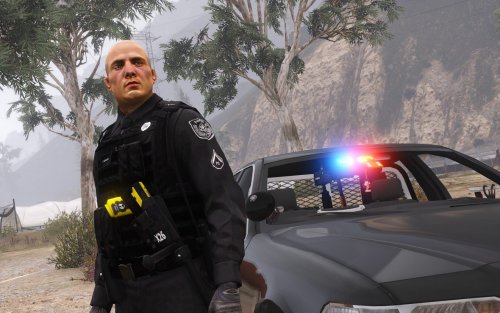 Very nice work, like I said I love the inclusion of the FTO patch, so I will make use of these for one of my "recruit" episodes that I've planned out. Keep up the good work! :)
- 7 comments
- 9 reviews
-
-

- 1
-
-
See as much as I like the idea of these callouts a lot of them have already been done, I personally do not see a need for Pursuit in Progress & Pursuit of Armed Suspects seeing as these are both filled by the base of LSPDFR currently. I think it would be nice to add some really low level callouts as well, Domestic Disturbance, and normal stuff you'd see police officers respond to. I feel like there is a lot that could be done with this, look at some of the LCPDFR callouts and perhaps take some inspiration from those, besides for that I feel like you're leading this pack in an overall good direction. Good luck, if you need a tester I would be happy to test it and would enjoy using it in some of my videos. (Typed from a school computer, will edit when I get home to make it sound more grammatically correct)
-
Definitely love the idea of including the Field Training Officer patch, might have to give these a go in one of my vids sometime.
- 7 comments
- 9 reviews
-
-
- 1
-
-
 Considering I've not written a review in months, despite all of the stuff being put out (good and bad), I felt like it was time to write a review again. This is by far the best of any of the carcols enhancers out there, it has the nice feature of allowing for faster flash patterns, increasing the realism, and it has the best looking flashes off the environment with little to no performance loss. Depsite trying out ELR, I found myself immediately coming back to this. Keep up your amazing work @thegreathah.
- 149 comments
- 33 reviews
-
-
- 1
-
-
 Alright after about 8 hours of trying to fix this problem, including going through and looking into all of my Carvariations & Vehicle Metas, I have been unable to solve the problem. On the newest version, everything except for the Unmarked Charger works, I mean it works however the lights are screwed to all hell on the vehicle, I am at a complete loss with this, I have reinstalled the pack to no avail, and like I said I even went through all of the metas and nothing has changed. There are some lights that flash infront of the vehicle on the hood, any help would be appreciated.
- 445 comments
- 108 reviews
-
What CVPI is that?
-
Well, the question is can you access gamefiles and such like you are able to on PC? If yes then you most likely will, if not then you will need a PC.
-
 With the newest version (1.0.0.3 GA) when attempting to pull vehicles over on US Route 1 the vehicles will drive themselves up the cliff face.
- 528 comments
- 42 reviews
-
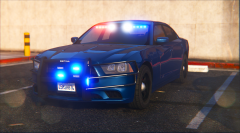 My ears after watching that video = dead. Can't wait for release though :).
 -
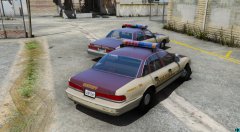 I like those liverys, reminds me a lot of my towns sheriff department liverys.
 -
Yes you can. Just copy and Paste it in your steam directory.
-
Not 100% sure, but I believe I still have you on skype. If you're interested we should look into FiveReborn and possibly look into doing some collaborations if you're interested. Would be enjoyable.
-
 How long before you're an official LSPDFR Developer? Well, keep up the good work Albo.
- 1,178 comments
- 137 reviews

