
Ethan Rubinacci
Members
-
Joined
-
Last visited
Everything posted by Ethan Rubinacci
-
 This gonna be released when its fully done? :)
 -
Same
-
LAst time I talked to him he said he'd be releasing it. I dont know about the LASD or LAPD part but I do know they are going to have LAPD wheels on the Crown.
-
He will, I've been keeping contact.
-
No, its working, just no too great :/
-
They do, its rage .25
-
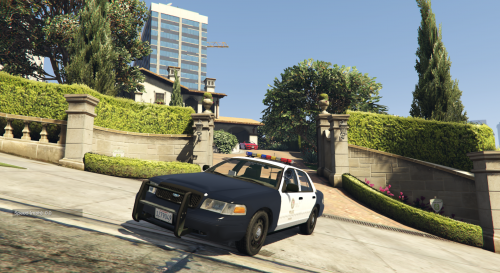 YAY! It works for the police slot! Great job, also would you like me to make a video for this?
- 29 comments
- 7 reviews
-
Or you could get the openiv camera thing that they have, but I'm pretty sure thats for R*.
-
 Awesome!
 -
-
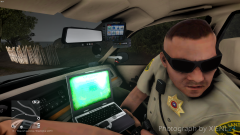 If only this were for V damnit XD
 -
As of this point in time rockstar has stated that they do not plan to may a Grand Theft Auto 6, but the CEO did instead state that he would perhaps like to make massive DLC's in which they would possible add massive maps (he did state its a long shot and almost a new game of its own) he did state that he would love the idea of having Liberty City and Vice City too. Not many have caught on to it but North Yankton may have been a hint as to what they may want to do in the future. -DO NOT QUOTE ME ON THIS: I READ THE ARTICLE OF GTA6 3 MONTHS AGO AND THE ADDON MAPS TYPE THING 5 MONTHS AGO.
-
-
Sort of, I could help, though it'd involve the editing of a carvariations.meta.
-
I may create a video on this, and glad I could help!
-
No we dont have door knocking but we do have a police computer thats why I bolded it.
-
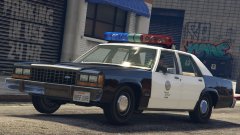 Looking good lundy! Lookign good
 -
 This mods gone dead it seems like, hasn't been updated since it was released. The model seems overall incomplete, no police computer, not radio, civilian interior. I kinda wish someone would re-port this model on their own and make it a good model. One of the worst things about it is the terrible hit box in the front. I hit a curb and the front bumper of my car is banged up like I just ran into a guard rail. Edit: Okay, maybe I was a tad harsh, but this model just needs improved on.
- 95 comments
- 38 reviews
-
-

- 1
-
-
Yah, the airhorn isnt meant to be something like that, hence the reason were all anticipating ELS for V (seems like Lt. Caine has dropped off the radar though) so we can have longer, and better sirens like RL. So I'd try shortening it because of C***stars stupid rule type things
-
It may not be spawning modded vehicles because your .rpfs may have reset themselves if they werent in a mod folder. Message me, I could send you the update folder, and the x64 folder to see if that fixes your problems (it'd be through skype) if it doesnt I could send you a picture of the default gta files.
-
Great editing! Nice video too! Good Job!
-
Quick question, do you a trainer? If so do you have it set in that trainer to where police ignore you? If you do, I had this exact same problem but it was fixed upon changing it to where police don't ignore me. Message me if your still needing help.
-
Quick question, I've not made sirens myself but from what I understand they can be only a certain length. I dont think the airhorn needs to be 2 seconds, also I dont think its a matter of it being to big, its just a matter of perhaps the airhorn is too long.
-
Wow, XD! I read the full interview "I want to add ambient arrests, door knocking, and a Police Computer" Sorry to tell you friend but we've already got a mod that supplies that XD. 168,000 downloads compared to LSPDFR's 443,000+ downloads.
-
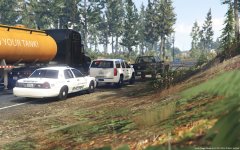 Are you going to release them?