




Albo1125
Insiders
-
Joined
Everything posted by Albo1125
-
-
 It basically means that, if an officer is already nearby and is not busy, they will be used for transport/towing rather than spawning a new unit.
- 1,915 comments
- 242 reviews
-
-

- 1
-
-
-
 Hey, the game doesn't seem to be loading at all. This is likely due to a corrupt vehicle/ped/weapon you've installed - try restoring your backup. You must delete your mods folder if you update GTAV by the way. It's nothing to do with any scripts as they're not getting the chance to even load yet.
- 851 comments
- 108 reviews
-
-
Unfortunately, AI will only pull over if your lights are on. If you have your lights on and use your horn they'll pull over. You can adjust the volume in the General Config INI file. Sure. You'll have to post it though :P
- 851 comments
- 108 reviews
-
Yes.
-
Yes I know, I put it in the post and the description hehe
-
Yes. Hmmmm
-
Preview of the upcoming Siren Mastery UI! Apologies for the lighting issues, managed to fix this.
-
Hey everyone, I've recently started a new LSPDFR US patrol series where I play as an American police officer! Please let me know what you think Latest episode:
-
 Very well done, extremely unique and great integration with Siren Mastery with 10 siren tones! The only thing that could improve is the Wail (siren1) as this has some very slight 'stutters' in the audio. Great job! I've been using these sirens in my US patrols, here's what they sound like with Siren Mastery installed:
- 31 comments
- 6 reviews
-
-
- 2
-
-
Fixed in next update. Regs.
-
Delete VehicleSirenSetup.xml or put Wail.wav inside your Custom Sirens folder.
- 851 comments
- 108 reviews
-
-
- 1
-
-
-
-
-
-
Hey, that is already possible. Hold down LShiftKey (default) and press a Force Siren Key to run that siren in dual mode. Regs.
- 851 comments
- 108 reviews
-
Hmm, that shouldn't have changed. Perhaps something else is going on. I'll take a further look later. Regs.
- 851 comments
- 108 reviews
-
You could try unblocking the files. I recommend joining their Discord server (link on homepage) for support.
-
Hey, all things you do must be between the <SirenMastery> and </SirenMastery> brackets. You need to remove the </SirenControl> bracket at the bottom as that's not used and paste your vehiclesirensetups between the <SirenMastery> brackets. I just realised I forgot to rename the tags in my example. Will fix this in the next update, thanks! Here's what it should look like: https://gyazo.com/0395c15b1f57c1ea2594ebf517bb9d2e
- 851 comments
- 108 reviews
-
-
- 1
-
-
If you want to adjust the volume, you can do so in the GeneralConfig.ini file.
- 851 comments
- 108 reviews
-
-
- 1
-
-
Hi, if it crashed, can you send me your RAGEPluginHook.log file? Also include your VehicleSirenSetups.xml file that you were having crashes with.
- 851 comments
- 108 reviews
-
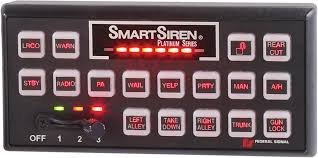 Hey, great work! Just a quick FYI that you forgot to close the <Sirens> tag in your installation file. I also recommend including the <VehicleSirenSetup> tags or users may get confused. Here's what it should be: <VehicleSirenSetup> <VehicleModel>**Insert Vehicle Model Here**</VehicleModel> <Sirens> <Siren1 SirenType="Primary">smartwail</Siren1> <Siren2 SirenType="Secondary">smartyelp</Siren2> <Siren3 SirenType="Secondary">smarthilo</Siren3> <Siren4 SirenType="Secondary">smartprty</Siren4> <Siren5 SirenType="Horn">smarthorn</Siren5> </Sirens> </VehicleSirenSetup>



