




Albo1125
Insiders
-
Joined
Everything posted by Albo1125
-
-
 Absolutely. Just add them as a <VehicleModel>. I've fixed your siren setup XML file for ya (problem was at line 44). VehicleSirenSetup.xml
- 851 comments
- 108 reviews
-
-

- 1
-
-
Controller Unbinding (Thank you @Delco24): No longer prevents in-game menus from working. 1.2.0.0 (22-08-16) Fixed an issue where the lightbar lights would 'freeze' when forcing sirens in rapid succession. Fixed an issue where dual siren mode wouldn't work on the controller if a force siren modifier button hadn't been set. Added a UI. Added a UIConfig.ini file. Added & fixed keys and buttons for toggling the UI. Added ability to set the UI position. Added ability to set the UI buttons' positions. Added console command (SirenMastery_ReloadUI) to quickly reload the UI entirely - this should help when creating custom UIs. Updated documentation for customising the UI. UI positioning now uses Plugins\SirenMastery\UI\UIPositioning.ini to read its positioning settings. SirenMastery now works if you're a passenger in a vehicle too for integration with @Darkmyre's partner plugin. Important (Only if updating from v1.1.0.0)) To keep your old Keyboard/Controller config files, you can simply copy&paste the ToggleUI key/button and modifierkey/button lines from the new KeyboardConfig and ControllerCOnfig files to your old ones.
- 851 comments
- 108 reviews
-
-
- 2
-
-
 It automatically loads when going on duty - as the readme says, do not load it separately :)
- 3,646 comments
- 306 reviews
-
Of course :)
-
-
-
It works with RAGEPluginHook 0.41 or higher. This includes new versions. Regs.
- 3,646 comments
- 306 reviews
-
-
-
Hey, you've made a mistake in your vehiclesirensetup.xml file. If you post it I can have a look.
- 851 comments
- 108 reviews
@Joseph McLaughllin in your vehiclesirensetups.xml you've got an entry named 'epsilonhorn' while this siren doesn't exist in your Custom Sirens folder - this is causing the crash.- 851 comments
- 108 reviews
 You need to have everything between the <SirenMastery> and </SirenMastery> brackets. I've done it for ya. <?xml version="1.0" encoding="utf-8"?> <SirenMastery> <!--Siren Mastery by Albo1125. Please review the Siren Mastery documentation for full instructions on how to set this up. There is also a folder included in the Siren Mastery download containing a few examples for your convenience, along with a tutorial video. You can add as many VehicleSirenSetups as you want between the <SirenMastery> brackets.--> <VehicleSirenSetup> <VehicleModel>fbi2</VehicleModel> <VehicleModel>police</VehicleModel <VehicleModel>police2</VehicleModel <VehicleModel>sheriff</VehicleModel <VehicleModel>police3</VehicleModel <VehicleModel>police4</VehicleModel <VehicleModel>sheriff2</VehicleModel <Sirens> <Siren1 SirenType="Primary">tmwail</Siren1> <Siren2 SirenType="Secondary">tmyelp</Siren2> <Siren3 SirenType="Secondary">tmphaser</Siren3> <Siren4 SirenType="Secondary">tmUhilo</Siren4> <Siren5 SirenType="Secondary">tmhetro</Siren5> <Siren6 SirenType="Secondary">tmhilo</Siren6> <Siren7 SirenType="Secondary">tmsweep1</Siren7> <Siren8 SirenType="Secondary">tmsweep2</Siren8> <Siren9 SirenType="Horn">tmhorn</Siren9> </Sirens> </VehicleSirenSetup> </SirenMastery> Please post further support requests for Siren Mastery in the Siren Mastery comments section :)
- 1,915 comments
- 242 reviews
Please attach your full RAGEPluginHook.log file. Please post your RAGEPluginHook.log file. You'll have to ask Prophet as he's the one who did the video, I'm not sure personally. Sorry. Siren Mastery uses RAGEPluginHook functions that were newly introduced in RPH 0.44 and thus will not work on lower versions. Unfortunately this means you will have to update to RPH 0.44 or higher. Glad it helped :) Yes. O (manual siren) by default, or K (blip siren). Check out the default keys PDF file.- 851 comments
- 108 reviews
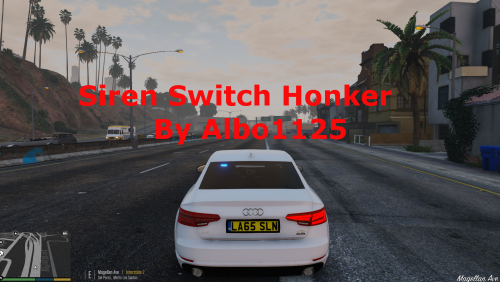 With Siren Switch Honker, you must hold your key. There is no toggle. You need Siren Mastery for that. You can copy siren switch honker's sounds into the Plugins/SirenMastery folder to integrate them.
- 48 comments
- 18 reviews
This may be the case for FBI sirens. The game automatically lowers the pitch of FBI sirens by 30%. Could that be your issue?
Only the description was updated. The changelog has a date of the last time the actual file was updated. Regs.- 1,915 comments
- 242 reviews
-
-
- 1
-



