c13
Friends of LSPDFR
-
Joined
Everything posted by c13
-
I've seen POLPAT, FBI, NOOSE, and NSTOCKADE respond with noose backup, and it is only POLICE and POLICE2 that respond with normal backup. In TBOGT, POLICE3 and 4 and I think the police bike respond to normal backup as well. If you download an additional police slot and use it in vanilla 4, it won't respond at all. Another car you could use is the pstockade, which is one I use. Just replace the handling and vehicles.ide files.
-
ACRs have been proven to be crap guns, and SCARs were too expensive. The lowest tier they got to was the 3/75th rangers, but it was ruled too expensive to replace all the M4s for only marginal improvements. By now, only the Mk17 is serving, and only in elite units as a Designated Marksman Rifle. The HK416 has been used by Delta and SEALs for several years, but it is unlikely to make its way down to the basic infantry as an assault rifle.
-
The M249 isn't being replaced, but instead augmented with the M27. I personally like it, it is lighter weight, more accurate and more reliable than the M249. I just wish it would be used outside of the USMC and special forces.
-
I was being sarcastic about the cvpi, which is why I put in in all caps and purposely misspelled words.
-
ZOH MY GAWD! AN LAPD CVPI! RELEASE PL0X! Good job on the Pierce EVI, looks godly
-
It's an old one by death'sdesciple, it's going to be near impossible to find it.
-
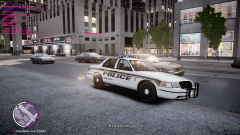 What cvpi is that? I hope it's ELS enabled.
 -
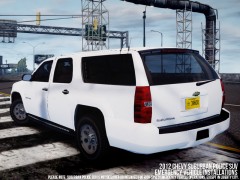 "Please note: Suburban Police SUV is not designed for high speed emergency vehicle operations; except in Liberty City" Anyone else laugh at this?
 -
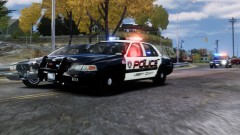 @Andrew Can't find the skin, bit it's this model: http://gtapolicemods.com/downloads.php?do=file&id=592
 -
@ninja He didn't enable AI ELS, the lights were spawned as extras so it would appear lights were flashing but the car was still taking damage.
-
Hey EVI, once you're done with the caprice, can you make a 2012 charger with a FS Valor? It would look amazing with any amount of lights on it.
-
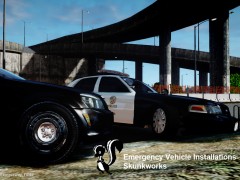 HOLY FUCKING SHIT!
 -
Those people are testers. Until it is released to the public, you are stuck using rc2.
-
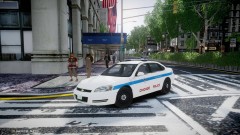 You should make the older cvpi with the edge. BxBug's version has way too many lights on it.
 -
MW3 and Black Ops have ruined my taste for the COD series. This looks like a mixture of Ghost Recon and COD with the storyline of Terminator.
-
There is no fix to this from what I know.
-
On the version with the regular pushbar, at a distance a large dashlight appears above the car. Do you have any plans on fixing this?
- 43 comments
- 15 reviews
-
How come there are files for both police 1 and 2? Are they different versions?
- 43 comments
- 15 reviews
-
The model for the charger is one of bxbug's old chargers that has gone missing. The link for the cvpi is in this video:
-
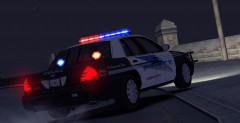 You really should release it, it looks badass and I would definitely use it
 -
One thing you can do is make sure that everyone is using the same image file. That works for a majority of roleplay groups.
-
Our politicians got bought out by mega-banks.
-
Well that's not surprising. They have to keep the illusion that the 2 parties oppose eachother somehow. Anyways, expect this bill to be like the NDAA. It will Pass the Senate almost unanimously and despite assurances he will veto it, Obama will lie again and sign it.
-
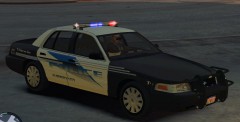 Too bad you're not going to release it, it looks great.
 -
No, BxBug's dream car would have a K-9 in it too.