


c13
Friends of LSPDFR
-
Joined
Everything posted by c13
-
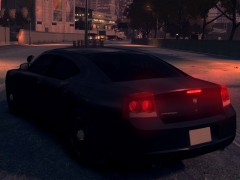 Now I see it. Looks good, hope you release a slicktop/uc version
 -
Sorry, but I don't get it. Anything in the background?
-
This is a blast from the past, but seeing this 2 1/2 years ago was what got my attention: http://www.youtube.com/watch?v=2Jkdq0ixBVU
-
I saw it on gtagarage a few hours after Sam posted the first preview
-
Anything that doesn't crash. Simple is better, and having high poly cars means nothing if your members crash every 5 minutes.
-
-
-
I've had this issue before. Is it one of EVI's models? If so, you need to edit the emerglights.emis file in a program like Photoshop. For some reason, if you overlap light colors in that file, it gives it a mixed color. To solves this, copy the blue lights, then delete the lights you want to replace. After that, paste the blue lights. It should no longer be purple. Here's a link on some of the basics of editing those types of files, but you will need to follow my instructions: http://www.lcpdfr.com/page/tutorials/index.action/_/texturing-tips-and-tutorials/how-to-change-els-lightbar-colors-r20 EDIT: Also, if you need me to, I'd be willing to fix this for you. Just send me the file.Nicolai most likely knows better than me on this, but ELS works by spawning extras onto the car, which is hardcoded by R* to repair cars. Sam was saying recently that when he talked with Lt. Caine about RMC's troll light mod, Lt. Caine said it wasn't possible to spawn extras without repairing the car's damage. Personally, I like the god mode since AI can't drive and damaged cars almost never stay in pursuit in real life.No blip has always been a part of hardcore mode, which is in RC2. Hardcore mode makes you take more damage and it removes blips during pursuits.Moving this to GTA 4 SupportYou need to use an editing program, like photoshop, and place parts of the original skin onto the template. Here's a tutorial: http://www.lcpdfr.com/page/tutorials/index.action/_/texturing-tips-and-tutorials/I'd rather have a stable version than 20 new calls that crash half the time, which is why the devs are focusing more on stability than features. For more callouts, use the VDH Police Helper or Braveheart's Policing Script.Unfortunately, not right now. I've become accustomed to hitting F9 and then F11 whenever I start chases.Unfortunately, the cvpi I linked to and the one you made a skin for are different base models. For the skin to work, one of you would need to convert it to a dsf template.Unfortunately, you will need to learn how to edit skins and light patterns to get cars set up the way you want them to. However, I am pretty sure these will be the closest ones to what you want: Actual Georgia Alderney based off of Georgia (You will probably need to edit skins) http://gtapolicemods.com/downloads.php?do=file&id=49 The CVPI in this pack should be a good fit once emerglights.emis and the skin is edited http://www.gta-modding-chest.com/database/111-liberty-city-police-department-pack-charger-cvpi-tahoe-els/index.html
![[WIP] 2011 Liberty City State Highway Patrol Crown Victoria Police Interceptor](//s3-gallery.int-cdn.lcpdfrusercontent.com/gallery/album_628/sml_gallery_2982_628_22299.jpg) Is that a shotgun and a rifle between the seats AND a shotgun on the partition? That cop is really prepared.I was waiting in an alleyway for a call in Downtown Alderney NW of the Plumber's Skyway Entrance in EVI's caprice with a K-9 as a partner. I start hearing yelling, and a R* generated foot pursuit passes me. I jump out and press the hotkey for the K-9, and we get involved in the chase. After rounding a corner, I get half a block away from him when my K-9 starts hauling after the gangbanger. The gangbanger starts shooting, and the cop I am with and I start returning fire as my dog retreats. Doors open on the car to my left, and two gang bangers get out, one with a glock and the other with an uzi. Two backup cars arrive, and those two suspects go down. The K-9 then disarms the original suspect, and I arrest him and call for a transport. I start heading back to my car when I hear more gun shots. I turn around thinking it's the AI police being stupid and corrupt by shooting an unarmed man. However, two more gang bangers started trying to break out the original suspect. After a 15 second shootout and more backup arriving, all three suspects are down. By the end of it, 5 suspects were killed, 2 officers were killed and my dog was killed also. All of it happened in about 2 minutes.ThanksI saw this, she was a pretty good driver until the first spin out.No video with this?All you really have to do is spawn a guy with a gun and have him stand still, then have people spawned with the task of standing still. Surprised no one has asked this earlier, but does the OP have any links to the video?Like I said, the rare times they don't have people act it out, they use the simple native trainer. Because of the vast amount of capabilities of it and my lack of experience setting up events like that, I don't feel qualified to explain how to accomplish that function.
Is that a shotgun and a rifle between the seats AND a shotgun on the partition? That cop is really prepared.I was waiting in an alleyway for a call in Downtown Alderney NW of the Plumber's Skyway Entrance in EVI's caprice with a K-9 as a partner. I start hearing yelling, and a R* generated foot pursuit passes me. I jump out and press the hotkey for the K-9, and we get involved in the chase. After rounding a corner, I get half a block away from him when my K-9 starts hauling after the gangbanger. The gangbanger starts shooting, and the cop I am with and I start returning fire as my dog retreats. Doors open on the car to my left, and two gang bangers get out, one with a glock and the other with an uzi. Two backup cars arrive, and those two suspects go down. The K-9 then disarms the original suspect, and I arrest him and call for a transport. I start heading back to my car when I hear more gun shots. I turn around thinking it's the AI police being stupid and corrupt by shooting an unarmed man. However, two more gang bangers started trying to break out the original suspect. After a 15 second shootout and more backup arriving, all three suspects are down. By the end of it, 5 suspects were killed, 2 officers were killed and my dog was killed also. All of it happened in about 2 minutes.ThanksI saw this, she was a pretty good driver until the first spin out.No video with this?All you really have to do is spawn a guy with a gun and have him stand still, then have people spawned with the task of standing still. Surprised no one has asked this earlier, but does the OP have any links to the video?Like I said, the rare times they don't have people act it out, they use the simple native trainer. Because of the vast amount of capabilities of it and my lack of experience setting up events like that, I don't feel qualified to explain how to accomplish that function.


![[WIP] 2011 Liberty City State Highway Patrol Crown Victoria Police Interceptor](http://s3-gallery.int-cdn.lcpdfrusercontent.com/gallery/album_628/sml_gallery_2982_628_22299.jpg)