




CouthInk4
Members
-
Joined
-
Last visited
Everything posted by CouthInk4
-
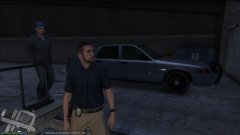
From the album: CouthInk4's LSPDFR Gallery
arriving at the precinct with a bust -
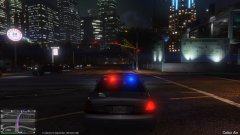
From the album: CouthInk4's LSPDFR Gallery
can't be arsed with the late night traffic -
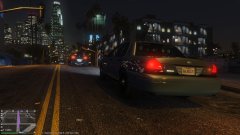
From the album: CouthInk4's LSPDFR Gallery
prowling around Los Santos -
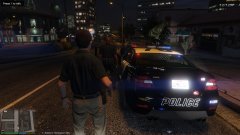
From the album: CouthInk4's LSPDFR Gallery
Assisting fellow uniformed officers in a traffic stop -
This topic has been moved to the appropriate forum. Please post in the correct location in the future.
-
Wait.. What's the point of getting some, if you already have some?.. Even if you get more how can you use them when your game doesn't start?
-
Oh i do like that.. Is that replacing the Police Riot or is it for the Insurgent? Also any chance you could do a variant with an Arjent style lightbar like the LAPD have? (not entirely needed right away of course.. the default lightbar is perfectly fine :D)
-
tbh with the PC version, theres more of a risk from going into a public lobby and getting a headache than getting banned. ...never go into a private lobby unless you want hackers attaching a million things to your character resulting in a game crash. stick to a private lobby with your friends, Or join a crew and play with them. We have our own G17/LCPDFR crew that you can join here -http://socialclub.rockstargames.com/crew/g17_media
-
You can't downgrade and play Online, it'll prompt you to upgrade. As title updates are for both single player and Online, you'll have a version of Online which doesn't feature the things that are in the latest update, which your game needs to have. This topic has been moved to the appropriate forum. Please post in the correct location in the future.
-
Mods in my directory, no actual mods are able to be used/activated online.. Especially LSPDFR. if someone manages to get RPH and LSPDFR working in GTA Online then they'll be crowned a god because it's impossible to do that.
-
the 2 files that OpenIV requires (go into open IV - ASI Manager - uninstall the two files) ScripthookV.dll SlimDX.dll XInput1_4.dll Those should be the files to remove, I do reccommend when using Online that you use a private lobby (most if not all public ones are glitchy due to hackers). There are also a few .exe available to download that can remove mods for you so you can play GTA Online.. however i can't fully recommend them as i've never used them (worth a look into though). That being said, if your PC can really handle the extra 60gb it's not that bad to have another directory. Considering when GTA V first launched and mods came around people started to get banned because of using mods in Single Player, so as it's not really neccesary having 2 directories makes you 100% safe. but like i said, they only really get you if you're using hack in Online. i've gone into Online with mods heaps of times and never got banned.
-
I've never had a problem with it, i've entered online with RPH files in my directory before. Play normal and don't do anything stupid in online (like hack) and you won't get banned. yes, remove scripthook.dll (it's too early for me to remember the exact name for the files)
-
Just use one directory. you don't need two unlike other GTA Games, for vehicles use a mods folder.. this will keep your original files clean/vanilla but your game can still use mods. if you wish to go online remove the 2 openiv files from your directory (this will disable any mods you've put into the mods folder), return those files back into to the directory if you wish to use mods in single player. RPH scripts will only run if you run RPH, so if you wish to play GTA Online then don't run GTA via RPH. as for Scripthook files, remove the scripthook programs from your directory and return them when you want to use them in single player. having 2 directories isn't needed, and is stupid.. considering a modded GTA directory can be over 100gb
-
From all the replies i've seen, nobody is targeting him. They're expressing their opinion which is basically true facts anyways.
-
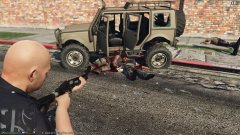
From the album: CouthInk4's LSPDFR Gallery
did they really think they could get away? with me driving and carrying a shotgun? pfft no chance ..Trying out 0.3 for the first time.. and my TITAN X, OMG this is amazing! -
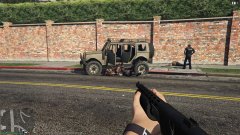
From the album: CouthInk4's LSPDFR Gallery
Suspect taken down ..Trying out 0.3 for the first time.. and my TITAN X, OMG this is amazing! -
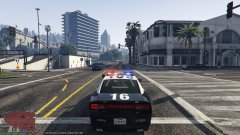
From the album: CouthInk4's LSPDFR Gallery
slowly getting there ..Trying out 0.3 for the first time.. and my TITAN X, OMG this is amazing! -
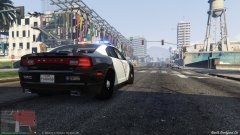
From the album: CouthInk4's LSPDFR Gallery
ooooh pretty view ..Trying out 0.3 for the first time.. and my TITAN X, OMG this is amazing! -
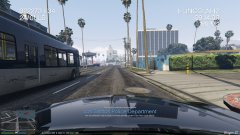
From the album: CouthInk4's LSPDFR Gallery
Code 3 pursuit trying to catch up to the suspects. ..Trying out 0.3 for the first time.. and my TITAN X, OMG this is amazing! -
Yes, turn off the save game feature in the .ini file. and delete the savegame.fr in your directory.
-
This topic has been closed, as it has been previously answered on LCPDFR.com - We require all members to thoroughly investigate whatever question they might have before posting. You can find the search function here: http://www.lcpdfr.com/search/ If you feel this topic has been closed in error, please report this post.
-
This topic has been moved to the appropriate forum. Please post in the correct location in the future.
-
This topic has been closed, as it has been previously answered on LCPDFR.com - We require all members to thoroughly investigate whatever question they might have before posting. You can find the search function here: http://www.lcpdfr.com/search/ If you feel this topic has been closed in error, please report this post.
-
This topic has been moved to the appropriate forum. Please post in the correct location in the future.
-


