




CouthInk4
Members
-
Joined
-
Last visited
Everything posted by CouthInk4
-
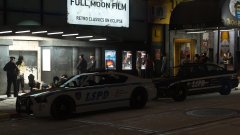 Roman wanted to go bowling in Los Santos. he got tired of the bowling joints in Liberty City
 -
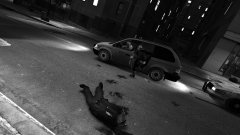 My favourite feature is being betrayed by your own collegaues as they slam you between two cruisers
 -
This topic has been moved to the appropriate forum. Please post in the correct location in the future.
-
Rather than advertising your entire YouTube channel. it's probably best you create a Media topic and link your LSPDFR gameplay. Right now you're essentially just advertising your YouTube channel (which is against the guidelines) whereas creating a Topic in the LSPDFR media section with links to your LSPDFR videos is fine. If you feel this topic has been closed in error, please report this post.
-
All the Jedi Masters.. and Anakin are killed by my super advanced zombie hybrids created for some Halloween fun. Couth... I mean SpookInk4 now owns this hill. and is now guarded by my zombie hybrids
-
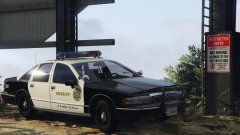 Dear lord that's sexy.
 -
I'm assuming as ENB are client side they'll just install as normal so it will be the same as installing any other mod.
-
Add it as a non steam game, you can then launch it through steam and use the overlay.
-
run the game through steam as a non-steam game. you can then use the steam screenshotting feature
-
Used this all the time in GTA IV, freaking loved it. when i had to reinstall GTA IV for whatever reason this is always the first thing that went in
-
No. LSPDFR is a single player modification only, it cannot be used online (whether it be via GTA Online or a third party online mod).
-
This topic has been moved to the appropriate forum. Please post in the correct location in the future.
-
It would be a lot helpful if you explained exactly what your issue is. The information you've given is useless. This topic has been moved to the appropriate forum. Please post in the correct location in the future.
-
Now your department needs the motto "Always watching, Always protecting"
-
DoctorGTA never releases his mods. Unless you pay for them, which tbh i wouldn't. Scuderio is creating an authentic California pack (not sure if this will feature an unmarked CVPI) but it's definitely something to look out for.
-
This topic has been moved to the appropriate forum. Please post in the correct location in the future.
-
currently there is no LAPD pack available (unless you want non-ELS). that being said there is one in the works by Scuderio
-
This topic has been moved to the appropriate forum. Please post in the correct location in the future.
-
High poly vehicles, graphics card not good enough, something using too much texture resources.
-
https://www.lcpdfr.com/downloads/gta4mods/scripts/?page=1&since=all_time&downloads_field_10=Yes&advanced_search_submitted=1&csrfKey=6557a7848269848d7cf816d35b9ce272
-
Would these vehicle's templates match up with Beren's LSPD textures? Love LAPD vehicles although i have a thing for Lore textures.
-
Sam is dead.. i killed him to get the funding for the hill, and G17 Media isn't for sale.. therefore it's still my hill :D
-
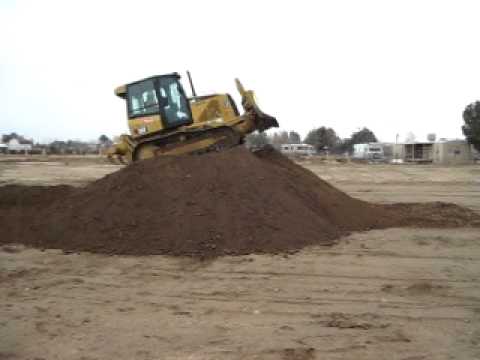
Bulldozers come in to start building a new hill And because the hill was funded by G17 Media.. It's my hill.
-
I'm Staff, i can have full control over this topic.. Therefore it's my hill, and for the 5 pages of argument on who gets the hill.. I now own the hill and everything around the hill. if anybody wants to visit the hill it will be a $100 charge. ..... my hill
-
open config, do the edits, click "save as", save it to the desktop then replace the on in your directory


