




CouthInk4
Members
-
Joined
-
Last visited
Everything posted by CouthInk4
-
This has worked for me on previous versions of the game. Haven't tried the current version although i see no reason why it wouldn't work https://www.gta5-mods.com/misc/gta-5-gameconfig-300-cars
-
I generally use both a Controller and Keyboard.. The only time i use the keyboard is for binds.. everything else is on a controller. Although most scripts are controller supported so i've slowly been phasing out my keyboard and just been using a controller
-
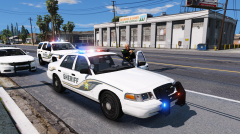 What vehicles are you using?
 -
the LSPDFR discussion and suggestions section is for discussion of LSPDFR and suggestions for future versions of LSPDFR. it isn't for vehicle requests. I have moved your topic to the correct section. Please read each section carefully before posting as you maybe posting in the wrong section. This topic has been moved to the appropriate forum. Please post in the correct location in the future.
-
they're both the same. It's just about convenience really. If you want to download a 60GB game then go with steam, if you want to have a boxed copy with 7 discs go with retail. LSPDFR will work on both versions.
-
LOL. He has created another account and reuploaded his videos there. https://www.youtube.com/channel/UC5L7SHYeJtpO3EZTPLAr72A
-
This topic has been moved to the appropriate forum. Please post in the correct location in the future.
-
You already have a topic regarding this. Stick to your original topic and don't create multiple topics for the same thing. If you feel this topic has been closed in error, please report this post.
-
This topic has been moved to the appropriate forum. Please post in the correct location in the future.
-
Unless they'really released to the public, We dont allow these requests. "Exclusive only" requests arent allowed. We also dont allow users to pay other users for creating mods as its against our Guidelines to offer or accept payment. If you feel this topic has been closed in error, please report this post.
-
Please refrain from posting any personal information regarding this person. Especially when it comes to his Facebook page.
-
No VB? Well then might aswell just trash the thread. You can't have a Couth party with no VB..
-
This topic has been moved to the appropriate forum. Please post in the correct location in the future.
-
First you disrespect Tasmania, Then Darkymyre says i have two heads.. Now you're bashing my drink? Is this pick on CouthInk4 week or something? To be fair, Buying me a slab will probably win me over.. beer and food are the ways to my heart :D
-
Same. I have 1 purely for modding and one for GTA Online. All you need to do is change the folder name to Grand Theft Auto V if you want to use it. You can have them on the same drive you just can't have them named the same thing at once.
-
Out.. Get right out and stay out you cheeky man
-
It's been a while since playing LCPDFR, Although i believe you can in fact change if via the lcpdfr.ini it should be something like "Officer Name: OfficerHotStuff" or something. Just change it to the name you want. I remember having mine as "Officer CouthInk4" and "Officer Ben Cooper" at one point.
-
no version of LCPDFR will be compatible with Patch 8. Users will need patch 7 to be able to use LCPDFR.
-
i quite like that logo.. we should have that logo you don't have me on your payroll
-
We already have ads. Although most people use adblock (unless they're kind enough to whitelist it from our site). Our revenue comes from donations or from our store. and the money from that wouldn't entirely go towards a DDoS protection, it will have to be put towards the domain itself (so the site stays up), servers and what not. However like i said before the DDoS protection is a lot better than it was a few years ago. before even the littlest attacks took our site down. Now our site can function properly. The only time it takes a beating is if a major attack happens. That being said We only have one person who handles the technical side of our site which is Cyan. So if the site goes down we can't always bring it back up instantly as it's just not possible. None of the staff are here full time, we all have lives, jobs etc. So we can't always keep watch over the site. We would love to have full protection and not that the site go down ever, but with the amount of money we have it's not at all possible.
-
...That's the thing. We don't have a lot of money. our DDoS protection right now is the best we can afford. Our site is ran out of pocket by Cyan and Sam. everything here is free the only income we get is via donations (which isn't a lot). Honestly our protection is great, our site is still active during an attack before if we were attacked the site would be offline for hours.
-
This may seem silly but since my time here i have dealt with users who have had their issue fixed doing this.. Have you restarted your PC after installing NET? Most if not all programs like this require a PC restart for the PC and applications to recognize it's on that machine.
-
Like SuperStumpje has stated, We don't allow users to delete/hide their own stuff (the only exception is the download section). If you want something hidden/removed then report it and Moderators will do it for you. This topic has been moved to the appropriate forum. Please post in the correct location in the future.
-
This topic has been moved to the appropriate forum. Please post in the correct location in the future.
-
Merged your two topics. Please don't create a topic each time you make a video.. Stick to this topic for now on. You're also still allowed to post here if it goes over the 30+ day limit.


