
Babylon
Members
-
Joined
-
Last visited
Everything posted by Babylon
-
Subtle additions to the great LSPDOracle2 by evether
-
From the album: LSPD Oracle2 Interceptor
-
From the album: LSPD Oracle2 Interceptor
-
From the album: LSPD Oracle2 Interceptor
Interceptor livery for the fantastic LSPD Oracle2 by evether -
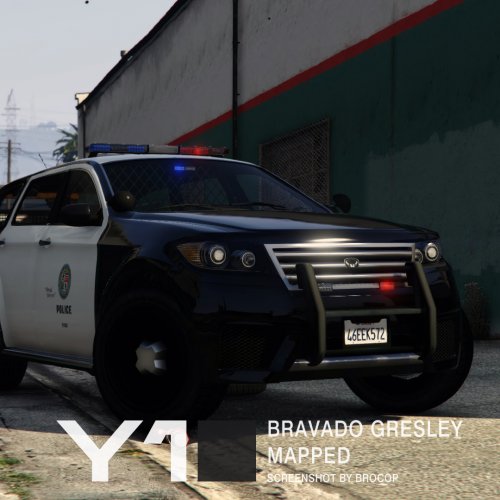 Great Addition. Been playing around with some textures as a possible Medical Responder (using MS paint!) for my own pleasure only!
- 13 comments
- 3 reviews
-
-

- 1
-
-
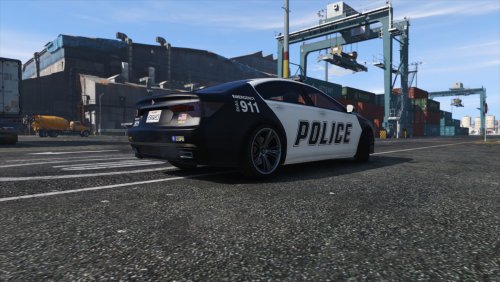 Still scratching my head with the paint thing lol.... In the meantime I've been playing around with textures a little bit. Nothing too serious and only using paintbrush!
- 23 comments
- 4 reviews
-
-
No probs at all! Has the car ever spawned as a vanilla police (police2/3 etc) in colour, even if just the once? and has the update had many changes?
- 23 comments
- 4 reviews
-
I'm looking in to this as well, although I'm no modding expert - just seeing if there's anything possible in OpenIV that can be tweaked..............We'l get there!
- 23 comments
- 4 reviews
-
-
 Some very interesting things do those people of LS transport around with them! Be good to include a bomb as a find! then having to call someone with no friends to come and hopefully diffuse it!
- 38 comments
- 16 reviews
-
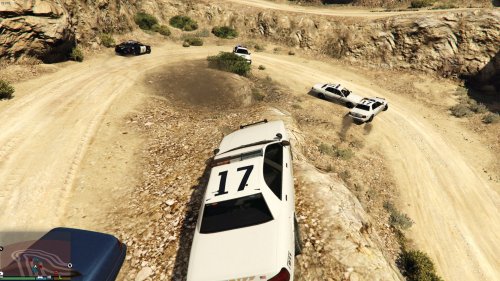 Yes fine here too! latest RAGEHook equipped etc....
 -
Loving this mate! Just a lil issue I'm getting. Spawns as all black, through trainer or when placed in a vanilla police slot (ie police2/3 etc). I use this as an add-on vehicle, as well as having it placed as a backup unit when assistance is required. When added to the backup menu I include a colour option so it spawns like a pro! however when spawning through a trainer, comes out all black. Maybe this is my wrong doing somewhere, however would be interesting in hearing if anyone else has this issue. Much Love
- 23 comments
- 4 reviews
-
 Many Thanks for the updates! Is there any way of personally selecting the Insurance dudes car? I like vehicles with flashing lights and sirens in every available scenario! Thanks Again!
- 1,915 comments
- 242 reviews
-
Brilliant! Looks so good and blends in well with the vanilla world. 5/5 All day long. Would you consider doing an Elergy police conversion? Would be great in a similar format to the Oracle2 you created.
- 23 comments
- 4 reviews
-
-
 Absolutely beautiful! Just makes everything that little bit better! I was wondering if it would be at all possible to create/include a flashing light option for the rear lights to. Just a simple flash of the red rear driving lights, or to use the brake lights if easier.....left flash, then right, then left etc............ The purpose is to use as warning lights from the rear. Yeah we can use our hazard/indicator lights, or our current emergency lights, but this would look so good as an added feature, especially for traffic stops etc. Anyway thanks for bringing this to us all.
- 247 comments
- 45 reviews
-
Will this be compatible with a controller? If so a mammoth addition would be to include a button on the game pad so that once you have activated your lights and siren, with the press of this button, then your the lights remain on, but the siren is muted, press the button again and the siren it activated. (Similar to the keyboard J function once LSPDFR has been activated but for use on a controller! Anyway looking forward to this when its ready....
-
Road Wars LSPD Stylee! Great Idea. Be nice to include edited voice overs, both on route to a call out, on location and at the end of the incident as like a de-brief/summing up. Edited music and sounds too....mysterious chords and strings when investigating or locating crims, then upbeat hard hitting beats to run alongside any pursuits or action scenes. I like the old 'comical scene' a lot of these TV shows save and run as the last clip...........i.e. a drunken man of 90+ years attempting to join the freeway in his wheelchair whilst towing a zimmer frame, or a small dog flying past a radar gun on a skateboard, you know with Stevie Wonder givin it hell for leather on the banjo in the background. You could be the next Sheriff John Bunnell, the worlds best ever corporate entertaining sheriff, what a guy! How did he not make president? Anyway great idea, much potential and interesting to see what comes up. Good Luck! Oh and check this out if you haven't already: Bit old school but might give you a few ideas. I like how this series was filmed aswell. Id love to see this era of vehicles brought to GTA V: the Sierra Cosworth/Escort Rs2000 4x4/Cavilier Turbo 4x4/Astra GTE & GSi 16V/Rover 827/Sierra XR4x4 - ooh those were the days!
-
Read through this. You need to organise yourself so you are prepared BEFORE the updates come out. Viel Glück und den besten Wünschen !
-
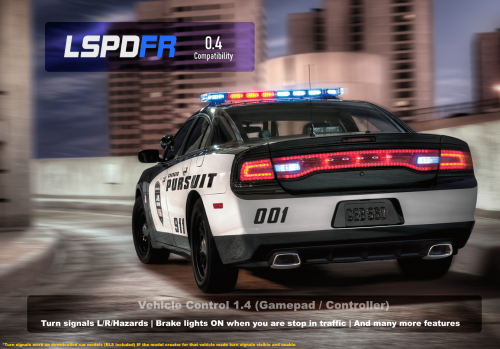 Used this mod from day one. Works alongside everything I have ever used with no issues. Reliable, Neat and fits into the game like a hand to a glove. The idea of adding cruise as suggested by sakeeeee would be the icing on the cake. Overall 5 Stars - Must you have this - YES
- 26 comments
- 12 reviews
-
-
- 1
-
-
 Great Addition Alex. I am having a few issues configuring the mod. I use ModManager for everything, all mods, rpf's etc. I do read the read me's and follow as best I can, however using ModManager often requires further investigation and a few added tweaks to get functional - this is where i'm struggling. Downloading and installing in OpenIV with package installer is all fine. The problem is once I have unpackaged the EUP with the tactical and winter add ons, nothing is getting to my plugin folder and staying there, the main plugin folder, nor the LSPDFR sub folder within the Plugins folder. However the mod loads and I can use F11 to activate and all is good. I can load your skins, add, modify and then save in a trainer all ready to look the part for whatever duties follow. Trouble is after ending the game, and re-loading - no EUP - no F11 function. I then need to go into OpenIV and unpackage the EUP again, reload the RPF through ModManager and start the game - which is rather timely. Anything you or anyone might be able to add on a more simplistic approach - would be appreciated. Other than that - this is amazing and a must for all
- 2,353 comments
- 238 reviews
-
I sense a touch of class being introduced and a hole new fresh future to this mod. With the experience of Stealth and his wisdom offered, an injection of will and passion, the sky really could be endless with this one.... Los Santos Bus Response - I'm at the stop waiting
-
The videos are for assistance with ModManager and rpf's, however if your not familiar with ModManager I would seriously consider whether or not you wanna go down that route as it can be confusing, stressful and frustrating. However once mastered - works well. ModManager - How to Install and Setup https://youtu.be/i22l1pEZ9u0 Installing mods with ModManager & OpenIV https://youtu.be/mQxfMSSlICc Part2 https://youtu.be/6AaRi5ZqUAs
-
I put all my vehicle mods into Grand Theft Auto V\update\x64\dlcpacks\patchday8ng\dlc.rpf. I used a modded folder within ModManager. If its a just a texture I wanted to change on a vehicle I already have I would simple replace the corresponding files in the above RPF for the required vehicle. Obviously If I see a texture that I like on a vehicle I don't have, I would place the original vehicle files into the above RPF and then simply replace the relevant texture files accordingly by instruction of the Read Me. Also just to point out, I use ModManager(Bilago) for everything which has honestly smashed my head into pieces at times - when trying to figure out RPF's and adding cars etc....although now it works great for everything - I can forward a few useful vidlinks if this could be of any use to you. Also just to add If I wanted to add textures on a Vanilla Vehicles In game - I would locate the original vehicle file location and simply replace it there, or possibly copy the original files of the vehicle and paste into update\x64\dlcpacks\patchday8ng\dlc.rpf. Then replace the texture files in there. I haven't tried this personally so added clarification should be considered, but i'l give it a go myself later. But please for gods sake back everything up first! Good Luck