


r.y.a.n
Members
-
Joined
-
Last visited
Everything posted by r.y.a.n
-
 I don't know if it is fixable but whenever you press Caps, which lets you use the Cop Holster animation or the native idle animation it changes your walking stance from Duty belt, if enabled on your character, to the regular civilian stance which looks ridiculous.
- 2,349 comments
- 238 reviews
-
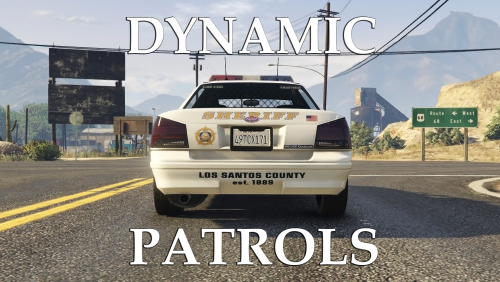 This mod has the potential to make Los Santos feel more realistic with actual cops patrolling and in some areas, especially in metro Los Santos. However, in some areas it makes the area feel cluttered like it's a "hot zone". Specifically towns/ cities in Blaine COunty and Los Santos County that are off the highway, because you have Highway and Local patrol which causes you to see a patrol cop every 5 or so cars. Also one more thing is that highway cops spawn very frequently. It gives the illusion that there are hundreds of units patrolling this little strip of highway. TLDR: In some areas makes the city fell more realistic, but the highway and county cities makes it feel like there are WAY to many cops patrolling.
- 59 comments
- 8 reviews
-
-

- 3
-
-
Yeah, I looked at the vehicles.meta file and it says the driver for policeb is 's_m_y_hwaycop_01' so I think that is ok. I'll try to remove it from popgroups.ymt.
- 59 comments
- 8 reviews
-
-
- 1
-
-
After I added this into my game it started spawning civilians riding the police bike which is pretty frustrating. Any known fix to this?
- 59 comments
- 8 reviews
-
 I have no idea why but all of the sudden the Impala (Police1) flips uncontrollably, I don't know if you changed the handiling line @Captain14 but its bad. You can't take a turn faster than 20 mph without flipping. If there is something we can edit ourselves could you explain how?
- 779 comments
- 187 reviews
-
-
- 1
-
-
 Can you add an option to change the key binding for Scroll Lock. Its extremely annoying since Scroll Lock is what turns the lighting on my keyboard on and off. @Lt.Caine
- 2,698 comments
- 240 reviews
-
I am also getting this problem. RPH says it has loaded all of my plugins yet it just sits at the loading screen.
-
 When I finish a callout instead of saying the call is code for the dispatcher just is silent
- 311 comments
- 39 reviews
-
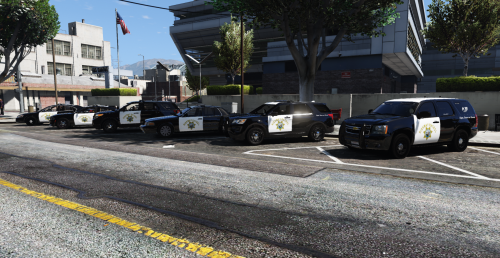 Very nice skin pack! I use it for Police4 so I have proper Highway patrol cars.
- 13 comments
- 3 reviews
-
-
- 1
-
-
-
-
 Ever since I installed this pack, every time I call for backup in Blaine County only the charger spawns, not the tahoe! @Captain14
- 445 comments
- 108 reviews
-
-
-
Will you be doing any Park Ranger or Highway Patrol cars. It would be awesome if all the police vehicles in my game were ELS style lighting.
- 779 comments
- 187 reviews

