



sjain
Members
-
Joined
-
Last visited
Everything posted by sjain
-
 Damn, great job making this incredibly user friendly for everyone but is there any way to do this for 1.0.944?
- 266 comments
- 36 reviews
-
 Very nice man :)
 -
Some really good questions presented here and great responses from Steve. Been watching for a long time, no I am not saying that to brag - it pretty much made a part of my childhood, the sheer realism and fun, and Steve was always the guy with all the mods. Very fun to watch, he plays so well and realistically, using every feature, and don't even get me started on the variety, he would fine tune his game to the role he was playing and there were so many different roles and games and playstyles... The effort really shows! Overall, very unique experience to watch Steve's videos, and not to mention that all the content is free to watch. Best wishes to Steve for the future and happiness! Because you damn well deserve it. And let's not forget he's a badass :P
-
This is beautiful, wish I had the energy and motivation to install scripts. All I have is barebones LSPDFR right now. This looks ridiculously amazing, out of this world. The development CVPI will be a massive help, it's incredible how much effort is put into the community. Excited for LS. Noir. This is amazing quality of work. Best wishes to all developers, really proud of each and ever one. Every single mod shown here, truly amazing, I could go on for hours, no way to express it. Truly the cream of the crop taken here. Absolutely impossible quality, it's crazy
-
Thanks!
-
I found tutorials everywhere, but none of them told me all the languages I should learn to make scripts. Would really appreciate some help. Nothing found on Google.
-
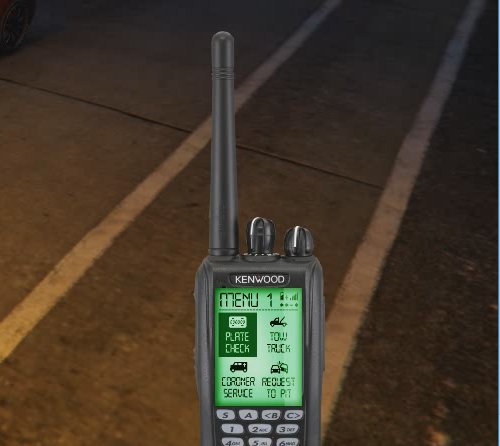 These are really rare. This one is realistic, clear and really well done. Thank you ever so much for this sir.
- 3 comments
- 2 reviews
-
-
 I clearly said to open the file with an internet browser after downloading. It's actually an export of Chrome Bookmarks, which I modified so only the mods folder was in there. EDIT: Jesus. I meant to quote the line you said and my whole message was meant to go to @billiarboy. Rip. I'll just PM him
- 131 comments
- 20 reviews
-
To @billiarboy, Believe me, people will say this for your benefit. It really helps. Here is a guide for the controls: http://www.lcpdfr.com/files/file/9968-lspdfr-03-control-guide/ To confirm, the game is Grand Theft Auto 5, and the mod is LSPDFR. However, LSPDFR itself is referred to as an experience, and requires many small mods to do with policing to enhance this, such as this one, Spike Strips V. I spend a long time looking for these. I have gathered every mod I want to use (not massive). You can download it here (click on the download icon in the top right). Open the file with an internet browser. Please note that there is a small gap between 'Kept Aside' and the other links. Please ignore everything before the gap - it's just conflicting mods I will combine for personal use later. The only things missing from your LSPDFR experience (ensuring you ignored the 'Kept Aside' section) are Sirens and Police Vehicles. These are essential, but I was just bookmarking at this point. Also note that you don't have to install every vehicle mod in there, I just like having it. ReadMe.txt ReadMe.pdf And they will always answer most of your questions, especially in your case. Needless to say, don't hesitate to PM for help. I apologize on behalf of Quakex64. Have a good day sir. I wish you the best in navigating your way to a good LSPDFR install - it's very fun.
- 131 comments
- 20 reviews
-
These look like screenshots from SteveTheGamer55's Channel. He uses CryENB V3 with some editing. If I am wrong tell me the name of the YouTuber, if it came from YouTube. Those shots seem so distinct from his videos, oh the nostalgia!
-
What a turn of events. When I ran the game, no matter what I tried I always got texture loss, on a great PC. The game comes back to life, with an unbelievable update and first thing I see in the forum is Olanov, the true LCPDFR man! This has made my life complete. This is incredible, I'm jumping around now. I just hope that the vDH.PoliceHelper gets updated, or works with the update.
-
-
Some really nice content this month! Really love the Better EMS mod. Whats better is that all of this incredible effort and hard work is free and donations are voluntary, never overlook this people. These guys are the real stars of GTA 5 Modding.
-
Hey all, In the notification settings it only allows me to toggle 'when new content is posted'. E.g I comment on and follow a thread in support forum. Of course I want to know his reply. But then I follow another user who post lots of images in the gallery. And so I get lots of notifications. Is there any way for me to only see notifications for new text/thread posts and not images without unfollowing the user? I have read the pinned thread about notifications. All suggestions or help are welcome.
-
Hey, sorry for not getting back to you. Due to my studies I have not looked at the files for a while. The issue confirmed: the old british packs (including the Merseyside one you use) have known issue with lcpdfr 1.0+. Even Double Doppler himself cannot find the issue. The only solution is to use lcpdfr 0.95, sorry!
-
I think he also meant to remove the whole reticule, he actually mentioned that he used a similar mod in his post, which unfortunately the mod itself doesn't really do.
-
Use the latest ELS IV (8.51) Go to your GTA Root folder and open ELS.ini with notepad. Hold CTRL and press F and type "Ai_Els_Sp" without the quotes and hit enter. It will highlight a line with the same thing you just typed - next to it should be a value of 1. Change that to 0, save and exit. Not go back to your GTA root folder and delete the files oldsession.fr and Savegame.fr. It should work.
-
Yay =) join the lcpdfr train :D
-
@GreenBoy818 do the instructions listed in the post by CouthInk4 here: http://www.lcpdfr.com/forums/topic/67218-hey-guys-i-need-help/?#comment-442069 Then follow the shortcut part of this guide: http://www.lcpdfr.com/forums/topic/65921-new-fixing-those-bugs-improving-iv-performance/ Your paths are also very absurd. Make sure GTA IV is installed in a folder called "GTAIV" (without quotes) and install lcpdfr inside that. e.g:
-
@KingSirus do the above ^^ if you have performance issues after that try this:
-
Well, try this as well. helps a lot! And MANY CONGRATULATIONS for getting gta 4 to run on that computer
-
Located the issue in the log. Lots of spam of: I don't know how to fix this :( but we have the issue pinpointed
-
Go to: C:\Program Files (x86)\Steam\steamapps\common\Grand Theft Auto IV\GTAIV\common\data and open hud.dat with notepad Find: And replace it with this: Hope it works! Always backup files before editing them. As a side note, if you have lots of hard drive space I recommend backing up the whole GTAIV folder so you can access any file and not have to worry about backups :) Enjoy :D edit: many of us still play iv :D
-
wow, never seen this before. make sure you aren't using two asi loaders (they are dsound and xlive) speechless :/ please upload all logs



