



sjain
Members
-
Joined
-
Last visited
Everything posted by sjain
-
Thanks so much :) Now I just have to deal with the "Pursuit of armed suspects" callout crashing the whole game. Probably an outdated callout plugin messing with it.
-
Completely fixed. Thank you so much. Game ran for 2 hours without a single texture missing. Method: Download and install Paint.NET Get the .ytd file of the vehicle you installed in OpenIV and open it with OpenIV Drag the livery somewhere and open it with Paint.NET (the livery usually has "sign_1" or "sign_2" etc. in the name) In Paint.NET, go to Image > Resize and type in 2048 as the width and the height. Don't worry about the other values. Save and close. The format is DXT5 In OpenIV, make sure edit mode is on. Open the same .ytd again, click import, and click on the livery you found. Click save. Quit and launch game.
-
-SOLVED- Hey, for some reason I get heavy texture loss. Not sure why. The only game files I have replaced (i.e. not addons) are: LSPD Pack BCSO Pack Unmarked CVPI Unmarked Tahoe No peds or anything else was replaced. Video of the issue with graphics settings: PC Part list: https://uk.pcpartpicker.com/list/6LN7d6 The issue doesn't happen as bad when I remove my mods folder. I run GTA 5 off an SSD with about 17% free (80 GB of 480 GB). I have plenty of RAM free in task manager. All my PC components are at normal temperatures (CPU = 40 Celsius, GPU = 75 Celsius). My PC is dust-free. GPU VRAM = 6144MB, usage = 5800 or something MB. I have updated my GPU drivers. My SLI bridge is properly seated. SLI is on. All help is widely appreciated.
-
 I will never be able to get over the beauty of this pack. Love it, the effort is so clear. The interiors, lighting, vehicle, so beautiful. Thank you so much I really appreciate this. So glad I decided to refresh my vehicles. 11/10
- 208 comments
- 59 reviews
-
Did you make sure to delete your GTA folder when you uninstalled?
-
All I can say is that there is a conflicting vehicles.meta somewhere. Try changing the values in the patchday folder you edited mods/update/x64/patchdayXng/dlc.rpf/common/data/levels/gta5 No other ideas right now. X is the number of the patchday folder you installed it in (e.g. patchday14ng)
-
Are you editing vehicles.meta in this location? mods/update/update.rpf/common/data/levels/gta5
-
Hm. Have you double checked you have all dependencies? How much RAM do you have? Restarted your PC? Try getting ScriptHookV from a new download and re-installing it. That's all I can really think of right now.
-
Just a pointer, bumping your post won't help. To replace a vehicle, try the instructions in the spoiler below: If you are installing add-on vehicles, which I recommend if they are civilian vehicles, follow the YouTube video in the spoiler below:
-
Give this a try: Do exactly this: 1. In OpenIV, go to: update > x64 > dlcpacks> patchdayXng where X = the highest number you can see. Note that it is not in the mods folder. 2. Right click on "dlc.rpf" in that folder and click "Copy to mods folder". 3. You should now be automatically inside the archive. 4. In that archive, go to x64 > levels > gta5 > vehicles.rpf 5. Click the green plus button + and add the vehicles files from your download. 6. To make your life easier, right click on the file type bar (where it says Name, Type, Size, Attributes and Tags) and click on (no). Good luck! If you have any other issues do not hesitate to reply back :)
-
Did you modify your vehicles.meta? Have you ensured it's in the latest patchday foldder? Have you check the model works in OpenIV? Also, just to check, have you tried restarting your PC?
-
In the RagePluginHook settings window, go to the Advanced Tab, and try ticking "Force DirectX rendering". It's something similar. Basically it will force the graphics for the console to render.
-
To be honest, if you just want to change the handling, all you need to change is the handlingId for the vehicle you want.
-
Yeah RDE was last updated a long time ago and is most likely not compatible.
-
Sorry, I don't quite understand that. Also, I won't be able to respond unless you click the "Quote" button on my post or mention my username with an "@" at the start. Try it again is all I can think of. You have to be careful
-
It's not compatible with the latest version of GTA 5 is what I meant. Apologies. RDE was last updated on December 23, 2016 Simple Trainer has been updated on April, 05 2017. And there have been .ini changes. This means that RDE will break Simple Trainer V by using an old version of the .ini file, because values will be missing. Re-install Simple Native Trainer.
-
-
I would recommend uploading your logs. Also, to encourage more people to help you look in this thread:
-
Try looking at the last few posts here:
-
You will need a mod to modify the MP character. Specifically designed for EUP, is EUPMenu. I highly recommend it. Extract to your "Plugins" folder in your GTA folder. Go on duty as normal. Go to the police station, don't worry about your character, and get a police vehicle. Then, after you are free to walk around or drive in your vehicle, make sure you are not in a vehicle and press F11. Then, in the menu that appears, I can't remember eactly how you do it, but you need to create a new character.
-
Re-install ScriptHookV, and the mods aren't compatible as suggested above.
-
If the above post doesn't work, try this: First, restart your computer. go to: mods/update/update.rpf/common/data/levels/gta5 Then right click on vehicles.meta and click "edit". Hold the CTRL key and tap F once. Then release CTRL. Type in the name of the vehicle slot you replaced with your modded police car. Scroll down till you find a line with diffuseTint in it. Change that whole line from whatever it is to: <diffuseTint value="0x00FFFFFF" /> Good luck.
-
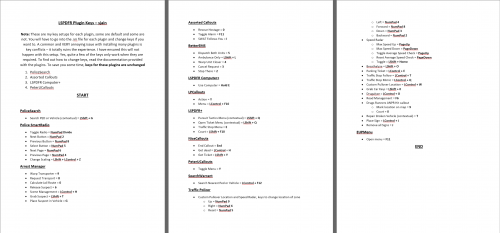 Well. In the post, I stated that "some keys have been changed to be easier to use and/or so they do not conflict with each other". But yes, I see what you mean. I will move from that sentence to individually distinguishing changed keys in the document. And if I get permission from authors, I will include .ini files, and possibly a .bat file to auto-install these and rename the originals to something else as a backup (if I can get my head around batch scripting) I am aware that the list of changed keys / formatting for them doesn't exist. This is the initial version, unfortunately I am really busy with school work and exams right now. I will update this as soon as I can to make changed keys easily distinguishable, include a small text guide on replicating the binds in .ini files in a separate document, and move the miscellaneous text to that document to help save ink. Additionally, I'll add as many formats of the document as I can (e.g. PDF or Word etc) I will also revise the formatting if I can. We'll see. But that isn't my first priority. I know the work is pretty terrible at the moment. I just wanted to get this out to the community, but soon after I completely ran out of time straight after to update this. Thanks for your feedback, really appreciate it! It's great hearing from someone like you. Really like your plugins!
- 7 comments
- 3 reviews
-
Same! It's also really fun for some reason.
-
I wouldn't do that. Try closing OpenIV completely, then launching RageHook. What does it tell you? If it says nothing, close the game and look for a "GameBackups.rph" file in your root game folder (Grand Theft Auto V\)


