


The Loot
Members
-
Joined
-
Last visited
Everything posted by The Loot
-
 I does, but you can easily move your files into the appropriate RDE archives, or delete the conflicting entries from them altogether. Considering that RDE will always take priority over any new patchdays (if the dlclist file is correctly updated after each), I highly recommend moving your files into it.
- 1,516 comments
- 85 reviews
-
Would absolutely love to see something like this.
-
-
Also the vehicle.meta entries for the RHIB and SUBMERSIBLE3 can apparently cause issues crashing when loading some save games or starting a new game. Those vehicles aren't really used yet since more work is needed on them, so it's probably safe to remove the entries from your files as a precaution.
- 1,516 comments
- 85 reviews
-
-

- 1
-
-
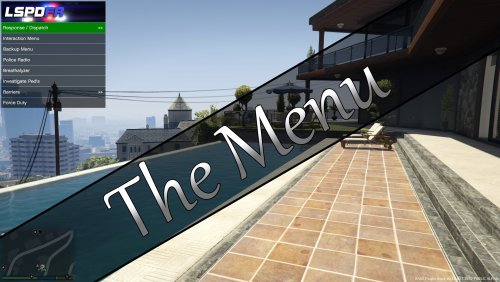 Yep, SlimDX is present. One thing I notice is that the AutoItX3.dll file is larger, but older, than one I already have. Perhaps I'll try it with the included one and see if it works and doesn't affect anything else. Edit: Yep, that seems to be it. No crashes using the included file instead.
 -
-
Check the GTA5-mods.com page here (maybe the description here can be updated with that link?), and pick up the link to an updated gameconfig file that hopefully should fix the problem. I've been using that since it was released and I really have no problem running RDE and even more mods.
- 1,516 comments
- 85 reviews
-
-
- 2
-
-
 Very nice, my port and airport police cars now have a proper unique ped to go in them. One way to do that is add them as drivers to specific police vehicles, and then have those vehicles added to spawn groups in the correct places, using a mod like Back on the Beat or Realism Dispatch Enhanced. There is no file provided, but what you can do is make a copy of the FIBSEC entry in the Heist DLC peds.meta file, change the modelname, and set the voicegroup line to <PedVoiceGroup>S_M_Y_COP_01_R2PVG</PedVoiceGroup>. Then you can do the above to have them spawn in vehicles.
- 8 comments
- 1 review
-
Wow, that is a nice idea and a throwback to San Andreas. Boy, it would be nice if someone was planning on making something like that.
-
It's possible. You'd just have to find an appropriate car mod, rename it and install it over the existing vehicle, and then make a new carvariations entry for that modelname with the correct sirensetting value for the car mod.
-
LSPDFR has all it's backup spawning settings in the backup.xml file in the LSPDFR folder. But as ineseri said, that only changes things that LSPDFR does itself, and not things the game does by default. To do that: update.rpf/common/data/ai/vehiclemodelsets.meta and update.rpf/x64/levels/gta5/popgroups.ymt (this one is still encrypted on the PC, so you'll have to track down a mod like Back on the Beat or bigger ones like Realism Dispatch Enhanced for an unlocked file to use). Look through those files, find police, police2, or police3 and make sure the others all have entries as well in each case (same with the two Sheriff vehicles). If you want copcars to spawn more in traffic, you'll need another file: update.rpf/common/data/levels/gta5/popcycle.dat. In this one, you'd have to take the police groups defined in popgroups, and add new vehicle sets to each and every time frame line in each and every zone entry. That will be a lot of work, so really I suggest tracking down Back on the Beat if you waren't up for the task of adding RDE to your game.
-
Well, if it uses the same measurements as the game's default wanted spawning, 350 should work just fine. Does it use the same scale?
-
Well, I'm pretty sure the Park Ranger and Sheriff Granger setting works for the FIB Granger (haven't actually taken a real close look), so you can try the Police/Sheriff Cruiser setting for an unmarked cruiser, and I suppose the Police Buffalo setting for the FIB Buffalo. No guarantees, though.
-
As I said, you have to create a new entry in a DLC pack that has the meta file; the original vehicle entries are in an encrypted ymt file. I assume you still used the fbi2 slot for the Granger? I'm not entirely sure why it would work differently. Perhaps the color setup for that slot only has a primary color and doesn't apply an overlay color, or it could be something with the Sheriff2 model. Or it could be that the Buffalo S model you used has issues that might need to be fixed. Really don't know.
-
You'll have to make a new carvariations.meta entry for it in one of the DLC packs that includes the file, so it spawns in colors that work with the new model and textures.
-
Oh, that is looking sweet. Proper police business for LSPDFR! You mentioned getting the vehicle owner down to assess damage, make sure to add asking them if they actually know the suspect. Maybe the whole thing's a misunderstanding.
-
Right, but I want it to load only after another plugin is, i.e LSPDFR, like those plugins can be made to do. Things like Search Vehicle, Search Ped, Passive Radar are made as regular RPH plugins, and thus would load even without LSPDFR being loaded. I was just wondering if there was a way to force them to rely on loading that without having to specifically make them LSPDFR plugins.
-
 You have to use Skin Control to edit the default model and then save it. The base model is not intended to be used out-of-the-box.
- 2,346 comments
- 236 reviews
-
Obviously, if they are made specifically as an LSPDFR plugin, it works, but is there any way to take a normal RAGE plugin and make it do that without having to make it a mod plugin?
-
This looks pretty promising already; you should open a mod thread for it. Quick clarification: I assume templates are used so the main xml file won't get crowded with a whole bunch of menus. So something like this can be made... ...and then all I'd have to do in the main file is add a line like <Template>Traffic Control</Template>, and that would be a working option? Edit: However, I am also getting a crash on loading the plugin.
-
-
It uses FBI2, I believe, along with the Park Ranger. You'll either have to replace that and affect all those vehicles, or add a new entry named Sheriff2.
-
-
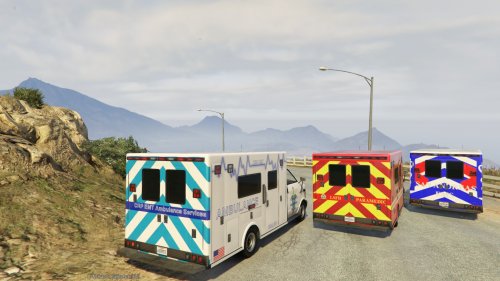 Did you install all the files correctly? That sounds like you're missing the Hi files.
- 32 comments
- 5 reviews
-
Nice work, makes Code 2 backup much better.

