


The Loot
Members
-
Joined
-
Last visited
Everything posted by The Loot
-
 Protip: Vehicle coordinates are a breeze using the SaveLEJSLocationInfo Ragehook command. Just copy-paste the four location lines from the LEJSLocationInfo entry into the INI, and that vehicle is placed. Big Issue: Added vehicles seem to be supported, by added peds do not spawn: setting up a NOOSE police patrol around the FIB and IAA buildings spawns the vehicle fine, but the NOOSE officer won't spawn in or out of the vehicle.
- 270 comments
- 19 reviews
-
-

- 1
-
-
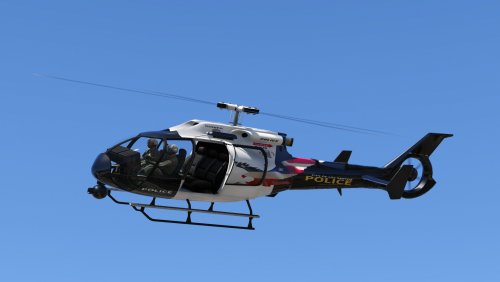 Have you tried working with the frogger2 model? It doesn't have the mirroring because it naturally has text on it (FIB or TPE) but I'm not sure how the mapping will actually work out.
- 11 comments
- 2 reviews
-
Sirensetting is 6 for policeb, per this tutorial.
-
RDE, which I assume you installed, includes replacements for most police vehicles. Simply go into rde/dlc.rpf/x64/levels/gta5/vehicles/rdevehicles.rpf, and either delete the model files from there, or drag your other files into there and overwrite them.
-
 Yeah, the modified popcycle is pretty heavy. I've had to turn it down to 30% to try to avoid low FPS, and there still tends to be a lot of cars around at times.
- 1,509 comments
- 85 reviews
-
 Because only police vehicle models have siren sounds defined for them somewhere else in the game's code. If a vehicle doesn't have a siren to play, it won't. Sirensetting is indeed directly responsible only for controlling the behavior of flashing lights on a vehicle (because R* can't do things in a logical way).
- 102 comments
- 28 reviews
-
This thread has the info you'll need to get the vehicles in -game and working.
-
Not sure about Dashcam V, but the sound mod is easy. Just made sure the new vehicles audioNameHash line uses the model of the original vehicle you replaced the sound of.
-
I'm still not sure about that myself. I swear that I see a variety of liveries spawned on vehicles even with only one color item entry.
-
Not bad, but I'd suggest some better lighting and weather for your screenshots.
-
I swear officers didn't slam into the back of traffic during pursuits back in .02 as incredibly often as they seem to do now, though I can't 100% point at GTAV or LSPDFR itself with my modified game anyways. Suspects sometimes don't seem to run hard enough, and end up stuck behind traffic instead of going around them. They also tend to stay in blocked vehicles until they can wiggle free, and the officers don't seem to want to pull them out very often. The only issues I really can point at is that foot officers sometimes don't return to their vehicle when a suspect drives off, or their vehicle despawns, and they just stay standing in that spot even if the pursuit moves to the other side of the map. The new Cleanup plugin someone made helps, though obviously interferes with the active pursuit.
-
To clarify, all the original game vehicles variations entries are in an encrypted file that can't be viewed currently. Adding one to any DLC pack's file will override the original thus allowing you to "edit" it..
-
Yeah, they have a bad habit of slamming into the back of traffic during pursuits. I've also noticed that they don't use lethal force when facing armed suspects while in vehicles much, and it might even be affecting SWAT peds too.
-
One that would make officers and vehicles despawn once they're a fair distance away and/or stuck or unable to move at a sufficient speed during a pursuit would really be great.
-
Happens during pursuits, too. Seems something in the process of both of those automatically activates the function.
-
Only way would probably be editing the model and removing them completely. I don't think there's any way to block an extra from spawning.
-
The emergency lighting is controlled by a sirensettings value, contained in a carvariations file entry for the vehicle model that also sets possible colors and extras that will spawn naturally on vehicles. The base game vehicle entries are all contained within an encrypted carvariations file, and can't be directly edited. However, you can add a new entry to any DLC pack's file that will override the original. Check out the "Adding New Emergency Vehicles" thread for info needed for modding emergency vehicles.
-
You can add an entry for a base game car to any DLCs carvariations file and it will override the original.
-
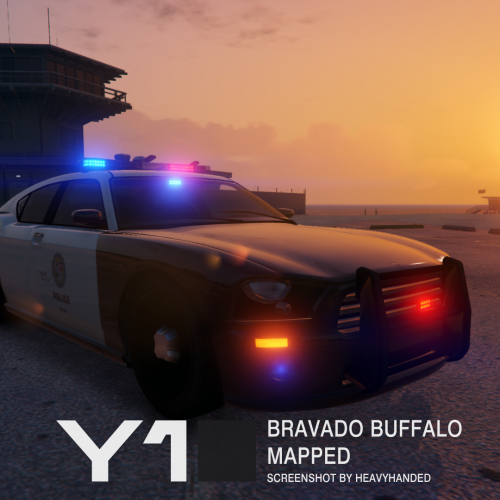 He's probably got things up his sleeve like this. Can't stop him even if you wanted to.
- 19 comments
- 5 reviews
-
One more R* mistake down.
-
I actually changed my whole style for pursuits, I'll call in an air unit to keep an eye on the suspect, and then I just let ambient cops join in when they're around. I still end up with at least a half dozen LSPD, LSSD, and SAHP units if a chase goes from the city out on one of the freeways, all without ever using the backup menu. As for spawning, they at least need to spawn outside the pursuit radius, Inside that and they'll usually nail the suspect almost immediately.
-
Lt Caine released a remapped Granger that you could use, and Yard1 made LSPD skins for it. If you don't want to replace the model, I believe there's at least one LSPD texture done for the original game model.
-
RDE changes some base game behavior of cops, so if something isn't directly controlled by LSPDFR's scripts, which is probably only a few things during callouts, they'd follow the game behavior.
- 1,509 comments
- 85 reviews
-
And don't tell other users what to do if you aren't a moderator, I said ironically. (Not entirely sure what you mean or even if your serious in the first place). It's a public beta, we're ALL testers in a sense. And considering user feedback is extremely important, they're completely willing to listen.
-
Yep, that would be the perfect place for it.

