
bonehead
Members
-
Joined
-
Last visited
Everything posted by bonehead
-
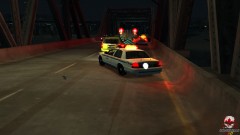 CVPI by tim98 Tahoe by Chippy Firetruck by (i don't remember it was on GPM)
 -
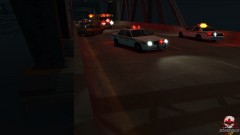
From the album: Ontario Police Vehicles(CAN)
Taxi driver lost control collided with the side barrier and was transported to North Dukes Regional Hospital (NDRH) both passengers were KIA upon arrival -
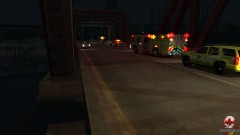
From the album: Ontario Police Vehicles(CAN)
On scene of single vehicle MVA 2 dead 1 in ICU -
From the album: Ontario Police Vehicles(CAN)
diverting traffic beside the Liberty fire Co. Cheif -
yay i'm not the only one :P
-
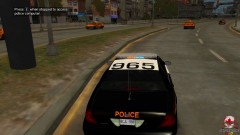 and it's beautiful :D
 -
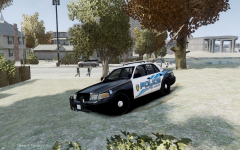 nice
nice -
the model can be by unknow if the idiot who posted the pic doesn't remember where he got it :P i think it's tims
-
-
From the album: Ontario Police Vehicles(CAN)
Model by (unknown) Skin is Upper Ottawa Velley O.P.P. by bonehead -
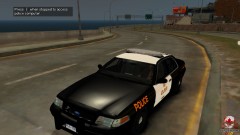
From the album: Ontario Police Vehicles(CAN)
Model by (unknown) Skin is Upper Ottawa Velley O.P.P. by bonehead -
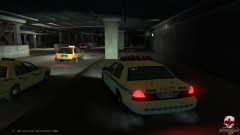
From the album: Ontario Police Vehicles(CAN)
light texture edited by myself to fit the O.P.P. -
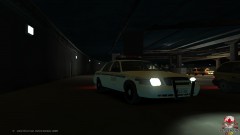
From the album: Ontario Police Vehicles(CAN)
Model by tim98 (NYPD) light texture edited by myself to fit the O.P.P. -
Galaxy S2 Epic 4G
-
-
-
to be honest i don't see a point to this it's a community effort... people constantly help others here, there is very little times I've seen support questions go unanswered. Also most people are very helpful and understanding towards newer members.... unless you guys are going to be 100% active 24 hours a day then there is no point in even trying to make this work.... That's my opinion and I'm sticking to it... Good luck to you guys, hope you can make it work. i just don't think it's going to catch on
-
ELS V6 as said by everyone
-
It's to protect their work.... If you come up with the worlds most innovative idea and someone else get a patent for it after you tell them and they get all the rights to it i'm sure you will want to murder them
-
i did the same thing like 2-3 days ago
-
-
looks ok the skin needs some re working and the model doesn't have the correct lighting
- 6 comments
- 11 reviews
-
-

- 1
-
-
car options page 2 close to select livery
-
-
lol look at the download section almost every model has a liberty