




bonehead
Members
-
Joined
-
Last visited
Everything posted by bonehead
-
Anyone ever go into a police force as an auxiliary unit and have regrets as i will be applying for O.P.P. auxiliary in a few months
-
good stuff thanks man
-
if there is anyone from Tennessee who see's THP frequently please PM me i have some questions regarding the light layout and flash pattern
-
-
advertising doesn't require you to make an add. Never said it was advertising only said it could be portrayed as being so. By the first few sentences of the video you can consider it advertising because it's promoting the clan. you could say hey look at these skins my friend made... it's still promoting your friends skins. there are many form of adverts other then billboards and TV commercials.
-
maybe you should read the title it's a SKIN PACK not a MODEL PACK and it's in the textures section go to models if you want cars now take your useless comments elsewere
- 15 comments
- 4 reviews
-
how does one make a "HI DEF" texture to begin with.... there is good textures and there are bad ones thats about it
- 7 comments
- 8 reviews
-
-

- 1
-
-
i'm just saying that it could be seen as advertisement if to many people post it or about it.
-
-

From the album: Tennessee State Police By bonehead
-
-
microsoft removed the console DRM and you can share sell and loan games as you could before
-
 why do i care what you prefer? if i have a pic that i feel like uploading i will do it
 -
From the album: Tennessee State Police By bonehead
-

From the album: Tennessee State Police By bonehead
-

From the album: Tennessee State Police By bonehead
-

From the album: Tennessee State Police By bonehead
-
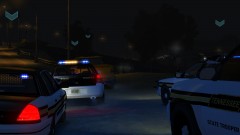
From the album: Tennessee State Police By bonehead
-

From the album: Tennessee State Police By bonehead
-

From the album: Tennessee State Police By bonehead
-

From the album: Tennessee State Police By bonehead
-

From the album: Tennessee State Police By bonehead
-

From the album: Tennessee State Police By bonehead
-
-
good thing i know a half decent modler then :P

