




Mikofiticus
Members
-
Joined
-
Last visited
Everything posted by Mikofiticus
-
 End of Watch is a great movie. Go watch it.
 -
 They forgot driving around with the lights and siren on lol.
 -
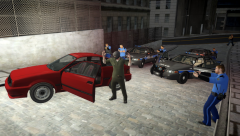 Not too bad. The hardest thing is that the rotation isn't really a rotation. I can't get them pointing in the direction I want. I ended up just punching/pushing them until they went in the general direction I wanted. Kinda, but Sentinel was the one helping me figure this stuff out, so he was just asking if I had any troubles. :)
 -
From the album: Action Shots!
LCPD cornered a suspect who robbed a bank. The suspect dropped his weapon and gave up with out further incident. (PS, thanks to Sentinel55 for the tips for SNT!) -
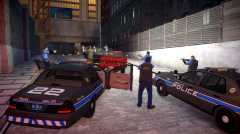
From the album: Action Shots!
LCPD cornered a suspect who robbed a bank. The suspect dropped his weapon and gave up with out further incident. (PS, thanks to Sentinel55 for the tips for SNT!) -
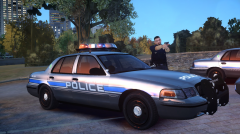
From the album: LCPDFR In Action
An officer by his patrol car during a standoff in Alderney. (Skins by Lt.Carman) -
Sweet. It helped. I keep accidentally aiming at a ped, so they stop what they're doing. So I might have to rethink that strategy. Do you know what the State Trooper ped is under? It's not under M Y STROOPER I thought...
-
Thanks Sentinel! This will be super helpful.
-
Thanks! This is probably super helpful. I'll have to test it out when I've got some time today. Also, how do you place the peds specifically behind doors?
-
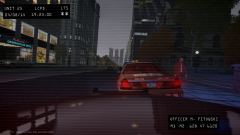
From the album: LCPDFR In Action
I did a little editing to this pic, made to look like a dashcam. Skins by Lt.Carman and CVPI is from Sentinel55's new CVPI pack -
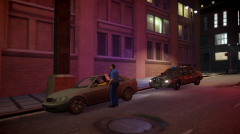
From the album: LCPDFR In Action
An officer does a late night traffic stop. Skins by Lt.Carman and CVPI is from Sentinel55's new CVPI pack. -
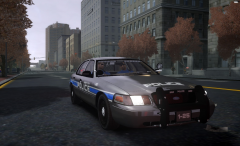
From the album: LCPDFR In Action
Just cruising around LC. Skins by Lt.Carman and CVPI is from Sentinel55's new CVPI pack. -
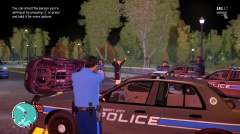
From the album: LCPDFR In Action
Units converge on a suspect after he flipped his car. (Skins by Lt.Carman and CVPI is from Sentinel55's new CVPI pack) -
-
Total noob status. I didn't even know there was a loop function. I'm sitting here like "so I only get 5 seconds to take this picture? This is magic." lol. I'll have to look into this. No kidding. So maybe it's just that I'm not too familiar with SNT, because I don't know where the loop feature is. I've seen the combat part, I'm a little confused at the move ped button. I don't know how to move the ped to an exact location (i.e. behind their door, just like Kanyo). They always follow me no matter what.
-
Hello all! (hopefully this is in the right forum) I've been looking for assistance on how to create scenes with the SNT ped animation menu. Either how you go about doing it, or if there is a youtube video out there (I thought I looked for one, but I didn't see something that was helpful). I messed around for an hour, but to no avail. I just got confused. I want to be able to do something like this (first screen from Sentinel55, the other from Netman, I believe):
-
The GTAIV trooper can I believe. Well, I think it's f554's (I think that's his name) improved troopers can have 2 different sunglasses.
-
This is close to the first one http://gtapolicemods.com/downloads.php?do=file&id=477
-
I'd try the quote below me. That might help.
-
-
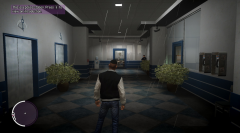
From the album: Random/Funny Pics
It was raining while I was using the CryENB and this happened...lol. -
I snapped a screenshot of an officer arresting the driver. I heard the "PULL OVER ASSHOLE" and turned the corner to see the AI pulling the car over. He walked up to the window and did the "let me see your ID" and then said "Expired, huh? Step out of the car!" It was an ambient scenario because it did the camera thing, and the blue dot appeared.
-
Yamhill Co. Oregon?! Haha. I live in Yamhill County, and used to be a Cadet. While we don't have Tahoes, we do have a Suburban for Mac PD. That's as close as you could get. Sidenote, I think Sherman, Co. Looks a little cooler. This is a pic, It appears since we're such a small county, we don't have a lot of pictures of our sheriff cars.
-
-
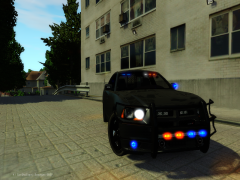 Really? All of the Chargers I have don't have the TA there. Huh.


