




Mikofiticus
Members
-
Joined
-
Last visited
Everything posted by Mikofiticus
-
-
-
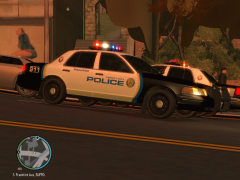 Oooh. I had this setup a while back, but with blue lights. The blue and red looks good.
 -
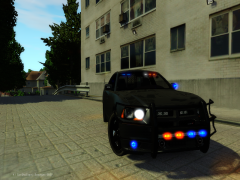 Christmas tree...but...jokes on you, I like it lol. I love the TA in the tail-light. Very unique, I haven't seen it before.
 -
Wow! Thanks guys for the featured! Thanks guys for all the ratings and downloads! :D
- 9 comments
- 8 reviews
-
That slicktop and the one with the rambar are killer. I'm deffinitely switching over from the default cars for awhile.
- 42 comments
- 12 reviews
-
It's based roughly off of Turner, Oregon. I didn't like the stripes fading into the quarter panels, so I cut them. Tell you what though, let me mess around with the CVPI template for a few days and see what I come up with. As far as
- 9 comments
- 8 reviews
-
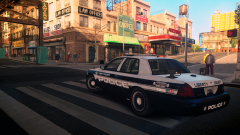 Is LCPSR a clan? Anyway, looks good.
 -
 I was driving to save people lol.
 -
Cool. I did a LAPD/LASD themed play thru in my gallery. I used all Sgt.Kanyo's stuff. He's got some LAPD peds that I still am using now, and a CHP ped as well.
-
Sgt.Kanyo has got some of the best LAPD/CHP cars out there. His 03 Vics are some of my favorite Vics released. His CHP cars are good too. He's got some LAPD peds as well. http://www.lcpdfr.com/index.php?app=core&module=search&do=user_activity&search_app=downloads&mid=18137 Spitfire7 has a good LASD car too. '?do=embed' frameborder='0' data-embedContent>>
-
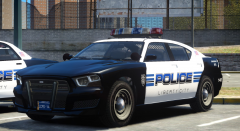 Thanks man! I'm super happy with the way they turned out.
 -
I've had this happen before to me too. (that is if some lights are on permanently) I fixed it by going into the ELS configuration files, and just re typing the ELS file name. That solved it for me. If it doesn't, try re -mporting your car. I also use SNT, but I disabled key bindings long ago.
-
From the album: Textures! WIP/REL
Testing out some CryENB. -
From the album: Textures! WIP/REL
My skin pack should be approved soon! This will be the link when they are released! -
This is a skin pack I made for Lt.Caine's default vehicle pack, with the MARQ Buffalo and Interceptor. Each vehicle comes with 4 unique unit numbers since they are multi-livery enabled. Some include bumper stickers and some do not, so you can pick which ones you want. I've also included a few different unmarked colors as well. Again, some with stickers and some without. I also made the license plates for each car, and are unique to their unit numbers. Included are the lightbar texture and emis files for the MARQ vehicles. I spent tons of hours on these, so if you like them please rate! Feel free to leave feedback as well. If you spot something funky, leave a comment and I'll try to fix and update the files. Thanks to officer93 and Reibu for their input and advice! Links to the models Again, if you want to edit the skins, just ask me! And please don't upload the files anywhere else. Thanks!
- 9 comments
- 8 reviews
-
5. Gone in 60 Seconds (the original) 4. Austin Powers (All three, it's too hard to choose!) 3. End of Watch 2. The Original Star Wars Trilogy 1. Blues Brothers
-
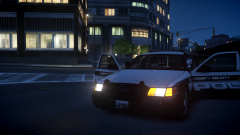 Looks good! I'm starting to miss CVPIs now that I've been using the default cars haha.
 -
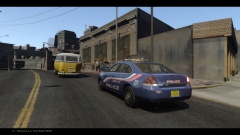 So...slowest chase ever? Stuck in second gear the entire time? lol
 -
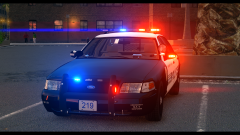 No prob. Will this be released, along with the other ones?
 -
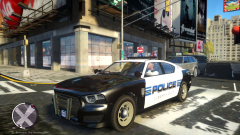 Damn. It looks terrible lol. There's not a texture for the rims unfortunately.
 -
It looks great man! So I'm experiencing some FPS loss and I'm only using the mid-level one. I know my PC can handle more, I play stuff like ARMA and BF4 on Ultra and have no problem. Do you guys have any tips to gain some FPS back, or do I have to go with the low-end settings?
- 49 comments
- 15 reviews
-
From the album: LCPDFR In Action
I just started using CryENB and all my police car's rims are this hideous tan color instead of black. Dunno how that happened. Is there a way to fix this? -
I can see using the wheel could be soooo much fun. And actually driving like a normal human would be nice haha. Gives it more of a "Cops" episode feel.
-
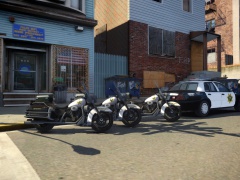 That's a sweet shot.


