




Mikofiticus
Members
-
Joined
-
Last visited
Everything posted by Mikofiticus
-
-
 LOL. :D
 -
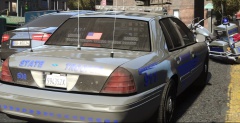
 I always thought it fit a bit better, but I'm certainly open to try a new plate idea! Yeah. I liked having CVPIs and such, but these help to not crash my game so early, and there aren't a lot of options for these guys, so I thought I change that. I'm not a huge fan of the vanilla LCPD/NYPD scheme. Dunno why, just never was. To each their own :D
 -
I upload my shots to imgur, then I use a tool that looks kinda like a Polaroid, right below the smiley face and to the right a little bit. From there you copy and paste the link.
-
Check out some new textures I'm working on! '?do=embed' frameborder='0' data-embedContent>>
-
 Huh. What a fancy contraption haha.
 -
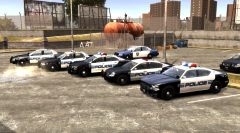
From the album: Textures! WIP/REL
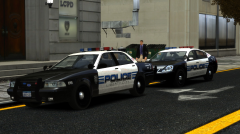
Here are some shots of the soon to be released texture pack. I'm still working on the entire pack, but I think it's getting pretty close! That Buffalo is my favorite. Interceptor needs some work, but they're coming along nicely! -
Is that like a go-pro on the top of the Chevy, or an APLR?. Anyway, looks awesome.
-
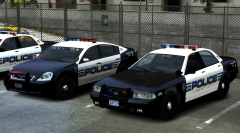 Thanks guys!
 -
Thanks! That means a lot coming from you! :D
-
From the album: Textures! WIP/REL
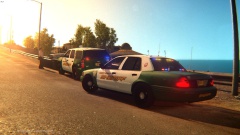
My new textures that will be for Lt.Caine's Default Pack (Version 2). Will be released once I feel like they are ready. Almost done with the Pinnicle and Strainer. -
From the album: Textures! WIP/REL
Almost done with the Strainer (the logo and the stripes still need some work), and I started the Pinnicle as well. I think the Pinnicle looks pretty good actually. Next comes the Buffalo, Interceptor and then the Granger. -
I've come across this only twice, but I have no idea what to do. I was just importing a texture, when this error pops up. Thanks guys!!
-
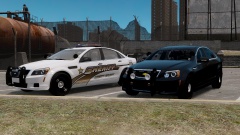
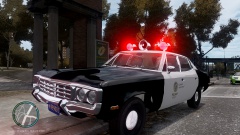
Yes. While we wait for br100x's beautiful Matador, there are these:
-
-
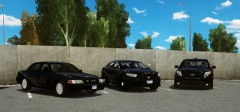 " 3 Stunning Cars Sporting Stealth Decals, And Posing For A Picture. Skin Was Made Exclusivley For RBRP, By xxijumpxxx and StealthyOne6. Both The CVPI And FPI Were Both Made By Cj24. The FPU Was Made By NickieB." Nowhere does it say the FPI was released. The caption says made. People post shots of unreleased cars all the time that aren't for download, so I was merely clarifying.
 -
Oh god. My curiosity is too strong...
-
I'm looking for some handling mods for Lt. Caine's default pack (V.2). They bounce and just feel "sponge-y". Any help would be fantastic! Thanks!
-
Well I guess, since I had never used GTAInside before. So pardon me.
-
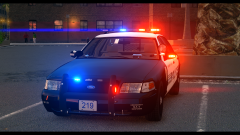 Wow. That's beautiful. Great setup.
 -
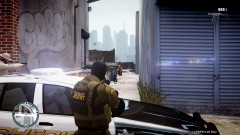 Thanks!
 -
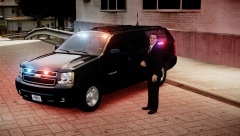 Wow! Looks awesome! I'd definitley use this and your Miami PD one if they're ever released!
 -
Was that FPI released? It's awesome.
-
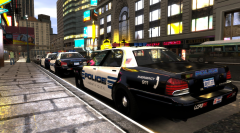 Thanks! Do you think I should make the police text bigger to match the stripes, or do you think the stripes are too big to begin with?
 -
From the album: Textures! WIP/REL
I've been working on this skin for a while now actually. I'm hoping to make a pack with Lt. Caine's default v.2 pack.

