


Khanage
Members
-
Joined
-
Last visited
Everything posted by Khanage
-
So much debate on all your models :/
-
The idea is simple, just replicate the already existing Indicator script and make it automated (leave the rest to me). I still really need someone with scripting expertise to help me.. Tom H or Sam for example..
-
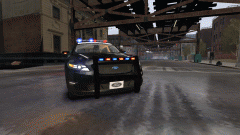 Wierd :/
 -
With a different paintjob they'd look quite a bit better.. I just really want the new robocop taurus to be honest though
-
I got nothing else!
-
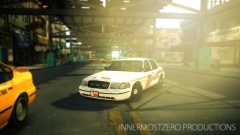 When the sun goes down the wolves come out?
 -
Lol OfficerLund is joking around (jk = just kidding). But nice skins, it'd be good to see some more detail however..
-
Hi, before I get into the details of this topic, I want to make it clear I'd like this script to not be part of the LCPDFR API and have 1.0.4.0 & 1.0.7.0 compatibility. Anyway, basically what I'm trying to achieve here is to replicate what G17s Indicator script does, but automated, and with increased speed. Know what I'm saying? Basically, I noticed the indicator script allows you to flash just the indicators on one side of a car, as opposed to all the indicators flashing like in, say, Kit's Strobe script. With this, if you were to turn all the ELS lights on a vehicle to indicators, and if this script was to exist, you could replicate LED lighting. Of course, you won't have fancy wig wags, or steady burns and whatnot, but for me (and probably many others), the idea of just Non-ELS LEDs is good enough. Only thing is, I have 0 experience in scripting, so I need all the help I can get :)
-
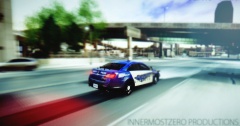 That's some high-speed cruising you're doing there...
 -
Shoulda' just taken the phone :P
-
Would a 2010 Ford Taurus do? Not a lot of 2013 models around... in fact I don't there are any :/ EDIT: Oh wait, there is a 2013 Taurus. Anyway, I think I'll leave this particular job to LCPDFR's many resident texture artists...
-
-
Thanks for the tip Netman.. it'll help a lot! Good to see I haven't alienated you or anything ineseri :) ..but I still don't know what SLS is :/ I've heard of it before but can't find a download, not even on GPM
-
There already is an ELS version, by bxbugs. And what's SLS?
-
You betcha!
-
Oh well
-
You can try applying the textures manually. Do this by going into perspective mode, select the untextured parts (one by one), go to materials editor, look for the textures they're supposed to have, and click the 'assign to selection' button. Another thing you could try is, before importing, go to 'textures browser' (the little cactus icon), add all the models textures, then import it. You could also try looking for the obvious stuff, like if you even put the textures in the folder :P
-
I use an application called 'paint.net' (no, it's not a website) to do my textures. It's probably easier than MS Paint to use and it is plugin enabled. Another thing, from what I hear the student version of 3ds max is free for 3 years, you should use that, save money ;) My last point, don't be in a hurry to release anything. Only start releasing stuff once you get to know what you're doing. Good luck!
-
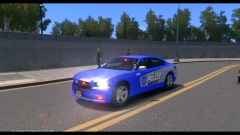 That blue looks pretty bad, in my opinion. You should change it to white or something. Can't imagine it'd be to hard to change, just use a black and white filter or something :P
 -
So apparently LCPDFR'S gallery can't play gifs? Here's the animated version - :P
-
From the album: WIP/REL Content
Just showing off the lights on this thing! -
Trust me, after a couple of weeks of zmodeling you'll be feeling like a god. Start off by using Google to find tutorials. That's how I began modeling. Do something simple, like changing a wheel, or a lightbar.
-
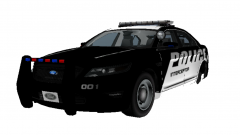 It's been tried and tested in-game already...
 -
Do you use a commandline?
-
From the album: WIP/REL Content
Probably the first Non-ELS christmas tree! It's been in the works a while now and so far so good, in fact I'd say it's ready for a release. I just need to take some screens now... if anyone's up to the task please PM me! (I'll be logging off after uploading this image so don't expect a quick reply). All in all, it has 12 lights, but there are a bunch hidden in the lightbar I can't see using OpenIV. It has lights on the rambar, side mirrors and two Non-ELS Whelen Talons behind the rear windshield. The model is low-poly, meaning that the interior is comparable to Minecraft and contains no extra police equipment. I may make a high poly version if I feel like it.


