



Chris780
Members
-
Joined
-
Last visited
Everything posted by Chris780
-
Turn all them down or just the others exlcuding the car.defaultlight.emissive.on ? Because the car.defaultlight.emissive.on is turned up currently
-
Hey Guys, I need some help with a new ENB I have. The ELS lights are really nice and look fantstic with my few tweaks in visualsettings.dat BUT the headlights are very very bright. Here is a similar picture of the issue I am having. I have gone with numerous visualsetting.dat edits, enbseries.ini, els.ini and nothing works. Any ideas? Thank you guys
-
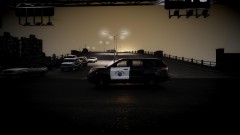 That's a wicked good screenshot! What ENB is that?
 -
-
-
Yea, I used Green China Elvis a few times, and that still won't work
-
Yes. The GTA ones work fine, it's only EFLC that screw me over
-
No sir, it's a fresh new game
-
Both. Both also used to work with an ENB
-
The whole game. In every ENB I use is just ugly... does it to every single one. Though, it worked before...
-
Just going to bump this, considering I'm not getting any help -Thanks
-
Hey guys, I'm having an issue... I downloaded an ENB for EFLC & I have a strange issue. When I go outside the game is completely bright. Now, when I am in my apartment, it's fine. I can push open the door and the ENB looks great, but when I get past the front steps, the game turns to crap. This seems to happen with multiple ENBs. Can anyone help me out? Thanks
-
Well, yes I did. That was when I used a car mod pack, that modified every single car in game. Here is a specific time in one video where that did occur: (2:47 in the video) http://www.youtube.com/watch?feature=player_detailpage&v=qPEUwcFQXew#t=164s I had a lot of high poly cars in the game at one time so it did cause those errors. Though now I just use police cars and I have no problems. Even though receintly I did add a few modified cars(Custom bus, sports cars...etc) and the problem came back again. So your best bet, is to just stick with a few cars. Maybe 6-8 of them.
-
What you may want to do is try to just place in your original vehicles.img and that SHOULD fix the problem. Then from there, just add 1 car at a time. Jump in game each time you add a car and check to see if there is any texture loss
-
It looks like a lot, but its little things. No worries tho! :D
-
-
-$400 -New Keybaord -Black Ops 2 -GTA V (Pre-Order) -Taken 1 -Taken 2 (Pre-Order) -Unknown with Liam Nealson - Socks... a lot of socks? - New Back pack - Chocolate - Airsoft BBs Glow in the Dark - Lasers that shoot up to 2 miles to mess around in school - Metal airsoft BBs - $50 GameStop card - $25 Visa - Remote Control Helicopter - Sheets - Really nice after shave Merry Christmas to all! Spending time with your family is what Christmas is about! Remember that!
-
I think that is going to be a newer feature. You can also disable the AI backup in your LCPDFR Files. (Forgot which one, sorry!)
-
-
 Nice Job accurate studios! I know how much work this must have taken you guys. I cant wait!
 -
Alright. Thanks Jay. You can close this topic. Appreciate it
-
Define good car reflection... I don't like an extreme amount of reflection? So I don't know what you mean
-
Hey guys, just a quick question... I sign into LCPDFR with Twitter. How will I go about using my email to verify it? Thanks
-
That happened to me. You need to login to your CPannel for your router & then change your UPnP status & then just save and it should be good
-
I've spent well into the thousands on airsoft. I own a nice custom M4. Looks great. A glock 23, I've owned the following in my lifetime: Custom M4 CQB electric Glock 23 gas M4 CQC electric Sniper (Forgot the name...) spring 2 Generic AK47s electric M9 gas 1911 gas 4.3in Barrel 1911 gas

