



Chris780
Members
-
Joined
-
Last visited
Everything posted by Chris780
-
-
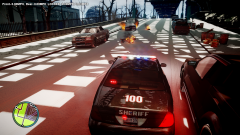
From the album: Basketball anyone?
Didn't think so... -
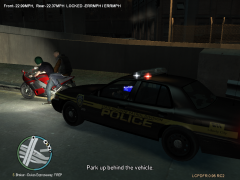 Lol Nice texture ;)
 -
Randomly the police and noose file don't work?! -.-
-
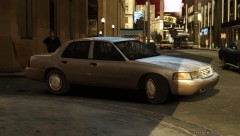 Thats cool. Which ENB? :o
 -
I've noticed these videos and they are an issue: TO ANYONE WHO OWNS VIDEOS ON THIS CHANNEL, FILE A COPYRIGHT CLAIM! Mine are on there as well http://www.youtube.com/user/cmoon9259?feature=watch
-
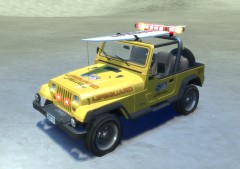 Cool!
Cool! -
-
Seems to just crash on startup... Now my original GTA IV won't work because of the save game backup thing :/
-
About to download the GTA IV SA Map mod. I have EFLC and GTA IV. From people's opinions; Which game should I use? GTA IV, or EFLC? Thanks guys
-
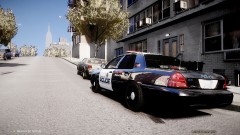 Oh my gosh can you send me the car if you can upload it?
 -
Was it in that order? And I sent it to a friend and it crashes him too :/ Hmmm... Now after you did that, can I change the name of the car to noose? Did that ever work for you? Thanks though so far
-
Anyone? Lol
-
-
-
A very simple texture I made today. Feel free to enjoy it. I based it off of Campton Hill police with a few extra additions. See Campton Hill Police Here: http://api.ning.com/files/U-NZ7IIfVo7xgdca7go1w3UIP9ov6bpPQSnZBVgRsL-SB9nEUJRs0qZVuc4V1DfGXca7NuWKilJKHIkbpH*D7COcPOWs1*ko/getattachment.jpg?width=737&height=491 Enjoy =P
- 6 comments
- 5 reviews
-
I checked and I replaced the following files: police_sign_1 emerglights emerglights_emis (That's what I meant by bulbs) = crash when I replace/ edit it But I noticed something a little strange and I have NO idea if it's normal or not, I'm no modeler... But the police_stuff and the emerglights_d are nearly the same files. They are both, what looks to be, an interior of a police car with a laptop screen. Now the difference between the two is the emerglights_d has more text on the laptop screen and it seemed to be a slightly darker shade than police_stuff. That may not make a lot of sense but it's just something I noticed. Does this sound like any type of error?
-
Okay this is what's up now... I can get the car in game, works fine, I replace a skin, works fine, i replace the lightbar color, works fine, I REPLACE THE LIGHT BULB color... rc20 :/ Anyone know any ideas / solutions? It's a low poly car so idk what the deal is
-
Well I tried it in the orignal police style again and its still messed up. It's the DriverSF model and from what I hear it's giving troubles
-
Hey LCPDFR, I'm no newbie to the modding group but I'm having an issue with a new car. This car was custom made for me by a very popular modeler who I can't name because of his request. I need it to be the 'noose' file and it isn't working, though it does work as the 'police' file. When I rename it as noose and place it in my game I get a fatal error. Is it something I can change? Or is it on him to change it? He hasn't been on and I don't want to bother him so I figured you guys could help me. To sum it up: When I change a new cars file name to noose it causes a fatal error when I get in game. Though if it's set as the police file it works fine Thanks
-
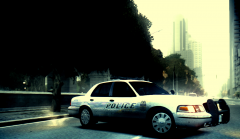 Nice man! What ENB?
 -
Haha, thanks. Someone can lock this now -
-
Haha, wow it works now :P Should I just leave it there?
-
In the directory..?
-
Well I just did a new install of GTA from steam and I went to use SPARK IV and it won't work. It comes up with the error "Windows is Looking for a solution"(which leads to nothing..) So I put in the backup I made and I get the same error. I've always used the same spark on update 1.0.0.7 Please help


