
Chris780
Members
-
Joined
-
Last visited
Everything posted by Chris780
-
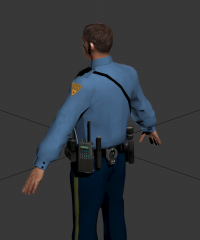 Would you take requests to add this to some peds? I'd even pay
 -
I'm mad because CBS canceled golden boy & vegas
-
-
Could e kingsta100's (I may have just butchered that name)
-
-
-
Before I begin, if this is in the wrong board, I apologize. This is for discussion purposes only. *Not Support* My views on ELS 7 are quite positive. Overall, it took a lot of effort from the community to "bring back" Lt. Caine. I'm sure we all have used his mods before, (excluding previous ELS versions). Going along with the whole modding community, ELS is quite complicated. Now, compared to the previous versions it's difficult to grasp but it is a learning curve! I think that the more we see our community advancing, it is directed to grasp an audiance of members who will not only appreciate the time and effort it goes into modding, but also attempt to contain the inconsiderate "rip n' gips" or people who rip models from others. My opinion is that the moddig capablities are advancing, therefore the users must commit to these advancements. With that said, making vehicles, mods or even skins may become less avalable as we move on in the future. The more fantastic things the modding community can produce, the more likey it is for it to obviously get stolen or re-uploaded without credits or proper permission. I just purchased a vehicle for myself & my friends to use. It's one the community has never seen before. With my money being spent on a model, I wouldnt want that to be stolen or ripped. I think that as long as members of the community can take time & appreciate the mod for what its worth, it will be eaiser to grasp and understand it. Most of us are able to follow these rules and appreciate the mods and ther authors. But its thw few bad apples who cause the issues. I might be wrong, but as the topic is titled, these aremy views
-
 No worries man! :) Fair enough. It's the effort that counts
 -
You may just want to touch up on your spelling...
-
-
I recently put Vucko 5.0 and my FPS dropped roughly to 25 when I usualy get 33 with my other ENB
-
RPC3 (my former long lasting community) attempted IV-MP. But as stated above, it's not compatible with many scripts like LCPDFR or PPM for that matter.
-
Does this work in multiplayer I wonder?
-
I think that YouTube has taken a major poop latley. I get an abg anount of views daily but I dont see tem on any video.
-
Welcome to the world of modding.
-
-
-
How's this? http://gtapolicemods.com/showthread.php?15311-REL-Vermont-State-Police-Pack-ELS
-
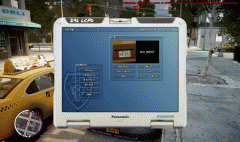
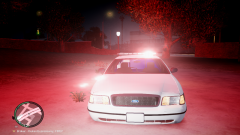 Radar system
 -
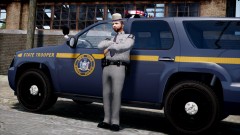 I'm also beta testing this as well. So far it's freaking awesome!
 -
Considering it's simplicity it's a well made skin
-
Check the enbseries.ini & make sure you have anti-alining DISABLED(I think that's what it's called) Also make sure your screen resolution is also properly placed in the ENBseries.ini. You can edit that under DisplayWidth & DisplayHeight ... Nice to see you again. -Chris
-
-
I'm around the binghamton area... the "POLICE" font is slightly different & is red.
- 7 comments
- 5 reviews
-
High poly cars will do it.