Sam
Community Founder
-
Joined
-
Last visited
Everything posted by Sam
-
-
-
I assume so. We use the RAGE hook for development, but we've had access to it since it was started pretty much as LMS is one half of its development team.
-
The animation isn't designed for walking with unfortunately.
-
The LSPDFR page has all the screenshots and videos we've put out, minus a few which went out on Facebook.
-
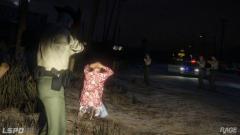
As you can see in the screenshot, the cars make more of a line when chasing than an absolute free for all, so they don't ram each other out of the way. Maybe, but figuring out the position of units in the chase isn't as easy as you might think.
-
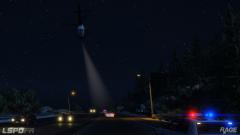 We are, but it takes time.
 -
You should be able to upload this here as well. http://www.lcpdfr.com/files/category/45-script-data-file-modifications/
-
CopTrainer 3000. Premium version, only $9.99.
-
Much better than GTA IV.
-
-
Here are some new screenshots from LSPDFR development, showcasing some of the things that we've been working on recently. Feel free to discuss them in this topic.
-
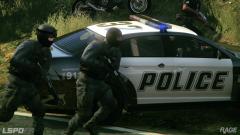
From the album: LSPDFR
No funny captions here, just some cops that mean serious business. -
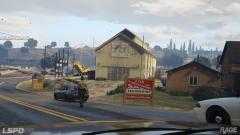
From the album: LSPDFR
If this was Liberty City, he'd be crushed into little bits by an ambulance around about now. -
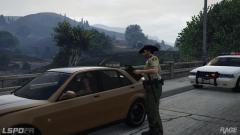
From the album: LSPDFR
You can just feel the jealousy of the onlooking Highway Patrol officers. -
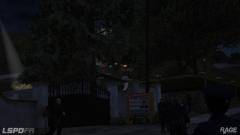
From the album: LSPDFR
The LSPD do too. -
From the album: LSPDFR
How long until it crashes and dies? -
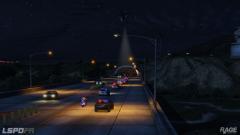
From the album: LSPDFR
That's a lot of cops. -
You say that like we crawled under a rock and never came back out immediately after announcing LSPDFR! I've been answering many questions throughout this topic and I put out a bunch of screenshots at the start of last week. There will be more to follow very shortly.
-
We'll show off things when we're ready to show them. I said a few days ago that we didn't want to show too much, primarily because it is pretty cruel to all of you when you see a bunch of screenshots pretty much teasing you. Yes, I like to do a little bit of teasing, but I don't want to overdo it and shove something that people don't have but desperately want in their faces. Secondly, I think it is much more exciting when we don't tell absolutely everything about the mod, and finally, as I said before, I'm usually too busy actually doing stuff to put together a video or whatever. Yes, we could dedicate time to making videos and blogs and such, but that just takes time away from the stuff that really matters right now - the actual development. Oh yeah, then there's the part where when we do show things, people claim that we're just using the trainer! Regardless, I'd like to put together another video and maybe release a new batch of screenshots, but other than that, work continues.
-
To recreate LCPDFR piece by piece would take months - we want to be in the position to release something relatively quickly, but not make it feel like a really incomplete or unauthentic thing. So, for now, we've started with nothing and have been adding some LCPDFR inspired concepts. This should hopefully let us occupy the centre ground for a bit and give everyone a taste of the LCPDFR experience, with the small details, that they've come to know In the long term, the RAGE plugin hook is developed in such a way that the syntax is idential/as similar as possible to that of the SHDN hook for GTA IV. Once sufficiently completed, it should theoretically be possible to port parts of LCPDFR over or use parts of LCPDFR as a base, especially the very powerful engine which it was built on for 1.0 and above.
-
At this stage, not really.
-
As Hastings pointed out, there are a bunch of screenshots on the page that were added a few days ago. Maybe we can expect more to follow rather shortly.
-
What do you mean by 9 pictures? The latest gallery feed at the top of the forums holds 35.
-