


Asuna
Members
-
Joined
-
Last visited
Everything posted by Asuna
-
Could be any number of problems that can cause it to die after saving, are you off duty? are you in another skin other than Niko? did you park a modded car out front of the safe house?
-
I don't think You should tell the mods what to do. A post is a post, some get missed, big deal
-
No thread jacking please, make your own
-
~points to the thread that was below yours on the thread list~
-
Look up computer specs for PCIe info.....PSU output...open the case...locat the box where your power cord comes into it...find label...read...
-
and im telling you...you need to certain things about your computer first....like your power supply unit's (PSU) output in terms of wattage, and if your mother board has PCIe x16 slots most gfx cards are PCIe x16 unlike older PCI cards
-
rule of thumb for me....SCREW THE OEM STUFF AND BUY A NEW CARD lol If it's in integrated system graphics....I say chuck it..insert new card and go from there...I had to drop in a new PSU and card, and my GTA runs great You need to know your PSU's output, you also need to know if your computer has PCIe X16 slots, some cards require two of these
-
then you arent pressing ALT, CTRL+P forces duty, please try the Alt+P combination not Ctrl+p
-
My mistake Moonshine, I thought I had replied to this already and the site failed to post it. Disregard
-
it because the way the model is
-
interesting..only 095 does this?
-
are you pressing the Left ALT key and P? and you don't get a message in the corner of your screen?
-
See post above yours
-
Second thread....Not needed.... You might just have a bad car mod
-
Taken from a thread I made that was in front of you when you went to the support section
-
That's normal, don't worry about it
-
yea I saw that... That officer...never returned to duty....he is suffering from PTSD, and the round shattered the bone. He can never work in law enforcement again....When officer down goes out on the radio....every one drops what they are doing, if it's a traffic ticket, "HAVE NICE DAY! ~hurriedly hands back info runs to squad and takes off running code 3~" all radio traffic except the hunt is shut down....officer down is one signal on the radio you NEVER want to hear and actually the other officer DID fire back
-
might wanna try removing ELS temporally and try the game, V6 is known to crash the game sometimes
-
I have a radio in my truck to listen to local PD, driving home one night, heard a foot chase right near by, I drove by the area as it was on my route home, the guy comes running outta a side street (the corner light burned out, and he was dressed in all black) smacks right into the side of my truck. The cop who was a little pudgy was about a block behind, I stopped grabbed my maglite, jumped on the guy and put it to his throat and waited for the cop to catch up.
-
eyup...looks normal
-
could just be slow as shit
-
just a guess here...you didn't bother reading stickied threads did you?
-
If you run it as admin, shouldn't have an issue, no you can just install 095 right off, any version will overwrite all the old stuff
-
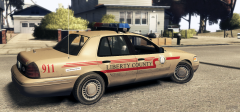 ohhhh streethawk...love it
 -
this wouldn't be LCPDFR or iv support, it's microsoft's Are you using web installer...or standalone?


