


Asuna
Members
-
Joined
-
Last visited
Everything posted by Asuna
-
Did it work?
-
-
this was a legit help me topic please stop trying to get in the last word
-
the tahoe should be polpat, you can change the names around sometimes
-
just make a note....the staff here will not take responsibility for anything another user messes up
-
mmmm could be...but it doesn't hurt to check
-
Rule one....No thread jacking, post your own thread...... Rule two.....there's this new fanangled thing called SEARCH
-
ah so this is going into the desktop. Hrm...is the sound port enabled? is the volume in the control panel all set right?
-
Is the jack it goes into a standard headphone jack? or is it a headphone and mic jack? both seem to be 3.5mm and sometimes they don't align right
-
odd..it should work.......
-
maybe a bad speaker, bad port, bad wiring maybe? Is it just a 3.5mm plug?
-
Im asking what it's saved as... .PSD, .JPG, .PNG etc etc
-
did you reinstall .net 4? what format is the image?
-
Did you happen to leave your editing program open?
-
Try using Spark 0.6.9
-
If only..... btw
-
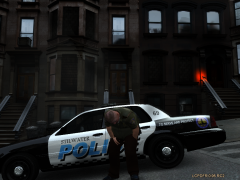 In the squad.....I'll get the slim jim........
 -
Thanks Tom ^_^ I know the feeling with people that don't bother to use this new fangled thing called searching and reading before opening their mouths all too often.... Source: GPM tech support before Sh*t hit the fan and LCPDFR moderation team 2010
-
maybe it's a bad texture or a bad car for that texture, have you tried it on another car? Whats the version of Spark IV that you are using?
-
1) open spark 2) hit browse 3) scroll to PC then select cdimages 4) select vehicles.img 5) hit edit 6) hit import 7) find the two car files, a WFT and a WTD 8) hit open 9) hit save 10) hit rebuild 11) close that window 12) hit save on the window behind it 13) shut down sparkiv 14) open GTAIV and locate car
-
Is the car turned on the in the INI...is the car you placed in ELS enabled? do you have a mod thats conflicting with the ELS keys eg: SNT?
-
Are the sparkiv files in the GTAIV folder? are you running the sparkiv as admin?
-
BTW op, gtaiv is well know for memory leaks, as well as when you mod your cars it's taking up over 100% of the resources to render the higher poly cars ex, org police car file size....maybe 60kb, modded police car 5+ mb
-
No you don't need to install each patch from 1010 -> 1070, just one and you're done, if that question popped into your head
-
Hit details next time and see what it says caused the crash with the Faulting module line


