Skip to content
View in the app

A better way to browse. Learn more.

LCPDFR.com

A full-screen app on your home screen with push notifications, badges and more.
To install this app on iOS and iPadOS
  1. Tap the Share icon in Safari
  2. Scroll the menu and tap Add to Home Screen.
  3. Tap Add in the top-right corner.
To install this app on Android
  1. Tap the 3-dot menu (⋮) in the top-right corner of the browser.
  2. Tap Add to Home screen or Install app.
  3. Confirm by tapping Install.
The latest updated version of RAGE Plugin Hook, required to play LSPDFR, can be found inside the LSPDFR download. It is not currently available on the RAGE Plugin Hook website.

I found an Undercover FIB Agent?

Featured Replies

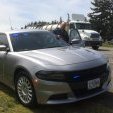
I was pulling over a sedan for expired registration, and the person hopped out and I detained them. They flashed their badge at me, but I still put them in cuffs because I was suspicious.. Once I ran their info it turned out to be that they were. How long has this been in LSPDFR? 

Video

Edited by McKinnion

  • Author

Woah Really? Do you by any chance have a video of that or..

I do actually, but I was listening to Jeff Favigano's iRacing stream in the background

It also seems she was into Money Laundering too.

Edited by McKinnion

  • Author

I can post the video but you may have to deal with the steam audio, and it will take a while because my bad upload speed.

I can post the video but you may have to deal with the steam audio, and it will take a while because my bad upload speed.

Thats fine, I'd really love to see it, It sounds really cool. thanks :)

  • Author

Alrighty, Ill update the post when It's uploaded


Well actually it may not take as long as I thought YouTube says about 7 minutes It's just now uploaded and processing now

Thats fine, I'd really love to see it, It sounds really cool. thanks :)


Edited by McKinnion

Wow that's really cool! I once made a traffic stop on a (off duty) police officer and I let him go. But he didn't flash the badge like in your video or said anything, I only found that out after running his name.

  • 2 weeks later...

Join the conversation

You can post now and register later. If you have an account, sign in now to post with your account.

Guest
Reply to this topic...

Recently Browsing 0

  • No registered users viewing this page.

Account

Navigation

Search

Search

Configure browser push notifications

Chrome (Android)
  1. Tap the lock icon next to the address bar.
  2. Tap Permissions → Notifications.
  3. Adjust your preference.
Chrome (Desktop)
  1. Click the padlock icon in the address bar.
  2. Select Site settings.
  3. Find Notifications and adjust your preference.