Skip to content
View in the app

A better way to browse. Learn more.

LCPDFR.com

A full-screen app on your home screen with push notifications, badges and more.

To install this app on iOS and iPadOS
  1. Tap the Share icon in Safari
  2. Scroll the menu and tap Add to Home Screen.
  3. Tap Add in the top-right corner.
To install this app on Android
  1. Tap the 3-dot menu (⋮) in the top-right corner of the browser.
  2. Tap Add to Home screen or Install app.
  3. Confirm by tapping Install.

Keep Calm - Reduce AI panic attacks when shots are fired 1.0.0

(44 reviews)

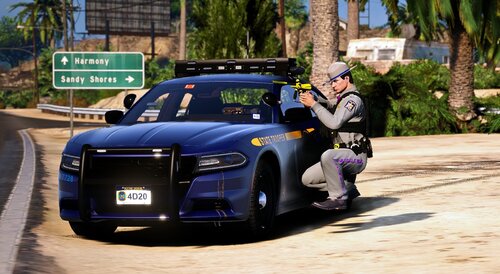
1 Screenshot

Keep Calm Plugin for GTA V
Copyright (C) 2015 Stealth22. All rights reserved.

Any unauthorized modification, reverse engineering, or distribution (including re-uploading of any kind) is strictly prohibited.

PLEASE DO NOT PM ME WITH SUPPORT REQUESTS, OR POST A NEGATIVE REVIEW WITHOUT ADDRESSING THE ISSUE WITH ME FIRST.

FOR ANY SUPPORT RELATED ISSUES, PLEASE POST A COMMENT ON THIS PAGE, OR POST IN THE KEEP CALM FORUM TOPIC.


** NOTE REGARDING RPH CRASHES **

If your GTA V crashes to the desktop, and RPH says that the crash was most likely caused by Keep Calm...to put it simply, it most likely was not caused by Keep Calm.

RPH tries to detect which plugin caused the crash by calculating which plugin was running at the time of the crash. Keep Calm runs constantly in the background, so naturally, RPH will think that Keep Calm is the culprit whenever you have a game crash.

GTA V can CTD for any number of reasons. Keep Calm does not do anything heavy enough to cause a game crash...I am not saying that it will never happen, but it has never happened in the history of Keep Calm's development. Anyone who has reported a CTD crash so far has had their issues stemming from elsewhere.

If you get an RPH crash that says Keep Calm was the cause, try un-installing Keep Calm, or disabling it from starting in the RPH settings. If the crashes persist, your issues are being caused by something else.

If the crashes go away, then re-install Keep Calm by downloading the latest release from LCPDFR.com. If the crashes then return, we need to diagnose the issue further, and you should post a comment here (or in the forum topic) so we can look into it.


** IMPORTANT NOTE REGARDING THE ENTITY PERSISTENCE MOD!! **

If you use the Entity Persistence mod by FtDLulz, you need to do ONE of two things...

  • If ped persistence is enabled, ensure that it is set to only 'persist' dead peds, not live ones (this is the default setting, to my knowledge)
  • OR...Disable ped persistence entirely
     

If ped persistence is enabled, and set to 'persist' LIVE peds, then Keep Calm will have NO effect at all!! (Not to mention that you will have performance issues if you do that!)

YOU HAVE BEEN WARNED!!!
 

Requirements
You must have at least version v0.41 of the RAGE Plugin Hook installed, LSPDFR v0.3.1, as well as v1.6.0.1 of the Stealth.Common DLL, which is packaged with this release. Keep Calm will check these versions on startup, and will refuse to run if older versions are installed.

You must have a fully legal, non-pirated version of GTA V.

Installation
- Copy the Keep Calm.dll and Keep Calm.ini files into the Plugins folder of your GTA V directory.

- Copy the Stealth.Common.dll file into your main/root GTA V directory.

Features
- Nearby drivers and pedestrians should not panic in the event of gunfire (police officers are excluded)
- Some customization is available via the config file
- Peds spawned by LSPDFR and LSPDFR plugins are excluded, to eliminate conflicts with callout plugins

Usage
- Press the toggle keybind (CTRL + 9 by default) to start/stop Keep Calm
- Keep Calm will start on it's own by default, unless the auto-start is disabled in the config file

Known Issues
Please note that GTA V does not always provide access to every pedestrian and vehicle in the area, and some peds may spawn AFTER the "calming" function has already been triggered. It runs in the background continuously, but each ped has to be modified individually.

As a result, some drivers and pedestrians may still panic in the event of gunfire. This may improve as new versions of the RAGE Plugin Hook are released.

This plugin has been released with the intent of minimizing the panic attacks experienced by the AI.

The panic attacks will NOT be eliminated completely, however, this plugin should hopefully minimize them enough to make the game more enjoyable. The main intent with this plugin is to not have drivers run officers over when they are in the middle of making an arrest after a pursuit.

What's New in Version 1.0.0

Released

VERSION 1.0.0

  • Keep Calm has been completely re-written from scratch!
  • NOTE: Keep Calm is now an LSPDFR plugin! It should be installed in the "Plugins\LSPDFR" directory, and it should not be loaded via the RPH console!
  • Requires RPH 41, as well as LSPDFR 0.3.1
  • Now calms peds that are on foot as well as in vehicles (police officers, peds in combat, or peds spawned by LSPDFR are excluded)
  • Some customization is available via the config file

User Feedback

Recommended Comments

Stealth22

Friends of LSPDFR Author

(edited)

Yes. Yes. YES!!!!!!

Thanks, haha.

Please let me know how it works for you. I have not yet tried it in a real patrol. I just ran around with a gun shooting in the air and at random vehicles.

It seemed to have more of an effect on drivers than pedestrians on foot, which is probably good enough in most cases. Some cars still panic though, especially if they spawn while the script is already in the process of "calming" other drivers.

My hope is that it at least minimizes these panic attacks as much as possible. One or two chaotic people is better than 100, haha.

GTA V is always deleting peds and respawning new ones, so its nearly impossible to keep up with their pre-programmed functions.

Edited by Stealth22

HomerS

Members

Thanks, haha.

Please let me know how it works for you. I have not yet tried it in a real patrol. I just ran around with a gun shooting in the air and at random vehicles.

It seemed to have more of an effect on drivers than pedestrians on foot, which is probably good enough in most cases. Some cars still panic though, especially if they spawn while the script is already in the process of "calming" other drivers.

My hope is that it at least minimizes these panic attacks as much as possible. One or two chaotic people is better than 100, haha.

GTA V is always deleting peds and respawning new ones, so its nearly impossible to keep up with their pre-programmed functions.

I wish my GTA V wasn't broken :(

shadow3467

Members

As long as it's only just a couple guys panicking that's fine, and actually more realistic. It would be unrealistic if NO ONE panicked lol

I would test this right away but sadly I updated my GTA thinking Ragehook would be released soon after the new Scripthook. So I'll have to wait for that to test it out.

MikeyBrown

Members

(edited)

I have some information for you. I just test your plugin and here is my result:

1) I have freezing every 5 seconds ( i thought it depends from spaming in console)

2) This inscription near map does not disappear 

but this mod working good. I think you should activating your mod by key, because it spaming a lot of commands and slowing the computer.


Edited by Zarezhu

Stealth22

Friends of LSPDFR Author

Oy...I thought I disabled those notifications and console outputs. 

I'll fix that, hopefully Sunday or Monday. 

Deactivated Member

Deactivated

(edited)

Why do you say this requires a unpirated version of GTA 5? That's not true i install all of my mods on a cracked version so it stops fucking updating everyday through steam.


Great mod btw, this should be included in LSPDFR to prevent the clusterfuck that happens after chases on highways with the cops standing on road shooting everyone.


Edited by Duhya

AlphaKing

Members

I haven't tried the mod yet but does the peds get out of their cars and run and instead of them speeding and running over?

lilmisschloe

Members

I am seeing this in my Rage log....


[11/07/2015 03:09:57.472] Keep Calm: Keep Calm Plugin loaded!
[11/07/2015 03:09:57.671] Keep Calm: CalmEntities() fired
[11/07/2015 03:10:06.955] Keep Calm: CalmEntities() fired
[11/07/2015 03:10:11.978] Keep Calm: CalmEntities() fired
[11/07/2015 03:10:17.076] Keep Calm: CalmEntities() fired
[11/07/2015 03:10:22.087] Keep Calm: CalmEntities() fired
[11/07/2015 03:10:27.285] Keep Calm: CalmEntities() fired

It just keeps saying "CalmEntities() fired" constantly in game too (above the map)

Stealth22

Friends of LSPDFR Author

I am seeing this in my Rage log....


[11/07/2015 03:09:57.472] Keep Calm: Keep Calm Plugin loaded!
[11/07/2015 03:09:57.671] Keep Calm: CalmEntities() fired
[11/07/2015 03:10:06.955] Keep Calm: CalmEntities() fired
[11/07/2015 03:10:11.978] Keep Calm: CalmEntities() fired
[11/07/2015 03:10:17.076] Keep Calm: CalmEntities() fired
[11/07/2015 03:10:22.087] Keep Calm: CalmEntities() fired
[11/07/2015 03:10:27.285] Keep Calm: CalmEntities() fired

It just keeps saying "CalmEntities() fired" constantly in game too (above the map)

See my comment above 

The Loot

Members

(edited)

Why do you say this requires a unpirated version of GTA 5?

It's not Stealth22's decision; the Ragehook hook only supports pristine executables, and that decision is to show complete support for R*s work.

Edited by The Loot

Stealth22

Friends of LSPDFR Author

Uploaded a new version...the debugger lines should not appear in the console anymore.

Also, I compiled it with the new RAGE Plugin Hook, so you will need to download that.

Xekral

Members

Uploaded a new version...the debugger lines should not appear in the console anymore.

Also, I compiled it with the new RAGE Plugin Hook, so you will need to download that.

It is correct that the debugger lines do not show up anymore.  However, the game does still freeze every 3-5 seconds for approximately 0.5-seconds.

Quite possibly it's calling the file too often still, or can be initiated only when you draw a weapon and killed when a weapon is holstered?

Other than that, mod appears to be working great!

sjain

Members

What. Did. I. Just. See.

We must hail Lord Stealth22 and deliver him GTX 980s...

NoCountdown

Members

The game is freezing quite often for me aswell.

sososo93

Members

The game is freezing too every 2 or 3 sec.

lilmisschloe

Members

(edited)

Freezing occuring for me, please try to work on this as I want this mod so badly to work without a performance hit :)

Edited by icklejitta

Stealth22

Friends of LSPDFR Author

I'll see what I can do about the freezing. Can you guys post your computer specs? Specifically CPU and RAM. 

FtDLulz

Members

(edited)

Will you be using the GetAllPeds() method now that it works with v0.16? It would probably improve it, but I haven't tested anything like this, so I can't say for sure.

Great work though, I didn't really think of doing a plugin that does this!

Edited by FtDLulz

SgtManley

Members

Same issue with the freezing.


CPU - Intel i7-4790k

8GB of RAM.

SepticLizard

Members

CPU - AMD FX 8350

8GB RAM

lilmisschloe

Members

Intel i7 990X 3.4Ghz

24GB RAM

Meatmanskillz

Members

it really helps! no more stressed out drivers when a shot is fired :) but there is one problem. I don't know if it's just my computer but the game freezes for a second sometimes. i didn't had it before this mod so i'm sure this is the origin of it.

The game is freezing too every 2 or 3 sec.

i'm having this problem too

I'll see what I can do about the freezing. Can you guys post your computer specs? Specifically CPU and RAM. 

Intel core i7 3790 @3.4 GHZ . Nvidia geforce GTX 660. 8 gb ram

Stealth22

Friends of LSPDFR Author

Hmm...my first thought was that maybe some of your guys' computers couldn't keep up with the demand.

But most of you have equal or better specs than I do! I have a desktop which is more powerful, but I mostly play LSPDFR on my laptop, which has an i7 4700HQ, 12GB of RAM, and a GTX 760M. Granted, I have only played one "full shift" with this plugin...I have mostly just tested around with it a little here and there. I haven't seen any freezing at all.

Can some of you try turning down your game settings a little, just to test with, and to see what happens? My settings are mostly around "High", I have MSAA set to 2X, and my resolution is 1920x1080.

I will definitely see what I can do about the freezing though. I think its because its being called too often. I'll play around with it and see what I can come up with.

Give me a couple days, I'm pretty sure I can tackle this. :thumbsup:

sososo93

Members

Hmm...my first thought was that maybe some of your guys' computers couldn't keep up with the demand.


:laugh: i have i7 4790k with MSI GeForce GTX 980 Gaming 4GD5 and 32gb Ram ! and i have stuttering 2 sec 3 sec !

Create an account or sign in to comment

Latest Mods

Account

Navigation

Search

Search

Configure browser push notifications

Chrome (Android)
  1. Tap the lock icon next to the address bar.
  2. Tap Permissions → Notifications.
  3. Adjust your preference.
Chrome (Desktop)
  1. Click the padlock icon in the address bar.
  2. Select Site settings.
  3. Find Notifications and adjust your preference.