
Skip to content
View in the app

A better way to browse. Learn more.

LCPDFR.com

A full-screen app on your home screen with push notifications, badges and more.

To install this app on iOS and iPadOS
  1. Tap the Share icon in Safari
  2. Scroll the menu and tap Add to Home Screen.
  3. Tap Add in the top-right corner.
To install this app on Android
  1. Tap the 3-dot menu (⋮) in the top-right corner of the browser.
  2. Tap Add to Home screen or Install app.
  3. Confirm by tapping Install.

Callout Interface 1.4.1

(46 reviews)

7 Screenshots


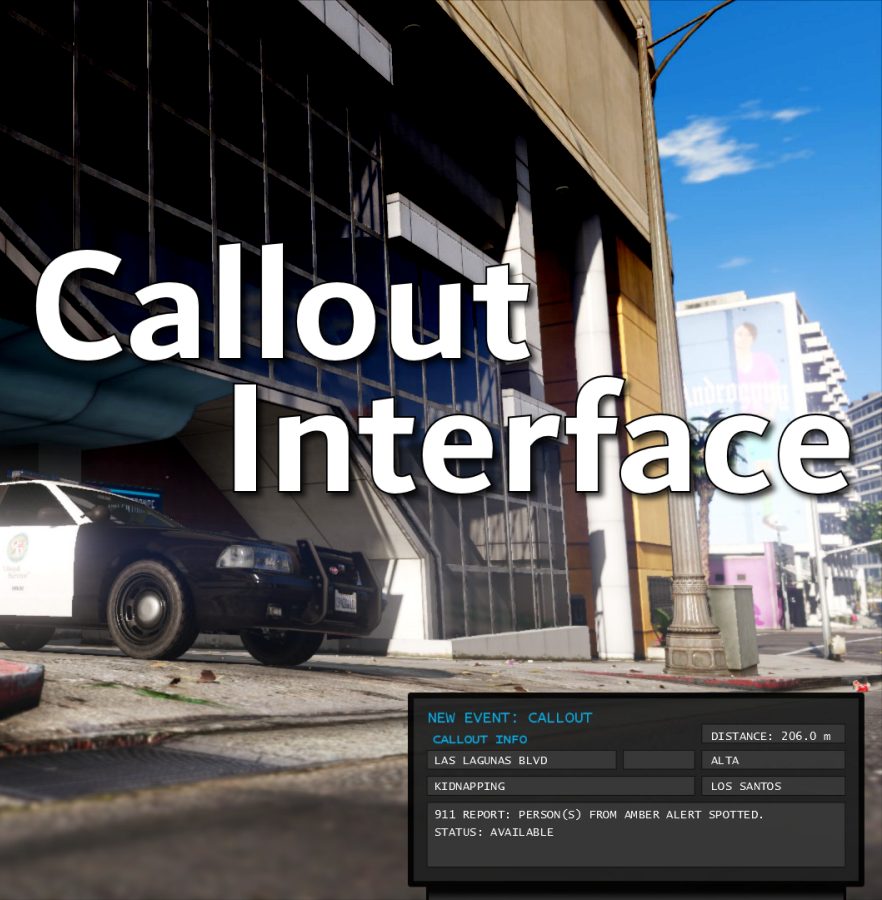
Callout Interface
A new way to interact with callouts.
 

Features:

  • RAGENativeUI menu front-end to start a callout
  • Force a random callout via keybind
  • Advanced MDT with multiple status buttons and tabs
  • Callouts can be sent to the MDT while you're on another callout
  • A fully functioning ALPR system with advanced camera layouts
  • External license plate display


Support:
Discord Serverhttps://discord.gg/AuJCUag

Developer API https://github.com/Immersive-Plugins-Team/CalloutInterfaceAPI


Recommended Callout Packs:

686 Callouts  link
Chaos Calloutslink
Super Calloutslink


New in Version 1.4.1


Edited by opus49
added latest dev diary and some new screenshots

What's New in Version 1.4.1

Released

New in Version 1.4.1

Added

  • Dependency checker
  • Hot key for toggling ALPR key on/off
  • Automatic tab switching (when enabled)
  • Automatic blips for ALPR
     

Changed

  • Toggling off MDT will exit interactive mode
  • Delayed and put checks around camera object creation


Fixed

  • Fixed a bug with ALPR debug mode where the graphics would get stuck


New in Version 1.4

Added

  • Realistic multi-camera ALPR system
  • Dynamic traffic stop that nobody someone likes
  • External license plate display widget
  • Silent callout system and log

Changed

  • Completely overhauled the MDT
  • Migrated graphics handling to RawCanvasUI

Short Description

Interface with callouts.

User Feedback

Recommended Comments

Venoxity

Members

9 hours ago, opus49 said:

it's caused by either a trainer or something else disabling collision mode. So it's specific to you.

Hmm, someone else complained about the same issue. I don’t have any mods that disable collision mode. I only use simple trainer

opus49

Insiders Author

3 hours ago, Venoxity said:

Hmm, someone else complained about the same issue. I don’t have any mods that disable collision mode. I only use simple trainer

I didn't say you were the only person who had a problem, just that the solution is specific to you. Something you have is mucking with objects. It's not a problem with Callout Interface.

Is there a way to have only certain cameras work with certain vehicles? Like for my State Police Charger, I want only the rear cameras to work since those are the only two on the vehicle.

q5p

Members

On 10/28/2023 at 6:18 AM, Jason960712 said:

未来有没有可能发布旧版本?

@opus49translation: Is it possible to release an older version in the future?

5kY1iN3

Members

(edited)

On 7/18/2023 at 2:29 PM, Nicolasik said:

😄I understand your irony! The Callout interface is a very cool plugin! Maybe there is another plugin of the police computer with which the data will match?

Agreed, seeing as Police Menu was able to sync STP's data 🤔 And most specially since this has slowly turned into my favorite new addition to my LSPDfr lol

Edited by 5kY1iN3

opus49

Insiders Author

15 minutes ago, 5kY1iN3 said:

Agreed, seeing as Police Menu was able to sync STP's data 🤔 And most specially since this has slowly turned into my favorite new addition to my LSPDfr lol

STP doesn't even always match compulite. BejoIjos API doesn't work.

5kY1iN3

Members

8 hours ago, opus49 said:

STP doesn't even always match compulite. BejoIjos API doesn't work.

I've never seen it not match, but for sure. 


Bad ass mod regardless, even if I get "false positives". I've got it in my head lore for now that it's just a computer glitch after verifying with dispatch if the hit is valid or not

Austinhunter406

Members

(edited)

this mod need to be in the essential tab, didnt even think i would need this and suprise lol. i give this mod 10/10


also to include no install issues at all and no crashing, i have yet to see it conflict with any other mod

Edited by Austinhunter406

Hellskyryme

Members

(edited)

Hi, I've seen tutorials on how to install this mod, but for some reason my interface doesn't appear when I press num6, but it appears when I get callouts then the interface disappears again, just the mouse cursor, any suggestions? Thank You🙂

Edited by Hellskyryme

Hellskyryme

Members

33 minutes ago, Hellskyryme said:

Hi, I've looked at the tutorial on how to install this mod, but somehow my interface doesn't appear, only the mouse cursor, any suggestions? Thank You🙂


34 minutes ago, Hellskyryme said:

Hi, I've seen tutorials on how to install this mod, but for some reason my interface doesn't appear when I press num6, but it appears when I get callouts then the interface disappears again, just the mouse cursor, any suggestions? Thank You🙂

nvm, its fixed

VRDog

Members

I hope you and Bejoljo can work something out because having this sync would be nice. With regards to STP not syncing with Compulite, I have never experienced that in all my years with them, so that must have been a bug or conflict. Regardless, having false positives on the ALPR is a downer for sure.

opus49

Insiders Author

30 minutes ago, VRDog said:

I hope you and Bejoljo can work something out because having this sync would be nice. With regards to STP not syncing with Compulite, I have never experienced that in all my years with them, so that must have been a bug or conflict. Regardless, having false positives on the ALPR is a downer for sure.


They are not "false positives."  Compulite just makes it up on the fly and there is no way to work with BejoIjo.  The only way forward is to replace Compulite.

VRDog

Members

2 hours ago, opus49 said:


They are not "false positives."  Compulite just makes it up on the fly and there is no way to work with BejoIjo.  The only way forward is to replace Compulite.

Roger that. What I meant by False Positives is that when I get a flag in the ALPR, and I then check the plate or ped in the Callout Interface (not Compulite), it shows no issues. Granted, that's probably STP and Compulite overriding stuff if I had to guess. Sorry to hear that guy's not easy to work with, maybe the community will come up with something better 🙂

opus49

Insiders Author

(edited)

11 minutes ago, VRDog said:

Roger that. What I meant by False Positives is that when I get a flag in the ALPR, and I then check the plate or ped in the Callout Interface (not Compulite), it shows no issues. Granted, that's probably STP and Compulite overriding stuff if I had to guess. Sorry to hear that guy's not easy to work with, maybe the community will come up with something better 🙂

Hmm.. that depends on what you mean by "check the plate or ped in the Callout Interface."

Can you please grab a series of screenshots to show what you mean?  If CalloutInteface isn't consistent with *itself* that's definitely something I want to address.

Edited by opus49

VRDog

Members

1 hour ago, opus49 said:

Hmm.. that depends on what you mean by "check the plate or ped in the Callout Interface."

Can you please grab a series of screenshots to show what you mean?  If CalloutInteface isn't consistent with *itself* that's definitely something I want to address.

Well after uninstalling Compulite and opting for PoliceMenu, everything lines up now from the ALPR to your Interface. So definitely it was something to do with Compulite. How or why I'm not sure.

TheAzerCZ

Members

I tried to search in documentation and this forum, but I'm unable to find any information how to toggle the status message next to the map. I have "PLD" mod installed but no way to get it work. I haven't found any settings in the .ini file, so how can I set it up as you go it on your screenshot?

nearest_postal_ss.png.19c1e0f927b4bd6f5f

opus49

Insiders Author

1 hour ago, TheAzerCZ said:

I tried to search in documentation and this forum, but I'm unable to find any information how to toggle the status message next to the map. I have "PLD" mod installed but no way to get it work. I haven't found any settings in the .ini file, so how can I set it up as you go it on your screenshot?

nearest_postal_ss.png.19c1e0f927b4bd6f5f

that's from grammar police

hexteri

Members

Good job! Does anyone know how to disable mouse button shooting? I have tried to wade through the entire internet and have not been able to find an answer...

DReyes375

Members

Can someone tell me how can i do so the callout interface works? i did all i have everything update but it doesnt work for me when i press F10 or F8 if i leave it on default 


Marc Hamilton

Members

On 12/17/2023 at 9:39 PM, TheAzerCZ said:

I tried to search in documentation and this forum, but I'm unable to find any information how to toggle the status message next to the map. I have "PLD" mod installed but no way to get it work. I haven't found any settings in the .ini file, so how can I set it up as you go it on your screenshot?

nearest_postal_ss.png.19c1e0f927b4bd6f5f

Thats in Grammer police

1 hour ago, DReyes375 said:

Can someone tell me how can i do so the callout interface works? i did all i have everything update but it doesnt work for me when i press F10 or F8 if i leave it on default 


F8 works for me have you made any other changes?  All your files and plug-ins up to date? 

DReyes375

Members

On 12/22/2023 at 12:08 AM, marchamilton74 said:

Thats in Grammer police

F8 works for me have you made any other changes?  All your files and plug-ins up to date? 

yes, all my files and plugins are up to date, i even try to leave at F8 but it doesnt wok anyway. I even unninstall all my plugins but that didnt help idk if you know any plugin that may have conflict with callout interface? because i try everything i can 

DCarausu

Members

@opus49 is there a way or has anyone recommended to you for the next update; to make a toggleable setting in the ini. that allows for the cursor to automatically be present when re-entering the vehicle as opposed to having to press the keybind each time?  Or is that not even a feasible option?  It would make like so much easier and effective for controller based players, in addition to keyboard+mouse gamers.  Just asking and a thought 

HasiqTR

Members

Very good idea! Great stuff!

Maverick91169

Members

im am so freaking excited for this huge team effort with callout interface, and grammer police with all the callout packs ! we are blessed to have such a dedicated and community focused group. shout out to all the devs working on this and the future of lspdfr. we appreciate you !!!


Create an account or sign in to comment

Account

Navigation

Search

Search

Configure browser push notifications

Chrome (Android)
  1. Tap the lock icon next to the address bar.
  2. Tap Permissions → Notifications.
  3. Adjust your preference.
Chrome (Desktop)
  1. Click the padlock icon in the address bar.
  2. Select Site settings.
  3. Find Notifications and adjust your preference.







