
Skip to content
View in the app

A better way to browse. Learn more.

LCPDFR.com

A full-screen app on your home screen with push notifications, badges and more.

To install this app on iOS and iPadOS
  1. Tap the Share icon in Safari
  2. Scroll the menu and tap Add to Home Screen.
  3. Tap Add in the top-right corner.
To install this app on Android
  1. Tap the 3-dot menu (⋮) in the top-right corner of the browser.
  2. Tap Add to Home screen or Install app.
  3. Confirm by tapping Install.

Callout Interface 1.4.1

(46 reviews)

7 Screenshots


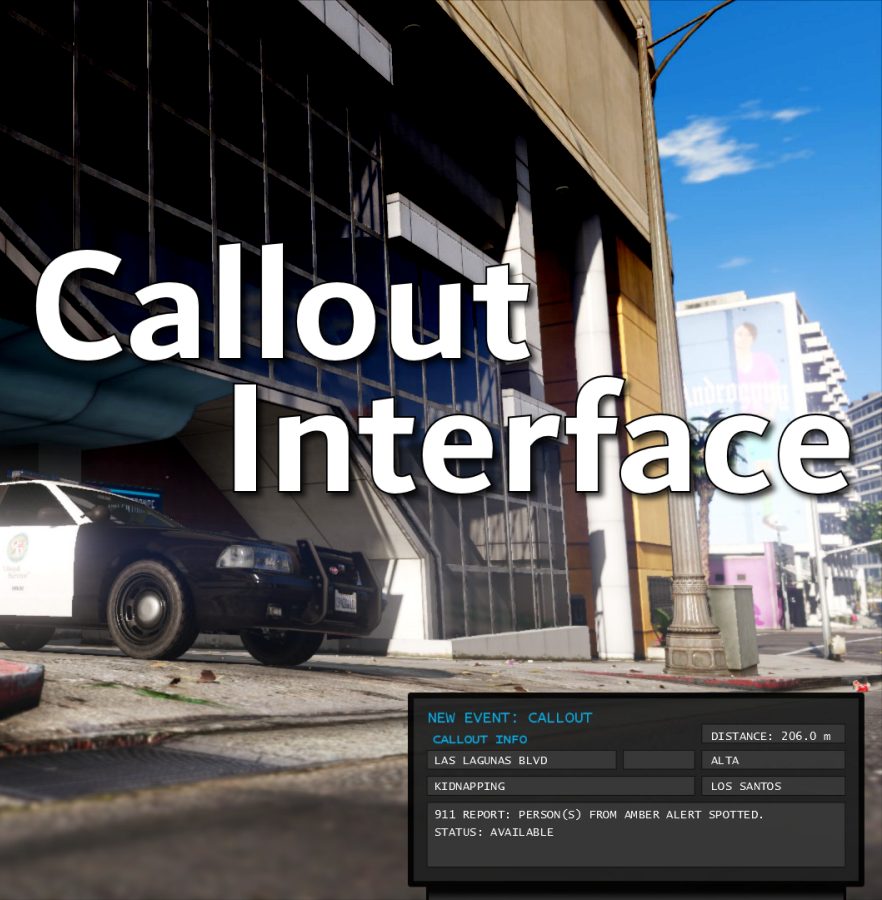
Callout Interface
A new way to interact with callouts.
 

Features:

  • RAGENativeUI menu front-end to start a callout
  • Force a random callout via keybind
  • Advanced MDT with multiple status buttons and tabs
  • Callouts can be sent to the MDT while you're on another callout
  • A fully functioning ALPR system with advanced camera layouts
  • External license plate display


Support:
Discord Serverhttps://discord.gg/AuJCUag

Developer API https://github.com/Immersive-Plugins-Team/CalloutInterfaceAPI


Recommended Callout Packs:

686 Callouts  link
Chaos Calloutslink
Super Calloutslink


New in Version 1.4.1


Edited by opus49
added latest dev diary and some new screenshots

What's New in Version 1.4.1

Released

New in Version 1.4.1

Added

  • Dependency checker
  • Hot key for toggling ALPR key on/off
  • Automatic tab switching (when enabled)
  • Automatic blips for ALPR
     

Changed

  • Toggling off MDT will exit interactive mode
  • Delayed and put checks around camera object creation


Fixed

  • Fixed a bug with ALPR debug mode where the graphics would get stuck


New in Version 1.4

Added

  • Realistic multi-camera ALPR system
  • Dynamic traffic stop that nobody someone likes
  • External license plate display widget
  • Silent callout system and log

Changed

  • Completely overhauled the MDT
  • Migrated graphics handling to RawCanvasUI

Short Description

Interface with callouts.

User Feedback

Recommended Comments

opus49

Insiders Author

1 hour ago, StubleStic said:

Every time I start a callout, while the callout is running the callouts feed just bombards me with a lot of notifications about other callouts going on and then automatically attaching other units to it and all I hear is the new callout tone every single time.

RagePluginHook.log 255.5 kB · 1 download

Your time scaling is off

StubleStic

Members

16 minutes ago, opus49 said:

Your time scaling is off

Ok thanks for looking. What do I have to do to fix it?

Pap4lspdfr

Members

Sorry for bad english, is there a way to change the callsign in the box? on grammar police I have Adam-10, and now I just see that in the overlay of CI there's the base callsign 1-Lincoln-18, I search in ini file everywhere, but I don't find any 

JM Modifications

Insiders

2 minutes ago, Pap4lspdfr said:

Sorry for bad english, is there a way to change the callsign in the box? on grammar police I have Adam-10, and now I just see that in the overlay of CI there's the base callsign 1-Lincoln-18, I search in ini file everywhere, but I don't find any 

You can modify the ini config. 

Pap4lspdfr

Members

1 minute ago, OfficerMorrison said:

You can modify the ini config. 

where? in the pluginhs/LSPDFR folder there the "CalloutInterface.ini" but there's nothing in there with any suggestion of a callsign


opus49

Insiders Author

41 minutes ago, Pap4lspdfr said:

where? in the pluginhs/LSPDFR folder there the "CalloutInterface.ini" but there's nothing in there with any suggestion of a callsign


It's literally called MDTCallsign

StubleStic

Members

On 8/14/2023 at 7:38 PM, StubleStic said:

Ok thanks for looking. What do I have to do to fix it?

Nvm im just dumb

Pap4lspdfr

Members

16 hours ago, opus49 said:

It's literally called MDTCallsign

thank you man, if i search with ctrl f nothing appears, dk why

ofc6038

Members

I have been looking and not sure if this has been answered - if it has I'm sorry. My mod functionality is fine! However, when I hold 6 to bring up my mouse and toggle around on the interface, my screen will move in whatever direction my mouse moves. All I have changed in the ini file is my callsign. Does anyone know what may be causing this?

Swatdude22

Members

Hey, I have noticed mine does not auto switch. Is there a way to manually switch to the ALPR ui?

Swatdude22

Members

On 8/3/2023 at 7:16 PM, 21Sumter said:

I think that at the moment, the grammar police plugin and callout intrface are not fixed to each other, maybe this will be fixed in the future, but it takes time, maybe there is another reason.

How were you able to get your cursor above the UI to be able to use it?

Deputy Acorn7

Members

First off I want to say that I love this script I think its awesome,  you did an amazing job with this man. Secondly for the alpr, I use infidels vehicle packs for the f150s the alpr does not pick up any plates because they are set to low. they work on every other car but the f150s. is there any way to increase the height of those in game?


Every time I hit the plate check and alpr button it crashes my game. Any idea why

Wintermoon

Members

there's a bug where every time ALPR hit on vehicle with warrant, i try to check the ped status when traffic stop using compulite but there's no warrant on the ped

Charlie686

Members

(edited)

7 hours ago, Maxhaazs said:

there's a bug where every time ALPR hit on vehicle with warrant, i try to check the ped status when traffic stop using compulite but there's no warrant on the ped

So there's a bug with CompuLite. 🙂 

Refer to this.

Edited by Charlie686

Is anyone else seeing little white boxes on top of their police car after using ALPR cameras? I'm trying to figure out how to remove them when that happens.

bondi9mm

Members

is this compatible with all callouts ? 

bondi9mm

Members

so alot of callouts have calloutinterfaceapi.dll is it the same for all callouts or do i need to install multiple apis from each callout as it asks me to replace or do i just need the most updated api also the api.dll goes into main directory right ? 

thanks in advance 


Charlie686

Members

(edited)

11 minutes ago, bondi9mm said:

so alot of callouts have calloutinterfaceapi.dll is it the same for all callouts or do i need to install multiple apis from each callout as it asks me to replace or do i just need the most updated api also the api.dll goes into main directory right ? 

thanks in advance 


It's all the same file - you can use any. 🙂 

Edited by Charlie686

SKdesch

Members

Hello dear


is the mod outdated due to new game version and the mod hasnt been updated since?

when i download the mod and drag and drop after my lpsdfr crashes as soon as i wanna load

the mod per config ingame.


or anyone has a fix?

Charlie686

Members

8 minutes ago, SKdesch said:

Hello dear


is the mod outdated due to new game version and the mod hasnt been updated since?

when i download the mod and drag and drop after my lpsdfr crashes as soon as i wanna load

the mod per config ingame.


or anyone has a fix?

It works fine. You probably installed it wrong & should try installing it again. Join the support server if you need further assistance.

Venoxity

Members

On 9/23/2023 at 2:43 PM, Nameless New Guy said:

Is anyone else seeing little white boxes on top of their police car after using ALPR cameras? I'm trying to figure out how to remove them when that happens.

this happened to me. I thought it was just me or the vehicles.

opus49

Insiders Author

8 hours ago, Venoxity said:

this happened to me. I thought it was just me or the vehicles.

it's caused by either a trainer or something else disabling collision mode. So it's specific to you.

Create an account or sign in to comment

Account

Navigation

Search

Search

Configure browser push notifications

Chrome (Android)
  1. Tap the lock icon next to the address bar.
  2. Tap Permissions → Notifications.
  3. Adjust your preference.
Chrome (Desktop)
  1. Click the padlock icon in the address bar.
  2. Select Site settings.
  3. Find Notifications and adjust your preference.





