
Skip to content
View in the app

A better way to browse. Learn more.

LCPDFR.com

A full-screen app on your home screen with push notifications, badges and more.

To install this app on iOS and iPadOS
  1. Tap the Share icon in Safari
  2. Scroll the menu and tap Add to Home Screen.
  3. Tap Add in the top-right corner.
To install this app on Android
  1. Tap the 3-dot menu (⋮) in the top-right corner of the browser.
  2. Tap Add to Home screen or Install app.
  3. Confirm by tapping Install.

Stop Right There 1.2

(1 review)

2 Screenshots

SRT_Banner.thumb.png.67461f7d5893f70db2dee54791136018.png


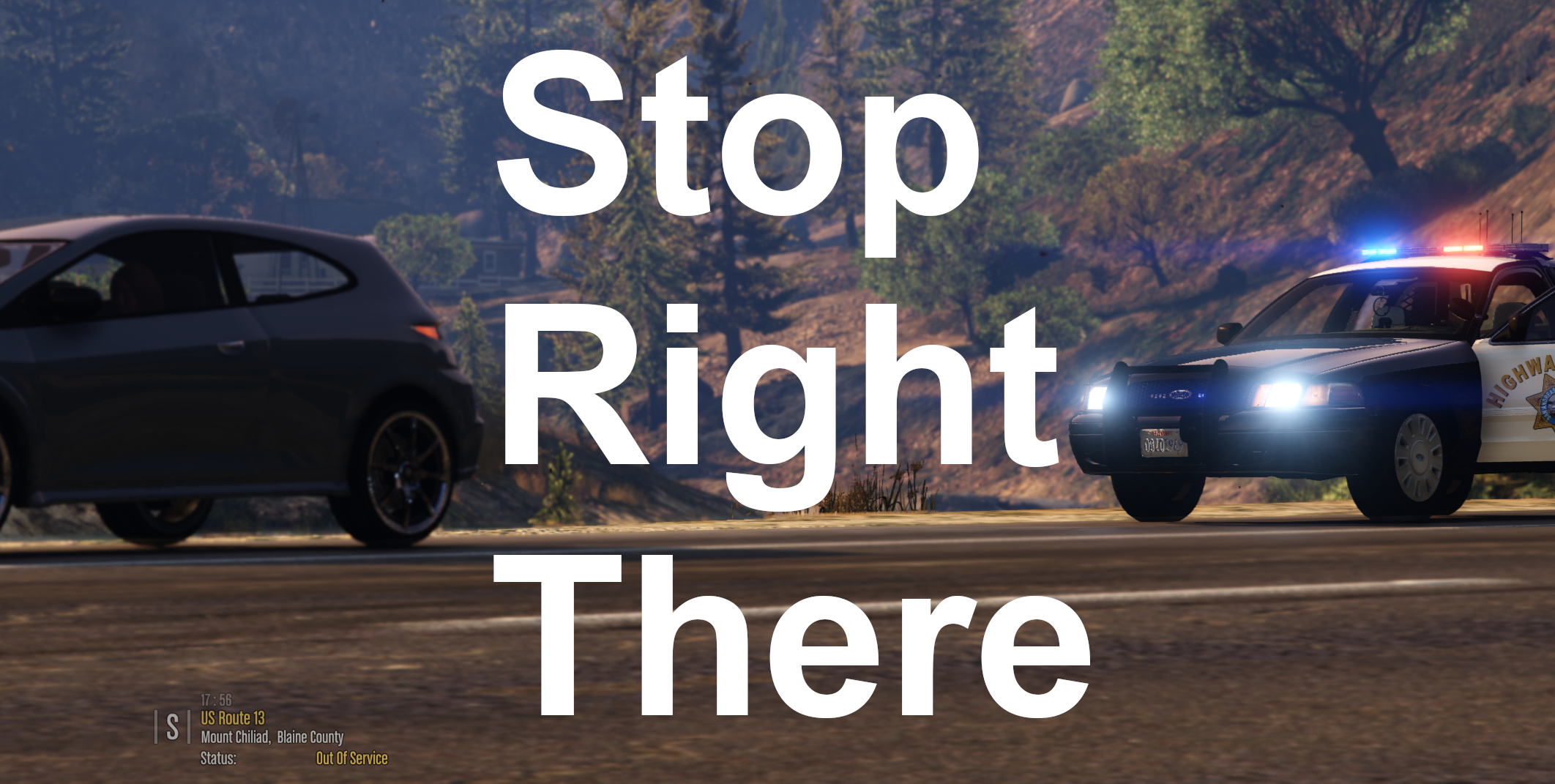
Stop Right There is a LSPDFR plugin that utilizes the latest API update, which allows the player to perform a "parked traffic stop" on a target vehicle. The player will be able to pull over a vehicle without having to park behind it, and without the vehicle having to park. This is intended to be used for more cinematic traffic stops (like if you want to block a vehicle in and perform a traffic stop), or for niche scenarios (ie "stopping" a broken down vehicle that can't move, or a suspicious vehicle that you don't want to repark). If the vehicle is stopped, you will be able to approach as like any normal traffic stop -without having to park your car behind them etc etc - and if it is still moving it will stop immediately.


This plugin has an ini file, allowing you to customise the keybinding. To Install: Place "StopRightThere.dll", "StopRightThere.pdb", and "StopRightThere.ini" into Plugins/LSPDFR


Planned Update:

  • change default key-bind to Ctrl + Default Traffic Stop Key, for more intuitive activation. (this will require overriding the default LSPDFR Traffic Stop Feature)


This is my first proper plugin release, so please feel free to provide feedback!

Edited by ziipzaaapM16A4
Update

What's New in Version 1.2

Released

- Removed vulnerability: multiple pullovers where possible. (resulting in more blips)
- Working Blips that will dissapear if trafficstop get canceled. if you create mulitple trafficstops at once


Previous Versions:

Spoiler

V1.1 Hotfix 1

  • adds blip to pulled over vehicle
  • adds notification off pullover above map
  • makes sure target vehicle is not a police car
  • increments version number internally to 1.1
  • HOTFIX 1: temporarily removed blips while i work on making them delete properly

Short Description

Traffic Stops On the Spot - pull someone over without moving your car or theirs.

User Feedback

Recommended Comments

highdo

Members

Nice work very usefull for DUI or speed checkpoints could be very intresting if we could stop vehicule as a ped

hey bro nice plugin but when i load your plugin with race plugin hook its says something like the plugin dosent have the required attribute assembly path version there a way to fix it pls i would love it if you can help me


ziipzaaapM16A4

Insiders Contributor

(edited)

On 8/15/2021 at 5:45 PM, OfficerBenzo said:

Would there be a way to do this on foot perhaps?  Was just testing it out on a out of control scene it would have been nice to get certain drivers to "Stop right there"  but it seems you need to be in a vehicle to get this to work properly.


On 8/16/2021 at 2:26 AM, Sopphic said:

now this i could look into - i know Bejoljo is doing it with his upcoming STP update - on foot pullovers - i'll look into how he implements it and if i could do something similar here.

thanks for the suggestion!


Only if LSPDFR is not requiring you to be in a car.
Currently our code prevents you from forcing a pullover when not in car. But i don't know if LSPDFR is preventing us. 
There is just one problem i could imagine. Usually you initiate the Pullover by red & blue lights after forcing by key. That could be a problem.


@Sopphic Let's take a closer look.
--------------------------------------------------------------------------------------------------------------------------------------

On 8/31/2021 at 8:39 AM, gamingchannelytpro said:

hey bro nice plugin but when i load your plugin with race plugin hook its says something like the plugin dosent have the required attribute assembly path version there a way to fix it pls i would love it if you can help me


It's a LSPDFR Plugin! Not a RAGEPluginHook Plugin. Please read the Help/Support Forum to understand the difference and how to load them.
Hint: Place files in GTA V/plugins/LSPDFR <--  and then you go on Duty.

Edited by ziipzaaapM16A4

andy719008

Members

Does  this still working in 0.4.9?

DPD0622

Members

On 8/15/2021 at 6:26 PM, Sopphic said:

now this i could look into - i know Bejoljo is doing it with his upcoming STP update - on foot pullovers - i'll look into how he implements it and if i could do something similar here.

thanks for the suggestion!

Do you have a discord for his mod? I would like to use it but have some questions prior to doing so. 

On 8/15/2021 at 6:26 PM, Sopphic said:

now this i could look into - i know Bejoljo is doing it with his upcoming STP update - on foot pullovers - i'll look into how he implements it and if i could do something similar here.

thanks for the suggestion!

Do you have a discord for his mod? I would like to use it but have some questions prior to doing so. 

ziipzaaapM16A4

Insiders Contributor

On 7/3/2022 at 8:30 PM, DPD0622 said:

Do you have a discord for his mod? I would like to use it but have some questions prior to doing so. 

Do you have a discord for his mod? I would like to use it but have some questions prior to doing so. 

Sopphic has no own discord server but you can adress your questions (if @Sopphic got no problems with that) at my discord. 
She is btw with us there: https://discord.gg/BWGqAXK

Nick18

Members

this plugin need update 

Create an account or sign in to comment

Latest Mods

Account

Navigation

Search

Search

Configure browser push notifications

Chrome (Android)
  1. Tap the lock icon next to the address bar.
  2. Tap Permissions → Notifications.
  3. Adjust your preference.
Chrome (Desktop)
  1. Click the padlock icon in the address bar.
  2. Select Site settings.
  3. Find Notifications and adjust your preference.


