
Skip to content
View in the app

A better way to browse. Learn more.

LCPDFR.com

A full-screen app on your home screen with push notifications, badges and more.

To install this app on iOS and iPadOS
  1. Tap the Share icon in Safari
  2. Scroll the menu and tap Add to Home Screen.
  3. Tap Add in the top-right corner.
To install this app on Android
  1. Tap the 3-dot menu (⋮) in the top-right corner of the browser.
  2. Tap Add to Home screen or Install app.
  3. Confirm by tapping Install.

Stop Right There 1.2

(1 review)

2 Screenshots

SRT_Banner.thumb.png.67461f7d5893f70db2dee54791136018.png


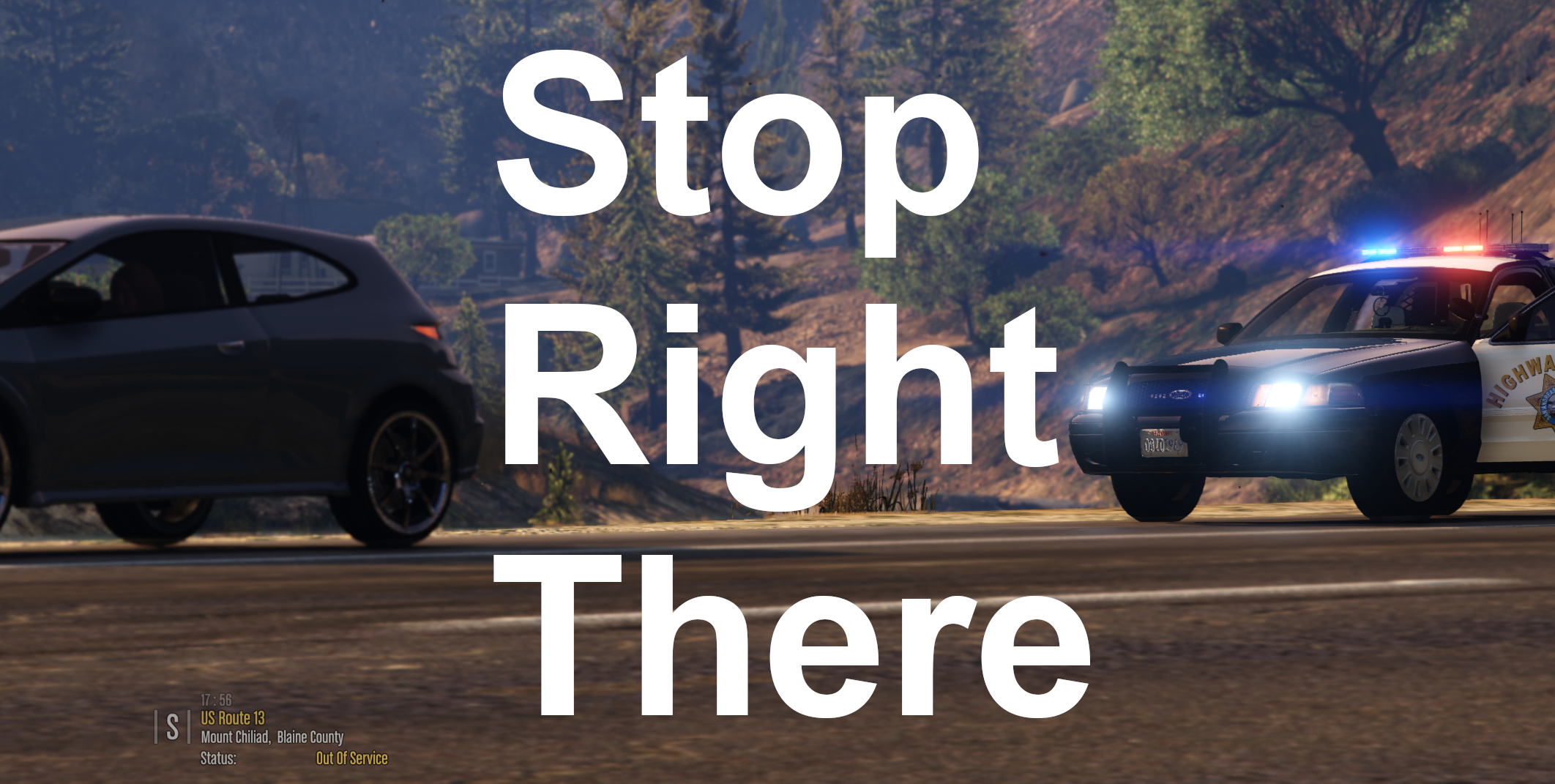
Stop Right There is a LSPDFR plugin that utilizes the latest API update, which allows the player to perform a "parked traffic stop" on a target vehicle. The player will be able to pull over a vehicle without having to park behind it, and without the vehicle having to park. This is intended to be used for more cinematic traffic stops (like if you want to block a vehicle in and perform a traffic stop), or for niche scenarios (ie "stopping" a broken down vehicle that can't move, or a suspicious vehicle that you don't want to repark). If the vehicle is stopped, you will be able to approach as like any normal traffic stop -without having to park your car behind them etc etc - and if it is still moving it will stop immediately.


This plugin has an ini file, allowing you to customise the keybinding. To Install: Place "StopRightThere.dll", "StopRightThere.pdb", and "StopRightThere.ini" into Plugins/LSPDFR


Planned Update:

  • change default key-bind to Ctrl + Default Traffic Stop Key, for more intuitive activation. (this will require overriding the default LSPDFR Traffic Stop Feature)


This is my first proper plugin release, so please feel free to provide feedback!

Edited by ziipzaaapM16A4
Update

What's New in Version 1.2

Released

- Removed vulnerability: multiple pullovers where possible. (resulting in more blips)
- Working Blips that will dissapear if trafficstop get canceled. if you create mulitple trafficstops at once


Previous Versions:

Spoiler

V1.1 Hotfix 1

  • adds blip to pulled over vehicle
  • adds notification off pullover above map
  • makes sure target vehicle is not a police car
  • increments version number internally to 1.1
  • HOTFIX 1: temporarily removed blips while i work on making them delete properly

Short Description

Traffic Stops On the Spot - pull someone over without moving your car or theirs.

User Feedback

Recommended Comments

ArriveAlive

Members

(edited)

Finally! I have been wanting to pull someone over during a redlight without them having to move. So far I've noticed it works great but the red blip when you mark them does not go away after you've let the driver go. Great job on this!

Edited by ArriveAlive

Sopphic

Members Author

6 minutes ago, ArriveAlive said:

Finally! I have been wanting to pull someone over during a redlight without them having to move. So far I've noticed it works great but the red blip when you mark them does not go away after you've let the driver go. Great job on this!

Will work on this ASAP. Thank you for reporting!

@ArriveAlive for short term solutions - would you prefer if i skipped adding the blip, or implemented a button to press to remove it?

ArriveAlive

Members

(edited)

6 minutes ago, Sopphic said:

@ArriveAlive i am now testing a fix for this issue, ignore my previous message 🙂

Side note, I do like the vehicle being blipped. Either a button or automatically goes away once you send the driver off or arrest (if possible) will work! 😄

Edited by ArriveAlive

Sopphic

Members Author

I am testing auto removing the blip once the vehicle is released - if i cannot get it to work, it will sadly have to be a button

Sopphic

Members Author

@ArriveAlive This is taking longer than expected, as such, I have temporarily released a version - hotfix 1 - with no blips, while i work on the issue. Happy patrolling!

Please wait while the file undergoes the approval process 🙂

ArriveAlive

Members

39 minutes ago, Sopphic said:

@ArriveAlive This is taking longer than expected, as such, I have temporarily released a version - hotfix 1 - with no blips, while i work on the issue. Happy patrolling!

Please wait while the file undergoes the approval process 🙂

Sounds good! Thanks for the quick action.

Sopphic

Members Author

9 minutes ago, DarKKlusteR said:

A video preview would be sufficient to know exactly how this plugin works, and what it does in-game. 

mhm. Working on it. I originally wasn't going to upload this till i had taken screenshots and videos, but i decided to just throw it out there.

Thank you for the suggestion!

Mirko91

Members

(edited)

ciao, purtroppo dopo aver caricato il plugin, ho notato che il gioco va in crash dopo qualche minuto. sarebbe bello far accostare le auto anche a piedi tipo posto di blocco

Edited by Mirko91

Sopphic

Members Author

(edited)

@ArriveAlive
good news! My colleague @ziipzaaapM16A4
appears to have solved the blips issue, blips will be being readded in the next update, releasing soon™!

Edited by Sopphic

Kaatun

Members

This plugin seems really good, can i use it with Custom Pullover or is it not necessary?

Sopphic

Members Author

I don't think there's anything stopping you from using this and custom pullover together - in fact, I'd recommend it. Custom pullover does a lot of things we don't do.

Kaatun

Members

40 minutes ago, Sopphic said:

I don't think there's anything stopping you from using this and custom pullover together - in fact, I'd recommend it. Custom pullover does a lot of things we don't do.

Thanks, I was a little confused because I didn't know if this plugin affected any of the custom pullover functionality.

Lucas.Vieira

Members

brings the option of giving the suspect the order to get out of the vehicle and raise his hand and move without having to go to the car to give the orders

easye323

Members

Is there option where we can change the keys such as L to Q and take away that LShiftKey?

Sopphic

Members Author

(edited)

@easye323
Yup. In the ini

2 hours ago, Lucas.Vieira said:

brings the option of giving the suspect the order to get out of the vehicle and raise his hand and move without having to go to the car to give the orders

For this. I would thoroughly recommend the Felony Stop plugin, found here

https://www.lcpdfr.com/downloads/gta5mods/scripts/17428-felony-stop-plugin-traffic-stop-enhancement-give-commandstactics/

Edited by Sopphic

XTREMEHEAT

Members

Is there any plan to add controller support? Thank you very much.

Sopphic

Members Author

18 hours ago, Officerporci said:

put a showcase  video pls

I can try, but there is really very little to be showcased. Pressing the button you set in the ini initiates a "parked traffic stop" on the nearest valid vehicle. Parked traffic stops skip all the setup of normal traffic stops - if the vehicle is moving it will brake immediately, and if it is not moving it will stay exactly where it is - you will be able to approach the vehicle as in any other traffic stop. You don't, technically, even need to turn your lights on. Just press the button and you're in a traffic stop, with the target already "parked".

BlueLine Vibes

Members

Would there be a way to do this on foot perhaps?  Was just testing it out on a out of control scene it would have been nice to get certain drivers to "Stop right there"  but it seems you need to be in a vehicle to get this to work properly.

Sopphic

Members Author

8 hours ago, OfficerBenzo said:

Would there be a way to do this on foot perhaps?  Was just testing it out on a out of control scene it would have been nice to get certain drivers to "Stop right there"  but it seems you need to be in a vehicle to get this to work properly.

now this i could look into - i know Bejoljo is doing it with his upcoming STP update - on foot pullovers - i'll look into how he implements it and if i could do something similar here.

thanks for the suggestion!

Create an account or sign in to comment

Latest Mods

Account

Navigation

Search

Search

Configure browser push notifications

Chrome (Android)
  1. Tap the lock icon next to the address bar.
  2. Tap Permissions → Notifications.
  3. Adjust your preference.
Chrome (Desktop)
  1. Click the padlock icon in the address bar.
  2. Select Site settings.
  3. Find Notifications and adjust your preference.





