Skip to content
View in the app

A better way to browse. Learn more.

LCPDFR.com

A full-screen app on your home screen with push notifications, badges and more.

To install this app on iOS and iPadOS
  1. Tap the Share icon in Safari
  2. Scroll the menu and tap Add to Home Screen.
  3. Tap Add in the top-right corner.
To install this app on Android
  1. Tap the 3-dot menu (⋮) in the top-right corner of the browser.
  2. Tap Add to Home screen or Install app.
  3. Confirm by tapping Install.

Custom Backup 3.3

(23 reviews)

9 Screenshots

NOTICE: Custom Backup will not be updated for LSPDFR 0.4. The main features, including region customization and weapon selection, have been added to the built-in LSPDFR backup customization files. 


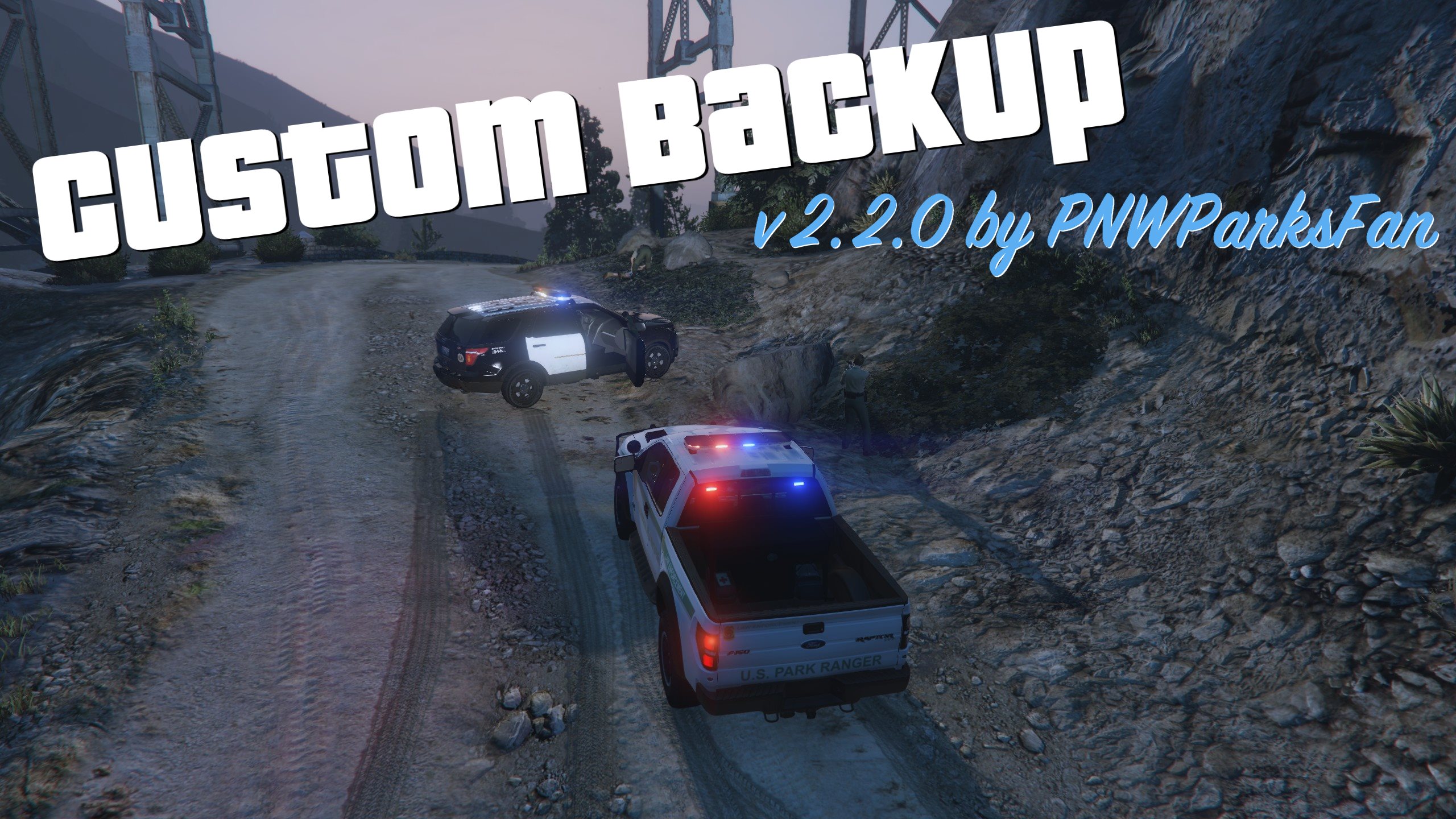
Custom backup gives you a new level of control in LSPDFR. The key feature of this mod is regionally customized backup, allowing you to set a different response for any area on the map. For any named area of the game (like "Rockford Hills", "Los Santos International Airport", "Sandy Shores", etc.) you can completely customize every level of response just like the built-in backup.xml. The syntax of the CustomBackup.xml file is very similar to the built-in backup.xml, but has numerous additions to increase your control over the game: 

  • Set a chance for anything! Peds, vehicles, and vehiclesets now all take a chance attribute which controls how likely they are to be chosen. (The built-in backup.xml only lets you set a chance on peds.)
  • Configure vehicle extras, liveries, and colors! You can now set any color you want for any response vehicle, opening up a whole new level of customization for unmarked units. Vehicle extra configuration also works reliably, whereas it seems to have some issues in the built-in backup.xml. 
  • Cop weapon selection! Set a list of weapons to give your backup units, set the probability for each weapon, and decide whether you want them to pick one at random or always get the most powerful one. 
  • Set spawn distance range for each vehicle entry! Every vehicle entry can have a minimum and maximum spawn distance set. This allows for additional realism by making certain units spawn closer or further away. NOOSE SWAT probably isn't just hanging out around the corner, so make them drive in from a mile away. On top of Mt. Chiliad your backup will probably be coming from a long distance, but in Downtown there's probably local patrol units very near by. Your imagination is the limit for leveraging these settings. 
  • Code 2 response with lights! Let's be honest, how often do cops really respond "code 2" with no lights? You can now configure your Code 2 units to respond with lights (but no siren), or to respond with their lights off but turn them on once they arrive and park on scene. YouTube video demo.
  • Integration with Better EMS: Download and install Better EMS, and you can call for an advanced EMS response through the Custom Backup menu. 
  • Integration with Police Smart Radio: Call for backup from your radio! Call Code 2 or Code 3 local backup, or Pursuit and Air Support units.


Installation instructions are included in the download. Basic installation is pretty easy; just make sure to choose a CustomBackup.xml file to use and put it in place. Advanced usage of the CustomBackup.xml file is explained in great detail in the documentation PDF. 

INSTRUCTIONS TO OVERRIDE DEFAULT LSPDFR BACKUP MENU:

To completely disable the built-in LSPDFR backup menu and use the custom menu instead, follow these instructions.

  • Edit CustomBackupLocations.ini. Set these settings:
    • CustomBackupMenuKey=B
    • CustomBackupModifier=None
    • OverrideLSPDFRBackup=false
  • Go to the GTA V settings menu 
  • Under Keybindings, go to GTA Online section
  • Change "Look At" from B to something you don't use, like the numpad period

Thank you to @vladimir850 for figuring this out!


PLEASE DO NOT ASK FOR SUPPORT IF YOU HAVE NOT READ THE DOCUMENTATION PDF! THERE ARE EXPLICIT INSTRUCTIONS IN THE PDF ON WHAT TO DO IF YOU ARE HAVING TROUBLE!

Requirements: 

  • RPH 0.45+ (compiled for 0.51)
  • LSPDFR 0.3.1
  • RageNativeUI 1.4.1 


Please post suggestions, support requests, etc in the forum thread: 

To share your CustomBackup.xml or get ideas on what customizations to make, visit the sharing thread: 

Special thanks to everybody who made this mod possible:

  • The LSPDFR team, especially Sam and LMS
  • All contributors to the LSPDFR-API examples on Github: 
    • Alexguirre, Albo1125, LMS, Stealth22, Stray, LtFlash, and LukeD
  • Everybody who helped answer questions about the API and development on the forums, especially @Albo1125 and @alexguirre
  • The original beta testing team for this mod:


SPECIAL THANK YOU to members of the Parks Benefactor Program who have supported my mod development! Their generous donations have helped to make continued updates to my modifications possible. Particular thanks to the Old Faithful donors who have supported me with noteworthy donations: Kilyin, anters, Sergeant Anderson, winglesschip, Dsonke1, and PolGuin255. You can join the Parks Benefactor Program by donating to support my mods, and to get early beta access to new modifications and updates to my existing modifications.

What's New in Version 3.3

Released

New in 3.3:

  • Updated for RPH 0.51 (recommended); compatible with RPH 0.45+
  • Integration with Police Smart Radio (call Code 2, Code 3, Pursuit, and Air Support backup from Smart Radio)
  • Compatible with Better EMS 3.0
  • Assorted bug fixes and API enhancements


Old changelogs:

Spoiler

New in 3.2:

  • Updated for RPH 0.45 and newer
  • Minor bugfixes
  • Compatibility with Better EMS 2.1 and ParksTools updates
  • New API methods added for developers

New in 3.1:

  • Updated for RPH 0.42
  • Added integration with LSPDFR+ statistics
  • Improved dependency checking

New in 3.0.0:

  • Updated for RPH 0.39. Compatible with RPH 0.38. 
  • Integrated with Better EMS - call advanced EMS response from the backup menu.
  • Added support for vehicle mods: Configure spoilers, bumpers, wheels, etc. 
  • Improved detection of XML file errors to reduce support issues.
  • Improved developer API, giving developers access to full response capabilities. 

Fixed in 2.2.1:

  • Fixed bug in ParksTools.dll causing some vehicles to spawn all black. 
  • Fixed bug where calling for suspect transport when no suspect is arrested did not display a notification to the user. 
  • Updated dependency check to expect RPH 0.38. Plugin still loads with older versions but is not guaranteed to work and is not tested. 

New in 2.2.0:

  • Added support for spawning boats as backup units, and added Coast Guard to additional backup entries in stock CustomBackup.xml.
  • Added support for GTA V RGBA color hashes in color definitions of XML file.
  • Added support for ped texture variants in XML file, and improved detection and compatibility of ped texture changes.
  • If officers are more than 30m from you when they arrive on scene, they will just wander the area instead of running to you. Prevents them from running all around the map if you call backup and then move. 
  • Split some common functionality for other mods in development into separate ParksTools.dll
  • Lots of internal code cleanup
  • Updated for RageNativeUI 1.3.1 and RPH 0.37+.

New in 2.0.1:

  • Fixed a minor bug where dependency version check fails if file doesn't exist at all

New in 2.0.0:

  • Added ability to define custom backup menu entries, letting you add any unit type you want.
  • Added "additional options" menu to prevent main backup menu from getting too crowded.
  • Added support for sending custom prisoner transport unit depending on location using the Arrest Manager API by Albo1125.
  • Added developer API.
  • Improved code for dismissing backup units.
  • Added dependency check for RageNativeUI, RagePluginHook, and LSPDFR.
  • Lots of bug fixes and code cleanup. 
  • Compiled against RPH 0.37


User Feedback

Recommended Comments

Pringles949

Members

8 minutes ago, PNWParksFan said:

That area isn't by default in the parks backup area, because Vinewood hills also includes a lot of residential areas. You could add it if you wanted to, just add a <Area>Vinewood Hills</Area> to the Parks sections of the XML file. 

Thanks for all your help 

Grazie per tutto il tuo aiuto :-)

PNWParksFan

Insiders Author

37 minutes ago, PoliceWomen said:

I must press for a reanimation?

I don't know what you're asking.

29 minutes ago, Pringles949 said:

Thanks for all your help 

Grazie per tutto il tuo aiuto :-)

You're welcome!

alweed

Members

one question, where is Rockford Hills on here?


and if you have to add it, how do you even set new locations?


this is what I put and its just giving me normal backup units..


<BackupRegion nickname="Unincorporated Cities">
      <BackupAreas>
        <Area>Rockf</Area>        
      </BackupAreas>
      <VehicleSet>
        <Vehicles>
          <Vehicle chance="40">bsheriff</Vehicle>
          <Vehicle chance="40">bsheriff</Vehicle>          
        </Vehicles>
        <Peds>
          <Ped chance="70">s_m_y_sheriff_02</Ped>
          <Ped chance="30">s_m_y_sheriff_02</Ped>
        </Peds>
        <NumPeds min="1" max="2" />
      </VehicleSet>
    </BackupRegion>
  <LocalPatrol>
  </LocalSWAT>


PNWParksFan

Insiders Author

(edited)

2 hours ago, alweed said:

one question, where is Rockford Hills on here?


and if you have to add it, how do you even set new locations?


this is what I put and its just giving me normal backup units..


<BackupRegion nickname="Unincorporated Cities">
      <BackupAreas>
        <Area>Rockf</Area>        
      </BackupAreas>
      <VehicleSet>
        <Vehicles>
          <Vehicle chance="40">bsheriff</Vehicle>
          <Vehicle chance="40">bsheriff</Vehicle>          
        </Vehicles>
        <Peds>
          <Ped chance="70">s_m_y_sheriff_02</Ped>
          <Ped chance="30">s_m_y_sheriff_02</Ped>
        </Peds>
        <NumPeds min="1" max="2" />
      </VehicleSet>
    </BackupRegion>
  <LocalPatrol>
  </LocalSWAT>


Where are you inserting that? Can you upload the full CustomBackup.xml file? You need to make sure the <BackupRegion> is inside of <LocalPatrol> or <LocalSWAT> or whatever backup type you're trying to define it for. You should also check that your XML file is valid, using an XML validator. Having <LocalPatrol> followed immediately by </LocalSWAT> doesn't make sense. 

You should refer to the documentation PDF included in the download... it explains in detail how to add new regions to the XML file. 

Edited by PNWParksFan

Pringles949

Members

Last question, what should I do if I want sheriff in los santos backup? I have added 

     <Area>BlaineCounty</Area>
     <Area>LosSantosCounty</Area>
     <Area>STRAW</Area

    <Area>Davis</Area>

Under "Counties" <BackupAreas> 

PNWParksFan

Insiders Author

1 minute ago, Pringles949 said:

Last question, what should I do if I want sheriff in los santos backup? I have added 

     <Area>BlaineCounty</Area>
     <Area>LosSantosCounty</Area>
     <Area>STRAW</Area

    <Area>Davis</Area>

Under "Counties" <BackupAreas> 

That should work to get them to respond in those areas (Davis and Strawberry). If you want sheriff in all of Los Santos, i.e. eliminate the city police altogether, you could add <Area>LosSantos</Area>, but that would be a bit weird I think. 

AlexVonShep

Members

@PNWParksFan , I've got some questions.


First, is it possible to change the position of response type in Backup Menu? F.g. I want added entry "State Air Support" be after the default "Local Air Support".

Second, is there any way to add support for units on boats? Local Patrol spawns them on beaches instead of ocean, lol.

Third, sometimes SWAT guys don't wear their props. Even if I have prop_head="0" set (both backup.xml & CustomBackup.xml).

PNWParksFan

Insiders Author

(edited)

3 hours ago, AlexVonShep said:

@PNWParksFan , I've got some questions.


First, is it possible to change the position of response type in Backup Menu? F.g. I want added entry "State Air Support" be after the default "Local Air Support".

Second, is there any way to add support for units on boats? Local Patrol spawns them on beaches instead of ocean, lol.

Third, sometimes SWAT guys don't wear their props. Even if I have prop_head="0" set (both backup.xml & CustomBackup.xml).

Right now it's not possible to reorder the menu. I'm looking into possibly adding that in the future. 

Boat support is coming in the next release, which should be published sometime this week. 

I'm aware of the issue with SWAT hats falling off, but I'm not sure yet what's causing it. Looking at workarounds but no solution quite yet. 

Edited by PNWParksFan

LtRob

Members

I'm getting serious fps drops with the latest version, not with the previous ones. Can you upload also the previous version?

CriticalBrit

Members

35 minutes ago, LtRob said:

I'm getting serious fps drops with the latest version, not with the previous ones. Can you upload also the previous version?

You can download the previous version of this file by using the changelog at the bottom of the description - simply click the version you want and click the "download" button.

kiE613C.gif

Pringles949

Members

Ok, I have been trying since monday, but I can't still have custom cars as backup, for example under "ports" I have set only one vehicle "chpcvpi" that's a custom car that i have installed in mpchristmas2. Or as my last comment sheriff respond in los santos. In fact even if I set 40% chance of sheriff_01 respond it still doesn't respond. Maybe I do something wrong but I can't find what. Thanks for your attention and sorry for my not really good english

CustomBackup.xml

PNWParksFan

Insiders Author

3 hours ago, LtRob said:

I'm getting serious fps drops with the latest version, not with the previous ones. Can you upload also the previous version?

Hmm. Can you please upload your ragepluginhook.log?

Anybody else experiencing this?

Reffie1997

Members

For some reason, all of the vehicles mentioned in "backup.xml" shows up in black color but not standard color.

E.g: In "additional options" I added police3 as one of my response option, when the officers respond, they come in a police cruiser in fully black color instead of the regular livery...

How can I fix this problem? Because this is a huge problem for my roleplay.

PNWParksFan

Insiders Author

30 minutes ago, Reffie1997 said:

For some reason, all of the vehicles mentioned in "backup.xml" shows up in black color but not standard color.

E.g: In "additional options" I added police3 as one of my response option, when the officers respond, they come in a police cruiser in fully black color instead of the regular livery...

How can I fix this problem? Because this is a huge problem for my roleplay.

I have identified the bug causing this to happen and created a fix. I'll upload it as soon as I get home... in about 8 hours. In the meantime, specifying a color using color="white" or something like that should prevent the issue. 

LtRob

Members

5 hours ago, PNWParksFan said:

Hmm. Can you please upload your ragepluginhook.log?

Anybody else experiencing this?

I've installed the previous version, I don't have time now to play again with the new one, but im sure it's this mod what's causing it.

PNWParksFan

Insiders Author

17 minutes ago, LtRob said:

I've installed the previous version, I don't have time now to play again with the new one, but im sure it's this mod what's causing it.

Unfortunately there's not much I can do without more details. I'll see if I can replicate the issue but I haven't had any frame drop issues personally while playing with the new version so far. 

Unision

Members

Hey - great plugin. Was wondering why the ambulance doesn't seem to respond to minr/maxr inputs? It seems to spawn like the standard LSPDFR ambulance even though I've edited its custombackup entry.

PNWParksFan

Insiders Author

(edited)

47 minutes ago, Unision said:

Hey - great plugin. Was wondering why the ambulance doesn't seem to respond to minr/maxr inputs? It seems to spawn like the standard LSPDFR ambulance even though I've edited its custombackup entry.

Basically, there's no way for mods to access the LSPDFR ambulance AI. So, I do in fact call it with the default LSPDFR backup. Then, I modify the vehicle livery and components if they're specified in the custom XML file. 

Unless LSPDFR makes that available in the API, there's no simple solution. However I am working on a better ems mod which will completely replace the built in ems. It'll have its own customization file with a similar format to the custom backup file. 

You can follow development here : 


Edited by PNWParksFan

PNWParksFan

Insiders Author

15 hours ago, Reffie1997 said:

For some reason, all of the vehicles mentioned in "backup.xml" shows up in black color but not standard color.

E.g: In "additional options" I added police3 as one of my response option, when the officers respond, they come in a police cruiser in fully black color instead of the regular livery...

How can I fix this problem? Because this is a huge problem for my roleplay.

A fix has been uploaded for this bug. 

FlashpointQc

Members

Hey! I was curious, does your mod work with Vocal Dispatch? Like if I ask Vocal Dispatch for an additional, will it use CustomBackups spawn distance and settings?

3 minutes ago, FlashpointQc said:

Hey! I was curious, does your mod work with Vocal Dispatch? Like if I ask Vocal Dispatch for an additional, will it use CustomBackups spawn distance and settings?

I just noticed Vocal DIspatch has it's own "spawndistance" in the INI, so probably not :/

PNWParksFan

Insiders Author

51 minutes ago, FlashpointQc said:

Hey! I was curious, does your mod work with Vocal Dispatch? Like if I ask Vocal Dispatch for an additional, will it use CustomBackups spawn distance and settings?

I just noticed Vocal DIspatch has it's own "spawndistance" in the INI, so probably not :/

At this time custom backup does not support vocal dispatch. The author of vocal dispatch could use the custom backup API to integrate. 

LtRob

Members

I'm having problems with custom backups, when I open the menu ingame I get nothing (see pic).

My xml file:

Spoiler

<!-- 

    For the default menu entries like LocalPatrol, NooseAir, etc. you can set
    mainmenu="false" to put that entry on the "additional options" backup menu. 
    By default, all of the regular backup types will be on the main menu if you 
    don't specify the mainmenu attribute. 
    
    To add custom entries to the menu, scroll down towards the end of the file, 
    and look for <CustomMenuEntries>. 

-->

<CustomBackup>
 <LocalPatrol>
    <BackupRegion nickname="Parks">
      <BackupAreas>
        <Area>LosSantos</Area>
      </BackupAreas>
      <VehicleSet>
        <Vehicles>
          <Vehicle>police</Vehicle>
          <Vehicle>police2</Vehicle>
          <Vehicle>police3</Vehicle>
          <Vehicle>police4</Vehicle>
          <Vehicle>pranger</Vehicle>
          <Vehicle>policeold1</Vehicle>
        </Vehicles>
        <Peds>
          <Ped chance="90">s_m_y_cop_01</Ped>
          <Ped chance="10">s_f_y_cop_01</Ped>
        </Peds>
        <NumPeds min="2" max="2" />
     </BackupRegion>
    <BackupRegion nickname="SSerer">
      <BackupAreas>
        <Area>LosSantosCounty</Area>
        <Area>BlaineCounty</Area>
        <Area>SanAndreas</Area>
      </BackupAreas>
      <VehicleSet chance="80">
        <Vehicles>
          <Vehicle>sheriff</Vehicle>
          <Vehicle livery="1">sheriff2</Vehicle>
          <Vehicle livery="2">sheriff2</Vehicle>
        </Vehicles>
        <Peds>
          <Ped chance="90">s_m_y_sheriff_01</Ped>
          <Ped chance="10">s_f_y_sheriff_01</Ped>
        </Peds>
        <NumPeds min="2" max="2" />
      </VehicleSet>
      <VehicleSet chance="20">
       <Vehicles>
            <Vehicle>fbi</Vehicle>
            <Vehicle>police4</Vehicle>
       </Vehicles>
       <Peds>
          <Ped chance="50">s_m_m_fibsec_01</Ped>
          <Ped chance="50">s_m_m_ciasec_01</Ped>
       </Peds>
       <NumPeds min="1" max="1" /> 
<Weapons>
    <Weapon chance="100">WEAPON_CARBINERIFLE</Weapon>
    <Weapon chance="10">WEAPON_HEAVYSNIPER</Weapon>
    <Weapon chance="10">WEAPON_SMOKEGRENADE</Weapon>
    <Weapon chance="10">WEAPON_ASSAULTSHOTGUN</Weapon>
</Weapons>
       </VehicleSet>
    </BackupRegion>
</LocalPatrol>
 <StatePatrol>
    <BackupRegion nickname="Parksssss">
      <BackupAreas>
        <Area>LosSantos</Area>
        <Area>LosSantosCounty</Area>
        <Area>BlaineCounty</Area>
        <Area>SanAndreas</Area>
      </BackupAreas>
      <VehicleSet>
        <Vehicles>
          <Vehicle livery="3">police</Vehicle>
          <Vehicle livery="2">sheriff2</Vehicle>
          <Vehicle livery="3">sheriff2</Vehicle>
          <Vehicle livery="5">police3</Vehicle>
        </Vehicles>
        <Peds>
          <Ped comp_pants="1" helmet="False">s_m_y_hwaycop_01</Ped>
        </Peds>
        <NumPeds min="1" max="1" />
      </VehicleSet>
    </BackupRegion>
</StatePatrol>
<NooseSWAT>
    <BackupRegion nickname="NOOSE HQ">
    <BackupAreas>
        <Area>_ALL_</Area>
    </BackupAreas>
    <VehicleSet>
        <Vehicles>
            <Vehicle>fbi2</Vehicle>
                        <Vehicle>fbi</Vehicle>
                </Vehicles>
        <Peds>
            <Ped prop_head="0" RandomizeProps="False">s_m_y_swat_01</Ped>
        </Peds>
        <NumPeds min="4" max="4" />
        <Weapons>
            <Weapon chance="70">WEAPON_CARBINERIFLE</Weapon>
            <Weapon chance="50">WEAPON_HEAVYSNIPER</Weapon>
            <Weapon chance="50">WEAPON_SMOKEGRENADE</Weapon>
            <Weapon chance="50">WEAPON_COMBATMG</Weapon>
        </Weapons>
    </VehicleSet>
    </BackupRegion>
 </NooseSWAT>
 <LocalSWAT>
  <BackupRegion nickname="LS HQ">
    <BackupAreas>
        <Area>LosSantos</Area>
    </BackupAreas>
    <VehicleSet>
        <Vehicles>
            <Vehicle>policet</Vehicle>
                </Vehicles>
        <Peds>
            <Ped comp_task="1" RandomizeProps="False">s_m_y_cop_01</Ped>
        </Peds>
        <NumPeds min="4" max="4" />
        <Weapons>
                 <Weapon chance="100">WEAPON_ASSAULTSHOTGUN</Weapon>
        </Weapons>
    </VehicleSet>
    </BackupRegion>
    <BackupRegion nickname="SHERIFF HQ">
    <BackupAreas>
        <Area>LosSantosCounty</Area>
                <Area>BlaineCounty</Area>
                <Area>SanAndreas</Area>
    </BackupAreas>
    <VehicleSet>
        <Vehicles>
            <Vehicle>sheriff2</Vehicle>
                </Vehicles>
        <Peds>
            <Ped comp_task="1" RandomizeProps="False">s_m_y_sheriff_01</Ped>
        </Peds>
        <NumPeds min="2" max="2" />
        <Weapons>
         <Weapon chance="100">WEAPON_ASSAULTSHOTGUN</Weapon>
        </Weapons>
    </VehicleSet>
     </BackupRegion>
 </LocalSWAT>
 <Ambulance>
  <BackupRegion nickname="ererer HQ">
    <BackupAreas>
        <Area>_ALL_</Area>
    </BackupAreas>
    <VehicleSet>
        <Vehicles>
            <Vehicle>firetruk</Vehicle>
                </Vehicles>
        <Peds>
            <Ped>s_m_y_fireman_01</Ped>
        </Peds>
        <NumPeds min="4" max="4" />
    </VehicleSet>
    </BackupRegion>
 </Ambulance>
 <CustomMenuEntries>
<MenuEntry name="SWAT Heli" default_type="NooseSWAT" code2="false" code3="false" pursuit="true" mainmenu="true">
      <BackupRegion nickname="Everywheress">
        <BackupAreas>
          <Area>_ALL_</Area>
        </BackupAreas>
        <VehicleSet>
          <Vehicles>
            <Vehicle>annihilator</Vehicle>
          </Vehicles>
          <Peds>
            <Ped>s_m_y_swat_01</Ped>
          </Peds>
          <NumPeds min="4" max="4" />
        </VehicleSet>
      </BackupRegion>
      </MenuEntry>
<MenuEntry name="LAPD bike" default_type="LocalPatrol" code2="true" code3="true" pursuit="true" mainmenu="true">
      <BackupRegion nickname="Eaaa">
        <BackupAreas>
          <Area>LosSantos</Area>
        </BackupAreas>
        <VehicleSet>
          <Vehicles>
            <Vehicle>policeb</Vehicle>
          </Vehicles>
          <Peds>
            <Ped>s_m_m_snowcop_01</Ped>
          </Peds>
          <NumPeds min="1" max="1" />
        </VehicleSet>
      </BackupRegion>
</MenuEntry>
</CustomMenuEntries>
</CustomBackup>


custom backup problem.png

PNWParksFan

Insiders Author

I suppose it happens often enough that people's XML file is misformed that I should show an error message when it happens and tell people to validate their XML. 

LtRob

Members

I tried the latest version of the mod and still it's not possible to have cops on bikes for example responding always with helmets, even if I copy paste the script as written in the backup.xml file which comes with lspdfr. The backup system of lspdfr works, the tasks and heads and helmets work when I put them in <Ped>, in Custombackups no. 
Any suggestion or workaround?


Create an account or sign in to comment

Account

Navigation

Search

Search

Configure browser push notifications

Chrome (Android)
  1. Tap the lock icon next to the address bar.
  2. Tap Permissions → Notifications.
  3. Adjust your preference.
Chrome (Desktop)
  1. Click the padlock icon in the address bar.
  2. Select Site settings.
  3. Find Notifications and adjust your preference.