




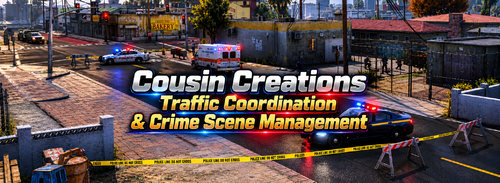
An LSPDFR callout pack built for the Liberty City Preservation Project map.
All callouts are PROXIMITY-BASED - locations are generated around the player
using nearby road/street positions.
No hardcoded GTA V coordinates and no GTA V map-specific area names.
Vehicle pursuits are handled EXCLUSIVELY by the companion plugin
LC_FakePursuit.
This pack never registers an official LSPDFR pursuit unless the suspect exits the vehicle.
This pack MUST be used with the companion plugin LC_FakePursuits This pack is best used with NPCAI but also has inner dialogue to choose from, this took alot of effort so i hope you enjoy! If any bugs or glitches are found please report them to me, more for the Liberty City Preservation Project to come.
1. Active Shooter
2. Stolen Vehicle
3. Wanted Felon
4. Robbery In Progress
5. Panic Button
6. Officer Down
7. Armed Driver
8. Drive By Shooting
9. Disorderly Conduct
10. Street Racing
11. Stolen Motorcycle
12. Stolen Moped
13. Flock Camera Hit
14. Armed Suspect Alley
15. Domestic Argument
16. Knife Attack
17. Serial Robbery Suspect
18. Mental Health Crisis
19. Robbery Suspect Fleeing
Edited by notdavidb1
Short Description
AI disclosure
The author has disclosed that AI tools were used in creating the following aspects of this file:
- Mod and Mod Content (Moderate)
AI was used during the building process and to identify bugs, glitches or errors to exactly pin point the problem.
- BJ USA and DanielMonte
-
 1
1
-
 1
1


![SAST Livery [FIVEM]](http://s3-screenshots.int-cdn.lcpdfrusercontent.com/resize/500/-/monthly_2026_10/Screenshot2026-10-19162023.thumb.png.9aa1104bd82b43df65f54a108bcb764f.png)


![[ELS-HYBRID] [ADD-ON] 2026 Clayton County Sheriff's Office Mustang](http://s3-screenshots.int-cdn.lcpdfrusercontent.com/monthly_2026_10/Screenshot_3737.thumb.png.091f4e1157973200842907e47c4d6dae.png)


Recommended Comments
Create an account or sign in to comment