
Jump to content

SirenSetting Limit Adjuster 1.1.0

   (2 reviews)

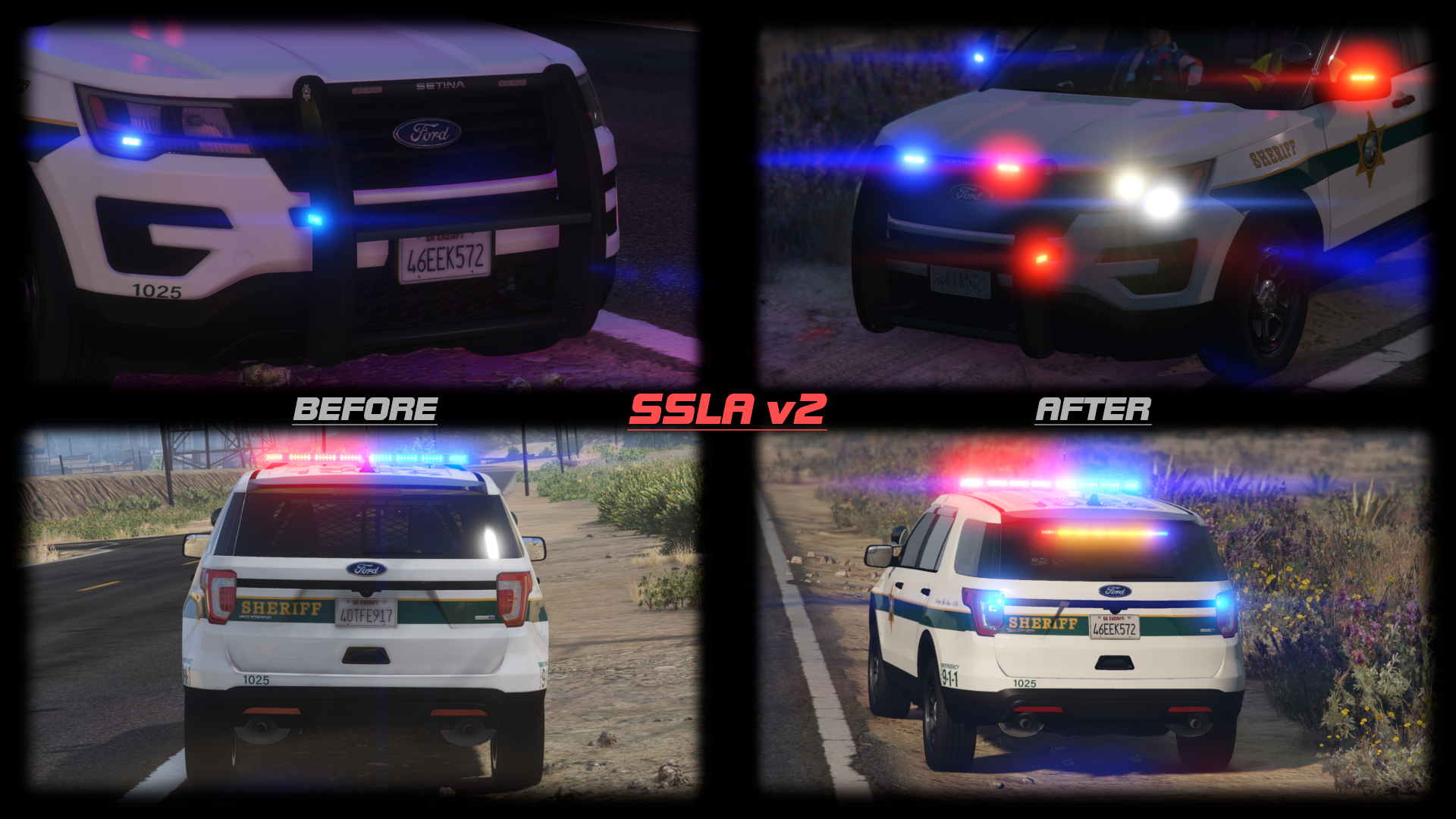
6 Screenshots

This mod expands the maximum value of a siren setting ID in carcols to 65535. Previously, two siren settings with different IDs could still conflict with each other if their IDs were above 255. Now they don't.


This mod also expands the maximum number of unique siren settings you can have. If you have 400 non-ELS cars, and they all have unique light patterns, that'll work.


INSTALLATION:
Copy the contents of "Grand Theft Auto V" to your game folder. If you use RAGEPluginHook, make sure to copy the Plugins folder as well.


USAGE:
Just use a number bigger than "255" as a siren setting ID. The values 0, 255, and 65535 are reserved, so don't use those 3 specific values. No additional configuration is required.


LOGGING:
This ASI produces a SirenSettings.log file in your game directory. The log file records:

  • Every loaded SirenSetting, its name, its ID, and its internal index;
  • Every loaded vehicle, its name, its siren ID, and the index it was matched to;
  • Any conflicts, where two SirenSetting entries have the same ID.


LICENSE:
Please link to an official upload instead of redistributing this yourself.


What's New in Version 1.1.0

Released

1.1.0: Removed compatibility with RPH build 1.78 (for GTA build 1868.1). Added compatibility with RPH build 1.81 (for GTA build 2060).

cp702: Author
LMS: Research assistance
Jacobmaate: Screenshots
Swed, Jacobmaate, 11john11: Testing

You may also like

  • Dynamic Lighting System

    Dynamic Lighting System v1.0.0   Discord Server for pre-release versions, bug reporting, and other ways to talk with people interested in DLS! Patreon Page to support my work on mods for GTA V and other games. GitHub Repository for access to DLS's source code. Forum Post to check for existing bug reports and ask your questions. Youtube Playlist to check some stuff that was done with DLS.   Welcome to Dynamic Lighting System, a full-fledged light control system that allows f
    TheMaybeast

    By TheMaybeast

    Updated

    • 49.5k
  • Emergency uniforms pack - Law & Order

    https://www.patreon.com/alex_ashfold
    Alex_Ashfold

    By Alex_Ashfold

    Updated

    • 1.7m
  • Emergency Lighting System

    Emergency Lighting System V brings one of the most popular modifications ever created for a GTA title (ELS-IV) to Grand Theft Auto V. ELS-V will add a whole new dimension to  your patrols. With a fresh look and many more features than its predecessor, it's also sure to brighten up your game and satisfy the emergency lighting enthusiast in anyone.   DESCRIPTION − ELS provides an alternate and incredibly in-depth way of controlling emergency vehicle lights and sounds. − ELS requires
    Lt.Caine

    By Lt.Caine

    Updated

    • 2m
  • LSPD First Response

    The LSPD First Response modification
    Sam

    By Sam

    Updated

    • 9.6m
  • EUPFR Basic Configurations

    These files will allow to use some of the EUP Outifts for your character but also for NPCs (ambient spawns and backup)
    Alex_Ashfold

    By Alex_Ashfold

    Updated

    • 307.8k
  • [EUP] National Park Service Uniforms (U.S. Park Ranger)

    A realistic addition to your game. Have fun!
    AgentDZN

    By AgentDZN

    Submitted

    • 988
  • User Feedback

    Recommended Comments


    This is awesome. Thanks for creating and uploading this, it's something that will make carcol conflictions a thing of the past. I love this and love that you dedicated time into releasing and creating this, and I have a lot of respect for all the people who also helped this come to be.

    Link to comment
    Share on other sites
    1 hour ago, Lapd Code 3 said:

    so this works on any vehicle with custom siren settings ?

    Yes. Vehicles don't need any special configuration to take advantage of this.

    Link to comment
    Share on other sites
    2 minutes ago, James20001120 said:

    Sorry,how to install the file? Only install one?

    If you use RPH, you need to install both files. If you don't use RPH, you only need the ASI. (If you sometimes use RPH and sometimes don't, then install both.)

    Link to comment
    Share on other sites
    17 minutes ago, cp702 said:

    If you use RPH, you need to install both files. If you don't use RPH, you only need the ASI. (If you sometimes use RPH and sometimes don't, then install both.)

    But after I install both files and load RPH,my game send me a error message.It say 

    Siren Setting_Limit_Adjuster log creation failed with error: The program cannot access the file because the file is being used by another program

    IMAG0025~2.jpg

    I think I install correct.


    IMAG0027~2.jpg

    Edited by James20001120
    Link to comment
    Share on other sites
    15 minutes ago, James20001120 said:

    But after I install both files and load RPH,my game send me a error message.It say 

    
    Siren Setting_Limit_Adjuster log creation failed with error: The program cannot access the file because the file is being used by another program

    IMAG0025~2.jpg

    I think I install correct.


    IMAG0027~2.jpg


    IMAG0029~3.jpg

    Link to comment
    Share on other sites
    25 minutes ago, James20001120 said:

    But after I install both files and load RPH,my game send me a error message.It say 

    
    Siren Setting_Limit_Adjuster log creation failed with error: The program cannot access the file because the file is being used by another program

    IMAG0025~2.jpg

    I don't speak Chinese; could you translate that message for me?


    What happens if you delete SirenSettings.log?

    Link to comment
    Share on other sites
    6 minutes ago, cp702 said:

    I don't speak Chinese; could you translate that message for me?


    What happens if you delete SirenSettings.log?

    It still send me the error message after I delet the log.

    The SirenSettings.log will auto create when I start the game, then send me the error message after I load the RPH.

    Link to comment
    Share on other sites

    After reading the description I am unsure what this mod does. I try using it and my lights still the same? Did I miss something? I'm lost right now and need some guidance. 

    Link to comment
    Share on other sites
    9 hours ago, cp702 said:

    Yes. Vehicles don't need any special configuration to take advantage of this.

    What about five m vehicles? used as add on vehicles will there's work too?

    Link to comment
    Share on other sites
    4 hours ago, cooltheme said:

    After reading the description I am unsure what this mod does. I try using it and my lights still the same? Did I miss something? I'm lost right now and need some guidance. 

    Non-ELS vehicles do emergency lighting with an entry in carcols.ymt and a reference in carvariations.ymt. These entries are referred to using an ID number, so you might have a SAHP Buffalo say “I’m using siren setting number 87” and have a corresponding entry number 87 in carcols. If two mods use the same ID number, they’ll have the same emergency light setup. When they’re supposed to have different light setups, this will mess up one of the vehicles’ lights. By default, these numbers are effectively limited to a maximum of 255, which means it was reasonably likely for 2 different mods to end up with the same ID. This increases that limit to 65535, so it’s much easier to avoid those conflicts.

    3 hours ago, Lapd Code 3 said:

    What about five m vehicles? used as add on vehicles will there's work too?

    I don’t know enough about FiveM to know if this will work with it. It should work with FiveM-ready vehicles in normal GTA single-player, but I don’t know if it would work in FiveM itself.

    Link to comment
    Share on other sites
    1 hour ago, cp702 said:

    Non-ELS vehicles do emergency lighting with an entry in carcols.ymt and a reference in carvariations.ymt. These entries are referred to using an ID number, so you might have a SAHP Buffalo say “I’m using siren setting number 87” and have a corresponding entry number 87 in carcols. If two mods use the same ID number, they’ll have the same emergency light setup. When they’re supposed to have different light setups, this will mess up one of the vehicles’ lights. By default, these numbers are effectively limited to a maximum of 255, which means it was reasonably likely for 2 different mods to end up with the same ID. This increases that limit to 65535, so it’s much easier to avoid those conflicts.


    Thanks for the explanation.

    Link to comment
    Share on other sites

    Ive asked so many people to help me with carcol ID problems, noone wants to. Ive tried finding videos for this with no luck. Now you come out with this, and makes want to try and understand again.  I know what it does and why it would work, but I have no idea what to look for or what to change. Anyone know of a vid tutorial dealing with this?

    Link to comment
    Share on other sites
    12 hours ago, viperwolf said:

    Ive asked so many people to help me with carcol ID problems, noone wants to. Ive tried finding videos for this with no luck. Now you come out with this, and makes want to try and understand again.  I know what it does and why it would work, but I have no idea what to look for or what to change. Anyone know of a vid tutorial dealing with this?

    You will get a log called SirenSettings, open that, do ctrl + f and search for Conflict and any ida that are conflicting will show up

    Link to comment
    Share on other sites
    On 9/4/2020 at 7:01 AM, detMaxPayne said:

    plugin very interesting    it'd better if you have showcase video   I read the explanation but still didn't get it  what it actually do 

    A video wouldn’t really show anything except lights working instead of conflicting though

    Link to comment
    Share on other sites

    Create an account or sign in to comment

    You need to be a member in order to leave a comment

    Create an account

    Sign up for a new account in our community. It's easy!

    Register a new account

    Sign in

    Already have an account? Sign in here.

    Sign In Now
    ×
    ×
    • Create New...





