




ineseri
Friends of LSPDFR
-
Joined
Everything posted by ineseri
-
Absolutely no need for that. You can easily just tell someone to use Google, or you can direct them to a result you found since you obviously know how to use Google yourself.
-
The website section is for issues and comments regarding the website. I've moved your topic to the proper place. This topic has been moved to the appropriate forum. Please post in the correct location in the future.
-
Are you talking about real life or GTA V? Your title is "Los Angeles" which is the city "Los Santos" is based on, rather confusing.
-
A lot of rule breaking and bad behaviour from their side. Not something we're interested in repeating. This topic has been closed by LCPDFR.com staff because it is a website, clan, or group ad. Our site isn't an advertising service - please do not use it as one. If you want to share your website, group, or clan, please keep that limited to your profile and signature. If you feel that this topic has been closed in error, please report this post.
-
This topic has been closed by G17 Media Community Team Staff as it is a topic regarding support for the RAGE Plugin Hook. We are unable to provide support for the RAGE Plugin Hook (RPH), and require all support topics pertaining to this be posted over on the official RAGE Plugin Hook forums: http://forums.ragepluginhook.net/ If you feel this topic has been closed in error, please report this post.
-
The Yacht is in several pieces I believe, same goes for the GTA O Yachts. I would not be surprised if the same goes for the carrier. They're spawned just like a building is.
-
There's nothing called "modelling for LSPDFR". LSPDFR is a modification for the PC version of GTA V. As, Hystery said you will need to procure zmodeler.
-
This is unrelated to LSPDFR, so I have moved it to Suggestions & Requests for GTA V.
-
Your thread has been moved to LCPDFR Support Requests as it isn't a LSPDFR Support Request. Hello there -- welcome to LCPDFR.com and thanks for trying out LCPDFR! Please do the following: Make sure you aren't using a crack - We don't support cracks or people using pirated software Update GTA IV to 1.0.7.0 (the latest version of the game, or 1.1.2.0 for EFLC) - These patches are needed. Make sure that you run the game as an administrator. Make sure that your GTA IV root folder (and every subdirectory) is not set to "read-only" Ensure that AdvancedHook.dll, ScriptHook.dll, ScriptHookDotNet.asi and Dsound.dll OR Xlive.dll are in the GTA IV ROOT folder Ensure that there is a folder titled 'LCPDFR' in the ROOT GTA IV folder. Check that all the above files exist, if they do not, reinstall LCPDFR with the MANUAL installation. Ensure that you are using up to date versions of every LCPDFR dependency and LCPDFR itself. Install these: https://www.microsoft.com/en-us/download/details.aspx?id=30653 , https://www.microsoft.com/en-us/download/details.aspx?id=30679 In some cases, your issue is resolved after following the above steps. If it did help, please let everyone know in the topic that your issue is resolved. If you do have to post a topic, do the following; Give a clear, detailed description of the problem. Explain any circumstances surrounding the problem. State what solutions you have tried. Post ALL relevant logs (LCPDFR.log, Scripthook.log, ScriptHookDotNet.log, AdvancedHook.log). Include as much information as possible. Post your system specifications. Post what other mods you are using. This includes car and script mods. Post a screenshot of your GTA IV or EFLC game directory. Please note that failure to follow these instructions may cause this thread to be closed.
-
This section is for LCPDFR, so GTA V won't work. You will have to use the PC version of GTA IV, The Ballad of Gay Tony or The Lost and the Damned.
-
You should consult the manual and the various pinned topics.
-
Please do the following: Make sure you aren't using a crack - We don't support cracks or people using pirated software Update GTA IV to 1.0.7.0 (the latest version of the game, or 1.1.2.0 for EFLC) - These patches are needed. Make sure that you run the game as an administrator. Make sure that your GTA IV root folder (and every subdirectory) is not set to "read-only" Ensure that AdvancedHook.dll, ScriptHook.dll, ScriptHookDotNet.asi and Dsound.dll OR Xlive.dll are in the GTA IV ROOT folder Ensure that there is a folder titled 'LCPDFR' in the ROOT GTA IV folder. Check that all the above files exist, if they do not, reinstall LCPDFR with the MANUAL installation. Ensure that you are using up to date versions of every LCPDFR dependency and LCPDFR itself. Install these: https://www.microsoft.com/en-us/download/details.aspx?id=30653 , https://www.microsoft.com/en-us/download/details.aspx?id=30679 In some cases, your issue is resolved after following the above steps. If it did help, please let everyone know in the topic that your issue is resolved. If you do have to post a topic, do the following; Give a clear, detailed description of the problem. Explain any circumstances surrounding the problem. State what solutions you have tried. Post ALL relevant logs (LCPDFR.log, Scripthook.log, ScriptHookDotNet.log, AdvancedHook.log). Include as much information as possible. Post your system specifications. Post what other mods you are using. This includes car and script mods. Post a screenshot of your GTA IV or EFLC game directory. Please note that failure to follow these instructions may cause this thread to be closed.
-
Then you have not installed LCPDFR correctly, or did not follow the installation instructions.
-
I recommend you keep dsound in, and remove xlive. Use the one that came with LCPDFR.
-
"Using 2 asi loaders at the same time" You are using two asi-loaders. Remove either xlive or dsound.
-
This topic has been closed by G17 Media Community Team Staff as it is a topic regarding support for the RAGE Plugin Hook. We are unable to provide support for the RAGE Plugin Hook (RPH), and require all support topics pertaining to this be posted over on the official RAGE Plugin Hook forums: http://forums.ragepluginhook.net/ If you feel this topic has been closed in error, please report this post.
-
Please review the trainer manual for instructions on how to use it.
-
And did you make sure that this folder is updated?
-
Did you use a mods folder prior to the update?
-
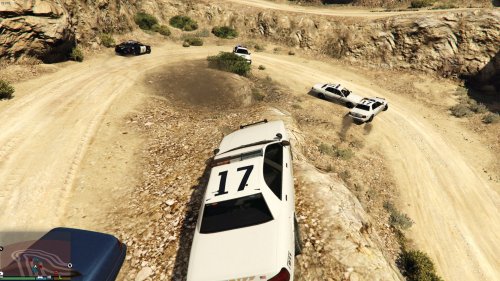 Sorry for the late reply - I'm using it on the very latest version of the RPH, and it seems to be working fine.
 -
This is not an issue with the website, but with the LSPDFR modification. The Website Problems, Feedback & Suggestions section is for, as the name implies, for issues with the website. This topic has been moved to the appropriate forum. Please post in the correct location in the future. Also, I can safely say this is already a feature :)
-
This topic has been moved to the appropriate forum. Please post in the correct location in the future.
-
This topic has been closed, as it has been previously answered on LCPDFR.com - We require all members to thoroughly investigate whatever question they might have before posting. You can find the search function here: http://www.lcpdfr.com/search/ If you feel this topic has been closed in error, please report this post.
-
It's not like I agree with it, but it is their choice. Modding is a very small percentage for them, and as such they have no need to cater the game for modders either.
-
I think that is the point. They created it. They own it. We can't really dictate what Rockstar does with that. Is it a bit strange? Sure! But it's MP only content, which is their decision to make.


